📚 Elevate your reading game — because your next great story deserves the best screen.
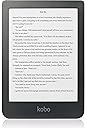
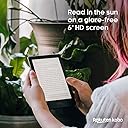
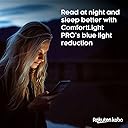
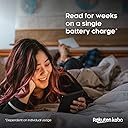
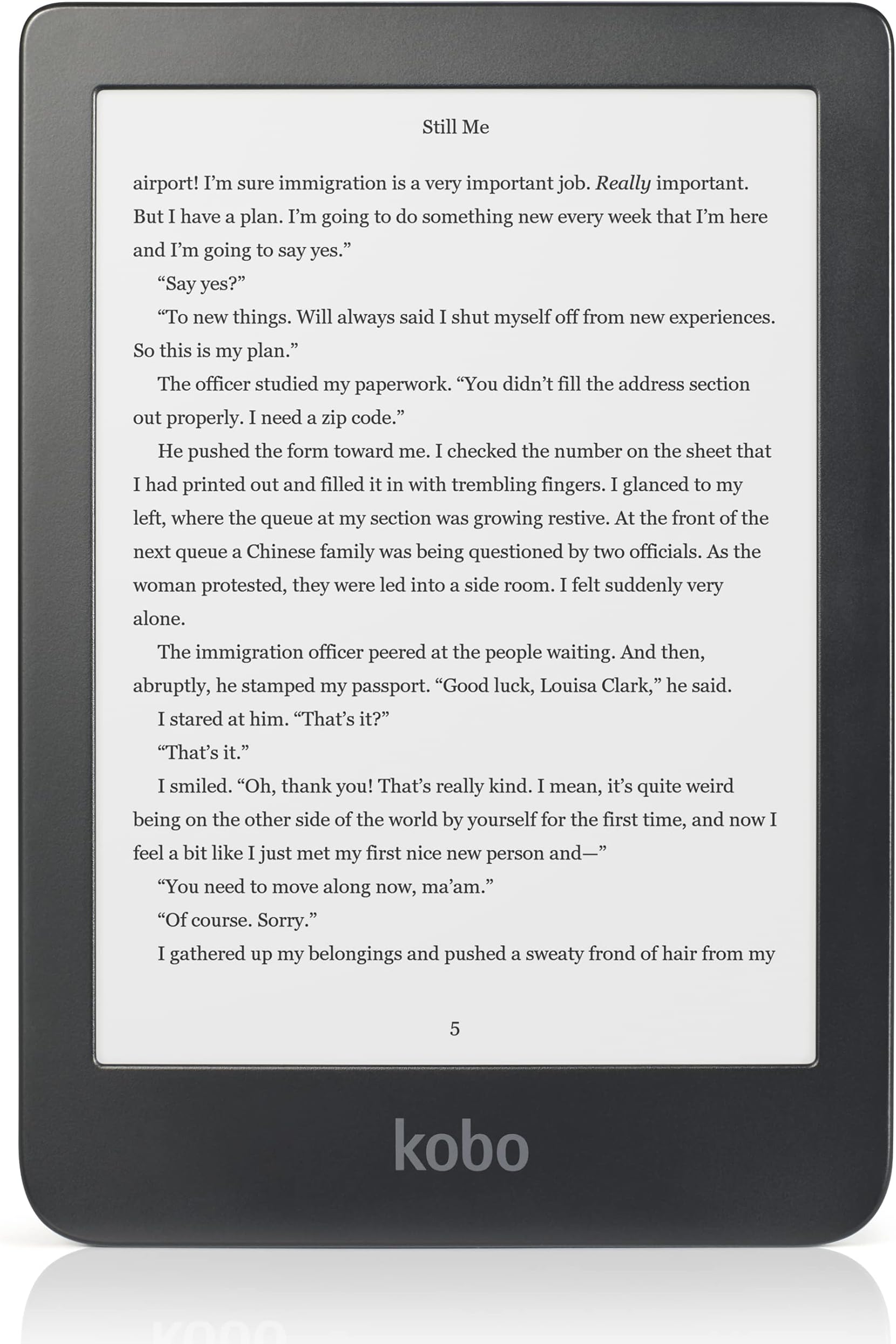
The Kobo Clara HD is a sleek 6-inch eReader featuring a high-definition 300 PPI glare-free touchscreen with ComfortLight PRO for adjustable brightness and blue light reduction. It offers 8GB of storage to hold up to 6000 books, WiFi connectivity for seamless access to millions of titles, and a fully customizable reading experience with multiple font and layout options. Lightweight and designed for extended use, its battery lasts for weeks, making it the perfect companion for avid readers who demand comfort, versatility, and portability.


| ASIN | B07CXNMVKY |
| Battery Average Life | 2 hours |
| Best Sellers Rank | #491,704 in Electronics ( See Top 100 in Electronics ) #621 in eBook Readers |
| Brand | Kobo |
| Built-In Media | Clara HD |
| Color | Clara HD |
| Compatible Devices | Devices with WiFi connectivity |
| Connectivity Technology | Wi-Fi |
| Customer Reviews | 4.4 out of 5 stars 6,587 Reviews |
| Display Technology | Electronic Ink |
| File Format | BMP, CBR, CBZ, EPUB, GIF, HTML, JPEG, MOBI, PDF, PNG, RTF, TIFF, TXT |
| Global Trade Identification Number | 00681495007554 |
| Human-Interface Input | Touchscreen |
| Item Dimensions L x W x Thickness | 6.28"L x 4.33"W x 0.33"Th |
| Item Weight | 5.9 ounces |
| Manufacturer | Kobo |
| Memory Storage Capacity | 8 GB |
| Mfr Part Number | N249-KU-BK-K-EP |
| Model Name | Clara HD |
| Model Number | N249-KU-BK-K-EP |
| Native Resolution | 1072x1448 |
| Number of Items | 1 |
| Screen Size | 6 inches |
| UPC | 681495007554 |
| Warranty Description | 1 year |
A**R
Great value for money. Also, with a little computer know-how, can support larger storage
If you want an ereader that's cheap, good, and moddable, this is the one. There's a lot of software mods out there, but I find the default UI is totally fine. I don't want a device that can do everything, I want one that's comfortable and easy to use, and the vanilla UI is perfectly fine. However, if you like reading manga like I do, that 8gb of storage is gonna fill up fast. Luckily, the device is easy to open, and uses a regular SD card for storage. You just need to make an image of the drive it came with, flash it to a bigger SD card (I believe it has been tested to support up to 128gb), and use a tool to expand the storage partition of the card to fill the rest of the card. It uses a FAT32 filesystem, and the only one I could find that could do that for free was gparted. I used my linux laptop to do that, but I think there's a windows port and you could also always boot up a VM if needed. Just make sure you use a fast SD card. Don't cheap out on that. I've also had a few issues with managing books through Calibre even before doing the mod, but for the most part it's been easy to fix. One time I had an error where the database got borked, and had to factory reset it and reupload all my books. However I suspect that was a user error or something because I've had no issues like that since. The only problem I consistently have is that the metadata on new books are incorrect even if I manually update the metadata before ejecting, but the solution to that is just plugging it back in, updating metadata again, and then ejecting it. That always fixes it. I don't know why Kobo doesn't include a higher storage size by default, or even as an option. The mod is so easy and 8gb is really not enough for a system that supports cbr/cbz files.My only guess is that the extra storage space slows it down a bit when opening books, and it does- only a little bit, and only when opening a book- but that slowdown is probaby only present on big cards. My pick of 128gb is way overkill, but I wanted to be able to store everything on one device, including manga. OH yeah, one other little issue with big files- it can't load anything over 2gb. It appears in the filesystem when looking at the drive, but the device doesn't see it and it doesn't show up in Calibre. Luckily, for books that's a total non-issue, but for long comics like many popular manga, you'll have to split it up into multiple chunks. Personally, I wound up dividing long runs into multi-volume files, like "Jojolion Vol. 01-14" and Jojolion Vol. 15-27". Pretty easy workaround, and since cbz files are just zip files with a different extension, it's pretty easy to do. Overall, a great device, at a great price. The Android to Kindle's iPhone.
T**S
Better than the house brand
When my Kobo Mini started to give up the spirit (wifi connection lost, computer does not always recognise it), I was informed by service desk that the device is nearing end of life and it would be time to look for another one. As Kobo is sold in relatively few countries, first I bought a Kindle (Basic 10th Gen). But it would have been a pity to leave my collection of epub books lying around on various hard disks, device memories, and USB drives, so I also bought the rough equivalent of the Kindle (screen and memory size, features, price), which is Clara HD. I do not regret the choice. It has some advantages it has over Kindle: 1. in the same light conditions, when I need to turn on back-light on Kindle I can still comfortably read the Kobo reader. I do not know why: when there is ample light, I cannot see what causes this difference. The screens look the same. 2. The battery keeps charge longer. (Not only because I can use it more without back-lighting but also because it can be set to turn off after a certain time spent in sleep mode. Kindle has a deep sleep function but it does not seem to be so efficient as turning the device off. 3. There are more options of screen setup: font size, font type, line spacing. The only thing that can cause problems is that the dictionary font size is very minuscule compared to the main font size, and cannot be set separately. Would I recommend it to friends? Yes, of course. Nowadays, when so many books are easier and cheaper to get in electronic format, the value for price ratio is probably the best for devices of this size and category. The best liked feature (apart from the basic, reading functionality)? The ease of uploading books: when I connect it to the computer, it is recognised as a USB drive to which I can copy books, and when I turn it on in reading mode, the new books are indexed and placed into the library on the reader. Of course the nagging question remains how long will it last? The Mini had in it almost nine years with infrequent use. Online forums suggest about five years for a Kindle, due to battery issues. These devices are not for eternity.
A**E
Excited to use and explore my first e-reader!
I’ve been using an ipad 7th gen before i switched to Kobo, so i’m surprised to see that it is just a bit bigger than my smartphone. It will take me some time to adjust to the screen size. I do appreciate the sharpness of the text, and how it won’t strain my eyes unlike lcd screens do. I enjoy adjusting the brightness and natural light. It’s very slim and light, there will be no problem holding the device for extended hours. I like the matte finish of the case. Quick push of power button will sleep/wake the device. I will buy a case for this since i’m afraid i will strain the button with repetitive use. Responsiveness is good, i don’t expect the same fast response /refresh as my ipad since this is e-ink. Having trouble with footnotes of epubs. Upon research it is best to convert to kepub first. All in all i’m really satisfied with my purchase! I highly recommend Kobo! I’m looking forward to reading books thru my Kobo! I chose this over kindle because i can easily sideload my downloaded epubs. I just have to connect Kobo to my laptop and copy over my files.
B**T
Amazing
I got the Kobo as I use Libby/Overdrive almost exclusively, and believed it would be easier and fewer steps to browse and download books from my libraries than a Kindle. I thought this was a cheaper, higher value option than the Kindle Paperwhite with more desirable features, and I still believe that to be true. Unfortunately, I could not get both of my library card accounts to sync with the device. I tried for hours, pulling my hair out and trying innumerable tips I found online. It would only register and sync books from one at a time. I wound up giving this device to my partner who has only one library card. She was using the basic Kindle with 167ppi, so this was a big upgrade. I resignedly purchased the ‘21 11th Paperwhite for myself so I can continue to use Libby to browse and send books to Kindle using both my cards. I really prefer the small size of the Kobo (with a screen that’s relatively large and also bezeled, which makes it harder to accidentally tap forward a page) and it honestly feels easier on the eyes than the Paperwhite, which is less matte and needs more illumination in the same light. The processing speed is also faster than the Paperwhite, and the UI makes more sense to me. I’m low-key extremely jealous of my partner every time she uses it, but it just didn’t make sense to have to enter in my library cards every time I wanted to sync them - I was hoping for a simplified experience. If this is streamlined and Overdrive with multiple cards (with ability to toggle browsing between those libraries) is made easier, I would be all over the Libra 2 or the Sage in a nanosecond.
M**1
A great alternative to the Kindle
The Kobo is sort of the Linux of e-readers to the Paperwhite's MS Windows. If you want an easy-to-use, robust store and having all your books in the Amazon cloud then the Paperwhite is for you. However if you don't want your e-readers confined to the Amazon eco-space and desire to be able to easily add many different formats the Clara HD is the easy choice. First of all, forget any sort of competent software from Rakuten/Kobo to install on your PC to transfer books. Seriously, you'll hate yourself if you manage to locate and install their app. Just do what everyone does and download the free Calibre software (google it). And pass them a few bucks while you're at it. Calibre provides the ability to organize your ebook library as well as transfer to your Clara. It's a wonderful program I've been using for years and is actively updated. The Kobo connects to Walmarts ebook store and its perfectly fine to use for easy purchases. I do feel that much of what is said about the touchscreen not being quite as sensitive as the Paperwhite is true. It just misses the occasional swipe which can be annoying. However the excellent backlighting and color variations makes up for it. Very comfortable to hold and lightweight. Battery is very good but not amazing. I'd give it a 4.5 if I could but I round up to 5 and I'm thankful that at least one manufacturer has the ability to keep Amazon on their toes.
C**N
Frustrating piece of crap
This thing is great - WHEN IT WORKS - which it often doesn't. It has various settings for sleep and for powering off, which work, but getting it to come back on is a struggle. Supposedly touching the power button quickly and lightly will make it wake up. Once in a while that works. Most of the time it won't wake up, and I have to hold the button in for 30+ seconds to get it to reboot. Sometimes that doesn't work, but I've found that plugging the charger cable in and then holding the button down for another 30+ seconds will wake it up. This happens even though it has 75% or better charge, so it has nothing to do with the battery being low. Then, there's the touch screen, which is crap. Half the time it doesn't work, or goes to something other than what I touched. It took me 6 tries this afternoon to get it to open the book I am actually reading (and touching on the screen) instead of the KOBO "preview" book next to it. I waited too long to try to return this piece of crap, and now am stuck with it. If you get one and it gives you the least bit of trouble, return it immediately, because it only gets worse! I wish I had dumped it the first time it wouldn't wake up, instead of letting technical support "help" me. Ugh.
K**R
Better than a paperwhite!
I’ve been using kindle paperwhites for several years now and have always been quite happy with them. This year I started reading books exclusively from my local library and the apps that my library supports (Libby/Overdrive, CloudLibrary and Hoopla). When it was time for me to get a new ereader, I wanted one that more easily incorporated getting ebooks from the library. The Kobo line of ereaders were the only real option and after going back and forth with which to get, I decided on the Clara hd. I’m so glad that I did, because it is everything a paperwhite is and more! There are five things that I love about the Kobo Clara hd that the paperwhite does not have: 1. The ability to borrow books from my local library using the device 2. Being able to adjust the screen’s light by sliding my finger on the screen - and not having to use a drop down menu 3. Having a warm light option (which I have on all the time) 4. The page count on the device being the actual page count on the device, not the page count of the physical book (it’s very satisfying seeing the page number change every time I tap the screen) 5. The cover of my current book being displayed on the screen when the device is sleeping The only real con that I can see is that you can’t browse through Overdrive’s entire catalog of books, so you will still have to use your phone or other smart device if you don’t have a specific book or author in mind. If you are in the market for an ereader, you can’t go wrong with this one. It’s cheaper and has more features than its closest competitor and I will never go back to my old kindle ways
N**1
I Love This Reader! Works With Overdrive!
Several years ago I finally gave up on actual paper copies of books and went the Kindle Fire tablet route. Eventually upgraded to a competetor tablet and no longer used Kindle app but the Overdrive app from my local on-line digital library. I actually preferred this method as you borrow, return, browse, reserve, etc. all through the Overdrive app and do not have to add the extra step that the Kidle app required. The only issue I have experienced was when I wanted to read outside - or anywhere where direct sunlight, glare is a problem - which you know makes it virtually impossible to read on a tablet. They have so many great features, but outside reading isn't one of them. Was going on an extended trip where I would be outside a lot and wanted to be able to read. I first ordered a Kindle ereader. I did not realize that I could not "borrow" books directly from my library like I am able to do with Overdrive. My husband and I had a serious disagreement about this - says it isn't necessary, just download whatever books you want and put them on the reader -- return/borrow when you again have internet/tablet access. NO, NO, NO - this is not for me. If I am at the beach (wherever) finish and book and want to browse my library catalog, I want to do it now darnit - now have to wait. His kindle ereader what quite a few years old - so I said, "OK you love it so much, you can have this one. I will buy something that supports overdrive". Win-win for both of us. Checked overdrive to see what reader they recommended. After watching various youtube videos, reading reviews, I decided on the Kobo and I am glad I did. It works perfectly for an Overdrive gal like me. I have not had a particular situation where I could not read in any outside condition. Can easily browse library catalog anywhere I have internet access and can check on available books immediately from the Kobo without needing a computer or another device. Highly recommend this product for anyone who has my particular requirements. I will say the kindle ereader was very nice and looks almost exactly like the Kobo and was a LOT less expensive so if Overdrive isn't necessary for you, don't spend the extra on this ereader. Thanks.
R**D
Pocket sized book reader for day and night
Bought two of these for my wife and myself to read when travelling and in bed with the light out. They replaced a previous generation kobo reader which didn't have a back light so needed external light to read in the dark. works well with all e books and a good selection of free or cheap classics in the Kobo on line library.
V**R
A me non serve di più!
Piccolo, molto leggero, configurabile, schermo chiaro e molto leggibile. Ero indeciso con il modello da 7", ma ho preferito la portabilità e il costo basso, e sono contento della mia scelta. Il Kobo permette sia di utilizzare i libri acquistati presso il loro sito sia quelli privi di drm in nostro possesso. Io sono un po' vecchia guardia e non amo gli "abbonamenti", quindi ho i miei libri regolarmente acquistati in locale in formato epub. Il lettore li apre perfettamente e tanto mi basta, pazienza per la sincronizzazione con altri dispositivi che può avvenire solo per i libri acquistati sul loro sito, non per quelli caricati in locale. Altra peculiarità è la possibilità di caricare e utilizzare altri font. Io utilizzo il Georgia ma ho anche caricato il Bookerly e il Literata, tutti molto leggibili, li consiglio. Con ciascun font si possono poi personalizzare tutti i parametri fino a raggiungere la leggibilità desiderata. Illuminazione molto buona, regolabile in intensità e bilanciamento del bianco, con impostazione dell'orario notturno per virare automaticamente il tono colore senza blu. Personalmente preferisco andare in manuale... Un piccolo bug con le note: se si vuole modificare una nota esistente, anche cliccando su "salva", la cancella... Segnalerò la cosa alla Kobo. Sono molto soddisfatto dell'acquisto e se volete un equivalente ai vecchi libri tascabili non credo serva altro.
B**D
Parfait!
J'ai offert cette liseuse, elle fonctionne parfaitement et est très pratique. Très bonne autonomie.
Z**G
Trusty ebook
Been using it for more than 3 years! my companion on the bus and train and sometimes the plane. :)
L**I
Todas las ventajas del Kobo en un dispositivo más ligero y pequeño.
Estoy más que satisfecha con el Kobo Clara. Llevo casi 7 años leyendo en un Kindle 4 y no veía la necesidad de cambiarlo (ni siquiera por uno con luz integrada); sin embargo, dado que necesitaba otro e-reader dónde poder leer los libros de la e-biblio (red de bibliotecas públicas de España), me di a la tarea de buscar dispositivos compatibles con la tecnología Adobe DRM. Me decidí por los Kobo porque buscaba un dispositivo respaldado por una gran empresa y con un amplio catálogo de libros, a la altura de la que nos ofrece Amazon Kindle. Y específicamente, me decidí por el modelo Clara, por dos razones: 1. Es el más ligero y pequeño del mercado (en la foto adjunta, se puede observar que aunque tiene la misma medida de pantalla que el Kindle 4: 6 pulgadas; al tener el marco más angosto, el tamaño del dispositivo es inferior). 2. Cuesta lo mismo que un paper white (o costaba, porque acabo de darme cuenta de que en Amazon ya han subido su precio), pero tiene el doble de capacidad de almacenamiento. Llevo 3 semanas usándolo y cada vez estoy más contenta de mi elección. De momento no he tenido que cargarlo ni una sola vez, usándolo todos los días, al menos una hora. Tiene un detalle muy chulo, que es, que cuando está en modo reposo, se queda como fondo de pantalla, la portada del libro que estés leyendo. Su iluminación es genial, se adapta a la luminosidad del ambiente; y sobre todo, la luz nocturna, que permite leer con claridad, sin cansar la vista. Precisamente la calidad de la luz nocturna es lo que más me ha sorprendido de este modelo. Una ventaja adicional, es que su uso es muy intuitivo; en el escritorio solo incluyen la biblioteca de libros propios, sin publicidad, lista de deseos, ni sugerencias. Tiene wifi, varios tipos de letra, búsqueda, diccionario, etc. como todos los e-readers actualmente. Soporta varios tipos de formatos de archivos de texto; por lo que no tienes que tirar de Calibre. Solo tiene botón de ON/OFF y entrada USB. La carcasa es de un plástico rugoso, por lo que da mucha confianza al sujetarlo, de que no resbale. Lo que echo en falta son los botones de cambio de página en el marco que sí tiene el Kindle 4; en el clara solo puede pasarse página pulsando la pantalla. Asimismo; otra ventaja de los Kindle que no tienen los Kobo, es la posibilidad de pasar los libros del PC al dispositivo a través de correo electrónico. Sin embargo, en términos generales me parece mucho mejor producto que el Paper White (hablo con conocimiento de causa, pues lo probé durante dos semanas antes de devolverlo); mucho mejor iluminación, el doble de gigas de almacenamiento, sencillez de manejo, sin publicidad y más ligero y portable. Lo recomiendo si eres usuario de ebiblio, o si no quieres limitarte a comprar libros en una sola tienda de ebooks.
Trustpilot
1 month ago
1 month ago