Buy anything from 5,000+ international stores. One checkout price. No surprise fees. Join 2M+ shoppers on Desertcart.
Desertcart purchases this item on your behalf and handles shipping, customs, and support to Belgium.


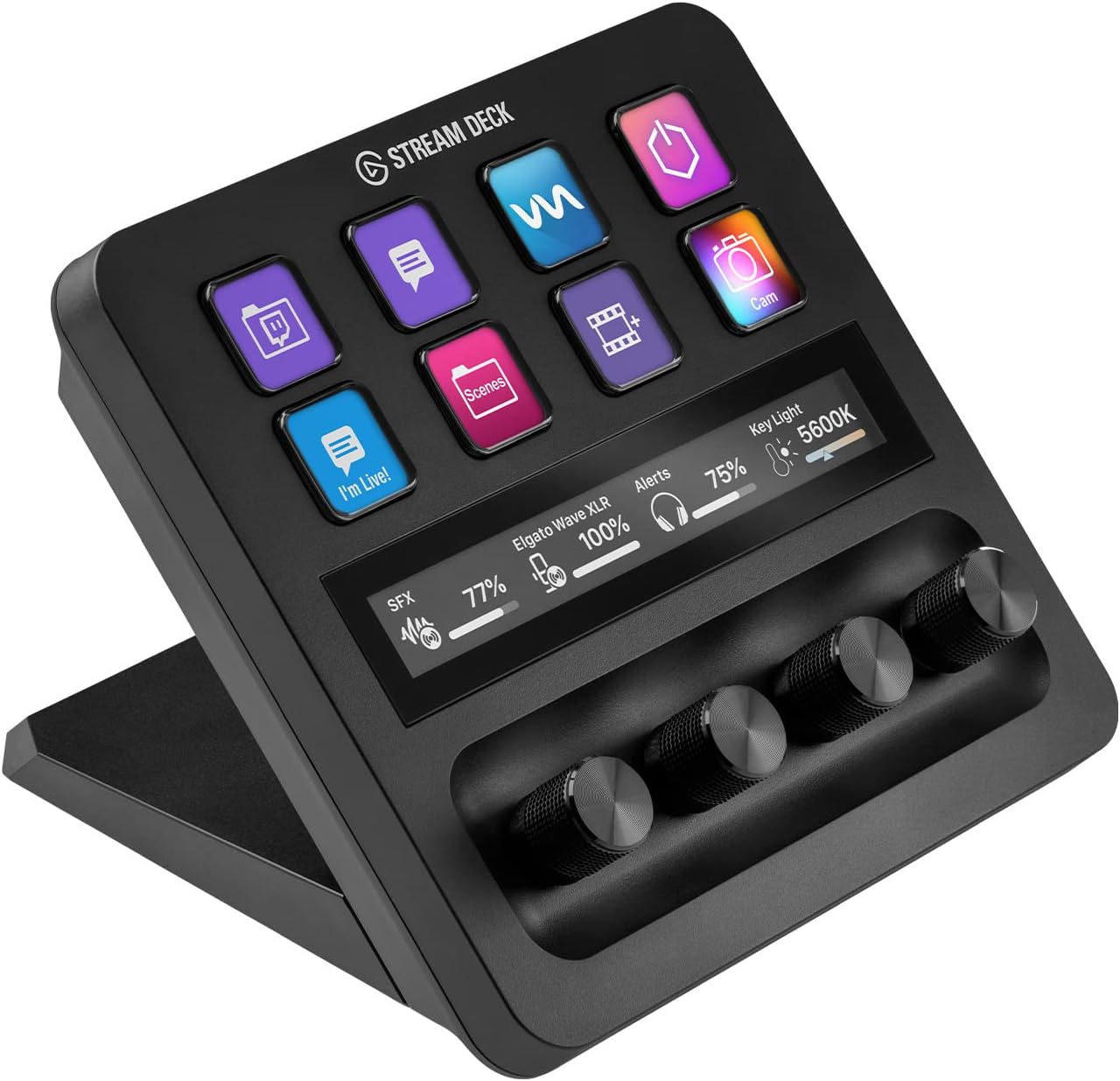
| Additional Features | Customizable |
| Asin | B0FD81TDD4 |
| Brand Name | Elgato |
| Color | Black |
| Compatible Devices | Laptop, Desktop (Windows, MacOS) |
| Connectivity Technology | USB |
| Control Method | App, Touch |
| Customer Reviews | 4.6 4.6 out of 5 stars (724) 4.6 out of 5 stars |
| Hardware Platform | PC/Mac |
| Human Interface Input | Buttons, Dial, Touch Pad |
| Item Weight | 3760 Grams |
| Manufacturer | Corsair |
| Manufacturer Part Number | 20GBD9901 |
| Model Number | 20GBD9901 |
| Platform | Windows |
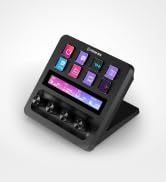
| Product Style | Stream Deck + |
| Size | Stream Deck + (Pack of 8) |
| Supported Software | OBS |
| Unit Count | 8.0 Count |
User
From Button Mashing to Command Center — The Elgato Stream Deck Is Pure Gaming & Streaming Magic
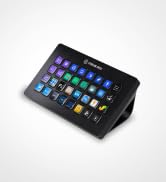
The Elgato Stream Deck has completely transformed my daughter’s gaming and streaming setup — and I don’t say that lightly.What immediately stands out is how intuitive and satisfying this device is to use. The customizable LCD keys, smooth dials, and touch strip turn complex actions into effortless, one-tap commands. Scene changes, audio adjustments, app launches, macros — everything that used to interrupt her flow now happens seamlessly and instantly.The visual clarity of the keys is excellent, the responsiveness is spot-on, and the overall build quality feels premium and purpose-built. This isn’t a gimmicky accessory — it’s a serious productivity and performance tool disguised as a sleek piece of hardware.What I love most is how quickly it becomes indispensable. Once it’s set up, you wonder how you ever streamed or gamed without it. My daughter raves about it daily, not because it’s flashy, but because it actually makes everything easier, faster, and more enjoyable.If you’re a gamer, streamer, content creator, or even a power user looking to streamline your workflow, the Elgato Stream Deck is absolutely worth it. It’s one of those rare products that lives up to the hype — and then exceeds it.Highly recommended.
User
Can’t live without it
I’m not a streamer just an audio nerd, but I’m not sure how I lived without one of these for so long. Puts all my controls at my fingertips. No more alt tabbing to turn on music or change the volume of said music. Quality build with a great hand feel. Easy to use and setup.
User
A Must-Have Tool for Streamers, Content Creators, and Power Users!
The Elgato Stream Deck + is a game-changer for anyone serious about streaming, content creation, or just looking to enhance their computer setup with more buttons and dials. This device is incredibly versatile and easy to set up, making it an essential part of my daily workflow. The customizable buttons and knobs allow for endless possibilities, from launching apps and controlling audio to automating complex tasks with just a tap.The build quality is top-notch, with responsive buttons and a sleek design that looks great on any desk. The added touchscreen and rotary knobs are a fantastic addition, giving you more control and customization options than ever before. It’s especially useful if you’ve ever wished you had more physical controls at your fingertips, whether for streaming, video editing, or just managing multiple tasks on your computer.It integrates seamlessly with popular streaming software like OBS and Twitch, and also works great with tools like Photoshop, Premiere Pro, and even basic desktop functions. The Stream Deck + has saved me so much time during streams and editing sessions, and it’s a joy to use for day-to-day tasks as well.Whether you’re a seasoned pro, a content creator, or simply someone who wants more buttons and dials to streamline your computer use, this is a tool that will elevate your setup and make your work so much easier. Highly recommended!
User
Works and makes shortcuts easy
Super easy to set up, and the dials make a big difference. Buttons feel solid, and everything runs smooth. Works great for streaming, editing, or just making your setup more efficient. If you’re thinking about it, just go for it
User
The BEST Stream Deck Out There!!
So, I have a LOT of Stream Decks. Before I broke down and ordered this, I already had 100 buttons (2 XLs, 2 Regular 15 key and 2 pedals. I use this A LOT. There are so many useful features. First of course is the Stream Deck functionality of course. Programmable Macro Buttons for pretty much anything. 8 buttons seem not enough? Simply swipe the LCD screen and you have 8 more buttons! Page access is SOOOO easy! Lastly, this unit gives you access to the excellent Wave Software which allows you extreme control over your audio and your routing. Music on you VOD? No problem with wave and OBS/SLOBS. Stop by ToeKneeTM on Twitch to learn how! #ElgatoAmbassador and power user
User
Amazing
This is great. Came in a cool box, looks perfect. Set up was plug and play. The OS it uses is super user friendly. All the dials worked and turned smooth. Well made, definitely not cheap. 5 stars easy
User
Good, but missing some useful functionality
I would really give this more like 3.5 stars. I got this to supplement my Stream Deck mk. 2 as I was starting to use a lot of folders and it was getting cumbersome to manage during streams. As a secondary Stream Deck, I think it's very handy to have, but I don't think I would like it as much if it was the only Stream Deck I own.First, the good things. It is quite a bit heavier than the standard Stream Deck which means that it actually stays put when I press buttons. I have a desk mat that these sit on and with the regular Stream Deck, I have to hold it in place while I press buttons to keep it from sliding around and it is rather annoying. The buttons are also larger than the regular Stream Deck, which makes them easier to see and read. With the addition of knobs, I can consolidate three buttons (volume up, volume down, and mute) to a single knob, which saves a lot of space. The touch pad frees up buttons that would otherwise be used for page navigation, which is handy. And while I find it annoying that specific hardware is required for this at all, this does unlock the Wave Link software, which is superior (IMO) to things like Voicemeeter, so that is very handy.However, the knobs aren't very flexible. For example, I have one set to control the music (a VLC source) in OBS, but both the knob push and the touch panel tap are set to mute it and there is no way to change either. I would like it if the tap muted but the press toggled between two set volume levels. You also can't easily change the icons above the knobs like you can with buttons, nor can you have the icon toggle between two custom looks like with buttons. There's also an argument to be made that knobs are really not that necessary to begin with. Almost everything I would set to a knob is something I set once and then forget about, so there's really no need to devote so much physical space to something I'll never touch again.While it's nice for legibility that the buttons are bigger, this also means there are only 4 across instead of 5. Maybe they did this for the aesthetic, but they could easily have fit two more buttons on this. The screen also seems to have a different color temperature than the one in the regular Stream Deck, so my icons have a noticeable yellow tint by comparison. A nitpick, sure, but annoying nonetheless. And finally, it's just really large for what it is. It makes a bit more sense now that there are dock attachments, but it still takes up a lot of space. You could probably fit an entire Stream Deck XL in the same footprint.Also, and this is really a Wave Link nitpick but since the whole idea of this device is that you don't need a Wave mic or interface, they really need to add a mono downmix feature to the inputs in Wave Link. I know that Elgato has said this is an interface problem and they are technically correct, but since nearly every audio interface for the past few decades operates like this on Windows, the onus really is on Elgato, not the hardware makers, to provide a solution.All in all, it's a good device and I will be keeping it. It just has a lot of room for improvement and most of these complaints have existed since it launched.
User
10/10 Gorgeous!
This is one of the nicest pieces of equipment that I have. It is gorgeous and equally functional. To have a 3-5 step process put into the push of a button is everything!
User
Top Quality
The Elgato Stream Deck + in White is an absolute upgrade for anyone who wants more intuitive control over their workflow. The build quality is top-notch as always solid, premium, and the white finish looks stunning on a clean desk setup.The combination of customizable buttons, touch strip, and rotary dials makes it incredibly versatile. Assigning actions is super easy through the Elgato software, and the dials are surprisingly useful for adjusting volume, switching scenes, or controlling lighting with real-time precision. Everything feels smooth and responsive.What I really appreciate is how well it integrates with OBS, audio mixers, and productivity apps. Whether you're streaming, video editing, or just want quick shortcuts for daily tasks, it adds genuine efficiency.A bit pricey, yes but you can feel where the money goes. If you want both functionality and aesthetics, this is one of the best tools you can put on your desk.Highly recommended.
User
Great Addition to your Set up
This has been one of my best purchase in 2025, I bought this primarily for my MSFS and have enjoyed using it too for other apps. Fully customizable buttons, touchscreen and dials a must have for productivity and gaming enthusiasts.
User
Love it!
Love it! it took me a while to set it up and get it working, but that is a me problem. It works absolutely perfect. I can control my elgato wave 3 with it as well which im very happy with!
User
Ein Muss für Streamer und Content Creators!
Das Elgato Stream Deck + White hat mein Streaming- und Content-Erstellungs-Erlebnis auf ein völlig neues Level gehoben. Als leidenschaftlicher Streamer war ich auf der Suche nach einem Tool, das mir die Möglichkeit gibt, meine Streams und Aufnahmen noch professioneller und reibungsloser zu gestalten, und dieses Gerät hat meine Erwartungen bei Weitem übertroffen.Die Einrichtung war denkbar einfach, und die Anpassungsmöglichkeiten sind nahezu grenzenlos. Mit den frei programmierbaren Tasten kann ich mühelos Aktionen auslösen, wie das Starten von Anwendungen, das Wechseln zwischen Szenen in meiner Streaming-Software oder das Ausführen von Makros. Die Drag-and-Drop-Oberfläche zur Tastenkonfiguration macht die Personalisierung kinderleicht.Die Haptik des Stream Decks ist erstklassig. Die Tasten fühlen sich solide an und haben eine angenehme Hintergrundbeleuchtung, die das Arbeiten auch bei schlechten Lichtverhältnissen erleichtert. Die Anzeige der Tasteninhalte ist gestochen scharf und klar.Die Integration mit meinen Streaming-Anwendungen (wie OBS Studio, Streamlabs, etc.) war nahtlos, und das Stream Deck hat die Effizienz meiner Arbeitsabläufe erheblich gesteigert. Ich kann jetzt komplexe Aufgaben mit einem einzigen Tastendruck erledigen, was mir mehr Zeit und Energie für das eigentliche Streaming gibt.Insgesamt ist das Elgato Stream Deck + White ein unglaublich nützliches Tool für Streamer und Content Creators. Es ist zuverlässig, vielseitig und von höchster Qualität. Ich kann es jedem empfehlen, der seine Inhalte verbessern und den Workflow optimieren möchte. Es ist jeden Cent wert!
User
Produto top
Vale apena ótimo produto
Trustpilot
3 days ago
2 months ago