Desertcart purchases this item on your behalf and handles shipping, customs, and support to Belgium.
🚀 Upgrade your MacBook’s heart with Sintech’s NVMe power!
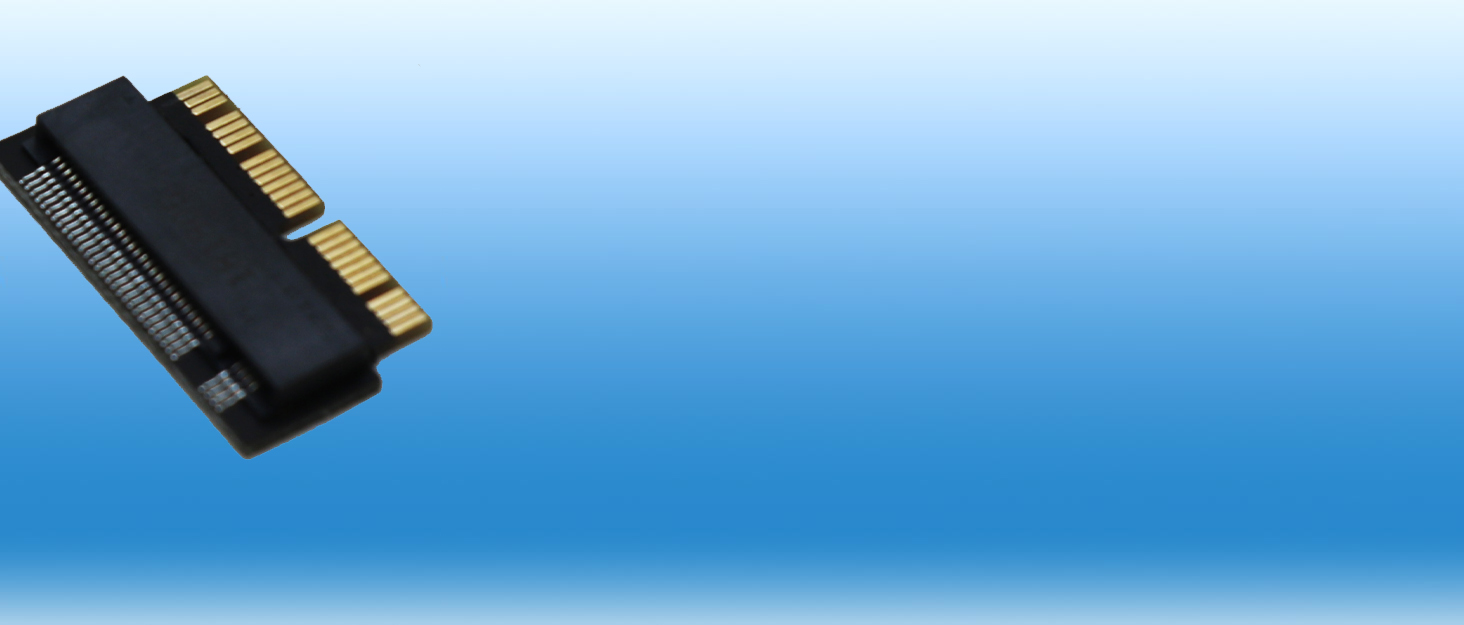
The Sintech ST-NGFF2013-C adapter card enables professional users to upgrade their 2013-2015 MacBook Pro and 2013-2017 MacBook Air models with high-speed NVMe M.2 PCIe SSDs. Lightweight and built for MacOS High Sierra and later, it offers a reliable, premium alternative to Apple’s adapters, ensuring faster performance and extended device life.


| ASIN | B01CWWAENG |
| Amazon 売れ筋ランキング | パソコン・周辺機器 - 42,762位 ( パソコン・周辺機器の売れ筋ランキングを見る ) 内蔵型SSD - 278位 |
| UPC | 701017254409 701017254492 |
| おすすめ度 | 5つ星のうち4.3 142 レビュー |
| カラー | 2013C(アダプターのみ) |
| コネクタタイプ | PCI Express |
| コネクタータイプ | PCI Express |
| パッケージ商品数 | 1 |
| ブランド | Sintech |
| ブランド名 | Sintech |
| ポート数 | 1 |
| メーカー名 | Sintech Electronic |
| メーカー型番 | ST-NGFF2013 |
| ユニット数 | 1.0 個 |
| 主電源のプラグタイプ | プラグがありません |
| 互換デバイス | ノートパソコン |
| 仕上げ | Nvme。 |
| 仕上げタイプ | Nvme。 |
| 付属品総数 | 1 |
| 商品の用途 | ノートパソコン。 |
| 商品の重量 | 0.01 キログラム |
| 商品用途・使用方法 | ノートパソコン。 |
| 型番 | ST-NGFF2013 |
| 対応デバイス | ノートパソコン |
| 色 | 2013C(アダプターのみ) |
Y**K
正常に使えました。
アップル、13インチMacBook Pro A1502(mid2014)のSSD増設に使いました。 SSDはちゃんと認識しまちがいなく使えました。 装着は少し力を入れて差し込む(SSD)必要がありっます。 この製品はM.2タイプのSSDでもNVMeタイプ用です。 A1502はSATA方式のSSDは使えないと思ういますのでNVMeタイプのSSDを使ってください。
ば**ん
作りもしっかりとしていて使える
Mac Book air 11inh 2013でNVME SSDを使おうとAmazonにて お安いブランドのアダプタを購入したが、SSDを認識せず、この商品を再度購入。 安物買いの銭なんちゃらって言うように、最初からこの商品を選べば良かった。 安物の3倍の価格で見てしまっていたが、価格では無いと思いました。 ここの違うタイプのアダプタも同時に購入して動作確認してみたけど、 そちらも問題無く動作して、Mac OSの再セットアップもできてサクサク動いています。 たかが基盤ですが、安ければいいのではなく、高くてもしっかり動作する この商品はおすすめです。(Mac book air 11inch 2013ですけどね。)
M**L
Please read this to know how to install + noticeable bulge after installation on Macbook Air
You will need to purchase an external enclosure for your nvme SSD to install Mac OS onto before using this product. Step 1: Plug in nvme SSD to your Mac via external enclosure. Step 2: Open Disk Utility and format the nvme SSD as APFS with GUID Step 3: Download your current version of Mac OS (Mojave is recommended) Step 4: Launch the Mac OS installer, click "show all drives" choose the external nvme SSD and install Mac OS onto it. It will restart, don't press any buttons. Step 5: The computer should restart by itself into the newly installed Mac OS. (if it boots into your original drive, restart the computer while holding "option" to choose the external nvme SSD) Choose the option to migrate from another mac. Select the Macintosh HD (the original one still installed internally). The migration assistant will move everything over. Step 6: Once everything is transfered, you can now use the product on this Amazon page to adapt the nvme SSD into the proprietary Apple SSD connector inside of the computer. Note: the reason for these steps is because the nvme SSD will not be recognized by any of Apple's recovery modes. You cannot format the drive from the recovery mode because it is unable to be read or recognized. Once set up, it works great. Super fast. But there is a noticeable bulge on the bottom of the device. This is because the adapter on this page adds height to the drive which then presses against the bottom of the computer (Macbook Air). I notice a bulge and the front of the computer near the wrist rests no longer sits flat on the table.
よ**し
MacBookPro2015RetinaのSSD換装に使用
他の製品より高価でしたが、あるHPで「鉄板」と評されているのを見て、SintechのST-NGFF2013-Cを選択。この信頼できる推薦が決め手となり、MacBook Pro 2015 Retinaへの装着後、即座にSSDが認識された経験は、その評価を裏付けました。このアップグレードにより、Macの動作速度が劇的に向上し、作業効率も大幅に改善。投資の価値を実感し、満足しています。確かな評判を基にした選択は正解でした。
む**ろ
MacBook Pro(Retina Mid2014)で使用
Crucial P2シリーズ 1TB を外付けケースで初期化し、macOS Big Surをインストール後、本品に装着して使用しています。装着も簡単で今のところ問題なし。
A**ー
BOOTCAMPは動かない
MacBookAir(Mid2013)にST-NGFF2013-C+CT500P1SSD8JPでMojaveをクリーンインストールし、問題無く動作したが、そこからBOOTCAMPでWindows10をインストールするとWindowsの初回起動時に「予期せぬ再起動・・」のメッセージが表示され起動できない。色々試したものの純正SSDに戻すと普通にBOOTCAMPができた。 SSDとの相性もあると思うがBOOTCAMPを使う前提の方にはお勧めできません
P**S
とても良い
某ネットショッピングで激安なのを頼んで使ってみたら寸法合わないしネジも合わなかったけど、これはピッタリスッキリです。
樫**田
開封前にチェックしよう
コネクタのところに小さな穴があり、端子の根本が切れていました。開封前に、光を当てて確認しましょう。
Trustpilot
4 days ago
2 days ago