


Desertcart purchases this item on your behalf and handles shipping, customs, and support to Belgium.
🎯 Elevate your mobile gaming—never miss a shot or a moment!
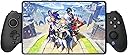
The GameSir G8 Plus is a premium wireless Bluetooth game controller compatible with iPhone, iPad, Android, Nintendo Switch, and PC. Featuring hall effect joysticks, analog triggers, a 1000mAh battery, and a 6-axis gyro sensor with dual motors, it offers precise control, immersive vibration, and broad device compatibility. Its adjustable grip and customizable magnetic components provide ergonomic comfort and personalized style, making it a top choice for serious mobile and hybrid gamers.


| ASIN | B0D8JJRCJN |
| Amazon 売れ筋ランキング | 家電&カメラ - 5,691位 ( 家電&カメラの売れ筋ランキングを見る ) モバイルゲーム用コントローラー - 9位 |
| GTIN (Global Trade Identification Number) | 06936685221291 |
| おすすめ度 | 5つ星のうち4.0 2,594 レビュー |
| カラー | ブラック |
| コントローラーの種類 | ゲームパッド, ジョイスティック |
| ハードウェアプラットフォーム | android, ios |
| パッケージ商品数 | 1 |
| ブランド | GameSir |
| ブランド名 | GameSir |
| ボタン数 | 14 |
| メーカー名 | GameSir |
| メーカー型番 | GameSir |
| 互換性のあるゲーム機モデル | 任天堂スイッチ |
| 商品の重量 | 314 グラム |
| 商品本体サイズ | 20 x 5 x 5 cm |
| 型番 | GameSir G8 Plus |
| 外部機関認定情報 | Yes |
| 対応アイテム | Android, IOS, Nintendo Switch, PC |
| 対応デバイス | Android, IOS, Nintendo Switch, PC |
| 接続技術 | Bluetooth |
| 接続方式 | Bluetooth |
| 特徴 | ワイヤレス |
| 特殊機能 | ワイヤレス |
| 色 | ブラック |
ぽ**ふ
満足度高く、買ってよかった
届いたものにボタンに初期不良がありましたが、すぐに交換対応してもらえました。 交換品は各ボタン、トリガー、スティック、接続など問題無く使用できました。 製品については、背面ボタン左右1つずつあり、連射機能、振動、ジャイロもあり、表面の質感や操作感の上質さは伸縮性コントローラーの中ではトップクラスだと思います。 手に持つと結構重さを感じますが、挟むデバイスの重心を考えて挟めば手首はそこまで辛くはないです。 スマホとSwitch2を挟んで使用しましたが、大きな遅延もなく、大抵のゲームは問題無くプレイできます。 Switch2のJoy-Con端子に、挟み込む部分が接触しないように自分で対策を施すと実使用上は安心かと思います。
セ**ツ
iPhoneで使用するために購入しました
iPhoneで使用するために購入しました。 iOSとの接続設定が少し複雑で、使い始めるまでに予想以上に時間がかかってしまいました。 説明書をじっくり読むか、慣れていない方は少し苦労するかもしれません。 ただ、一度設定が終われば接続は安定しており、遅延もなく非常に快適にプレイできています。 最初は戸惑いましたが、製品自体のクオリティには満足しているので星4にしました。
池**遼
スムーズに操作出来る♪あと、重くないです♪
市販のゲームパッドを使っていたのですが、こっちのほうが、操作がスムーズに出来て軽いので、MMORPGをプレイするのが楽しいです♪今で言えば、NTEでも快適にプレイ出来てます♪ケータイを充電しながらは出来ないので、そういうゲームパッドが欲しい方は、違うものを買ったほうが良いです(汗)
A**ー
操作性◎耐久性✕
200時間で壊れます。十字キーの下ボタンの反応が悪くなります。 初期不良だと思いサポートに相談したところ、一度は購入後1年以内なので無償で交換して貰えました。 ですが交換品も200時間で壊れたため、その旨サポートに伝えましたが当初購入から1年以内の期間のみ保証との事でした。 同じ症状なので恐らく機械の限界だと思っております。 振動機能もバッチリだし遅延もほぼ無く操作性は純正コントローラーと遜色ないですが、やはり耐久性だけは真似できませんね プロコンも箱コンもps5コンも持ってますが、200時間程度では壊れず、箱コンに至っては7年1000時間以上使ってますが不具合は一切ありません サポートには満足ですし、耐久性もこの金額であればこの程度なのかもしれません。 耐久性以外は全く問題ないので、ゲームをそこまでプレイしない人であればおすすめ出来ます。
K**O
本格的なコントローラー
少し重いですが、それを補って余りあるクオリティです。 Galaxy S23 Ultraで使用していますが、特に遅延などの問題もありません。 Switch2でも問題なく使用できました。 最初はペアリングのやり方(接続デバイスごとに何通りかあります)などが面倒ですが、慣れればどうということはないです。
B**L
Dissatisfied
The controller works and connects fine. As I played games requiring fast response time or "twitchy" games, I immediately noticed input latency issues. Something you definitely would not have an issue with if you were using an Xbox controller. If you use if for a casual sim game then this would work fine but I was hoping for something better for the price paid. I plan on returning this item at my earliest opportunity as performance is lacking.
F**5
Make it with better material
It's good but I hope the make it with better material for better feel.
ア**郎
長押しが連射になってしまう方、接続で困っている方へ
iOSの原神で使用しています。 使用しているうちにいつの間にかLTとRTが連射になってしまいました。GameSirコントローラーのAmazonレビューを見たところ不具合として評価を下げている書き込みが見られましたので解除方法を共有します。 コントローラー左下のMボタンを2回押すと連射がオフになります。同様の操作を繰り返すと連射がオンになります。困っている方は試してみてください。 また原神で使用する場合はトリガー設定からLT、RT両方のクイックトリガースイッチをオンにすることをお勧めします。軽く押しただけで入力判定となりストレスフリーでスキルが打てます。 ──────────────── iOSで製品と接続する場合 Xボタンと右アナログスティック下のボタンを同時長押しすると赤く点滅します。 その状態でBluetooth接続すると、iOSからは「Pro Controller」として認識しますのでそちらで接続します。 接続したらゲーム画面の設定に行き、タッチパネル操作からコントローラー操作に切り替えてください。 何故かは不明ですが、私の環境で原神をプレイを試みたところSwitchのプロコンとして認識させないとコントローラーと認識しなかったです。 Androidで使用する場合 2025年1月現在、原神はAndroidコントローラー未対応です。 鳴潮など対応しているゲームであればBluetoothでこのコントローラーを接続するだけで使用可能ですが、対応していないゲームでこのコントローラーを使用する場合、G-touchモードで接続する必要があります。 Bluetoothで接続してもゲームでコントローラーを認識しない場合、説明書に記載の「Bluetoothで接続されたAndroidでG-touchモードでマッピングゲームをプレイ」を参考にして、こちらの方法で接続してみてください。 ──────────────── 以下商品レビュー もともとiPadをスタンドに乗せてSwitchのプロコンで操作しておりましたが、iPhoneで寝ながら遊びたいと思い購入。操作感はボタン配置が少し変わっただけでほぼ変わりません。 8bitdoなどサードパーティのコントローラーを複数使用しましたが、他と比較してこちらが一番使いやすいです。LTRTの押した感覚はPS5よりもSwitchのプロコンに近く、力を入れなくても押し込めます。アナログスティックの感度はアプリで変更できます。好みもあると思いますが初期のままで問題ありません。 iPhone15で使用しておりますが、重さは全く気になりませんでした。 ケースを付けた状態で使用していますが挟み込みも安定しています。 背面ボタンは初期設定でオフになっています。使用中に間違えて押す事もありませんでした。 付属品としてアナログスティックが3つ付いてきます。真ん中が高いタイプが好みなのですがこちらは1つしか付属しないため、別途購入したいのですが量販店では販売していないようです。 アプリからフィードバックを送ろうとしましたが、画像を添付しようとすると強制終了する、オンラインマニュアルを開こうとすると真っ白になる、で役に立ちませんでした。 専用アプリからもボタン配置の変更が可能ですが、コントローラーのボタンを物理的に変更できてとても便利です。他社のコントローラーではXBOX配置になっているものがありゲームと表記がズレることがありましたが、このおかげで完全に回避できます。またアナログスティックも取り外せるので清掃も楽です。 充電持ちですが3時間ほど遊んだところ右だけ80パーセント程度まで下がっていました。他社のコントローラーと比較してもかなり持つと思います。 家族がAndroidで使用し鳴潮を遊んでいますが、切り替えも簡単です。 不満があるとすればコントローラーの充電が下からなので、充電しながら遊ぶと少し邪魔になるかもしれません。 スマホやタブレットの充電が画面下にある場合、充電しながらの使用はできません。 使用感としてSwitchのプロコンを気に入っている方、寝ながらゲームしたい方には本当にオススメです。
E**Z
Excelente gamepad para Switch y Android
Es una gran compra, tenia dudas de comprarlo porque desconocia de la cálida de la marca. Pero no, el control da sensación caso premium. Todo se siente buen armado y solido. Lo compré principalmemte para emular DS y 3DS con una Lenovo Legio Tab 3 (cabe horizontal y vertical) , y funciona excelente. El que los botones puedan ser intercambiados ayuda mucho, ya que puedes ponerlos en formato Nintendo o Xbox. Lo recomiendo bastante.
H**O
Best
This is handsdown one of the best if not the best controller for mobile equipments. Even if one game or another have one or two buttons not recognised most of them work as intended witch is already above the "hit or miss" rule of the competition. Quality wise it's like holding my xbox controller... Battery is awesome, lag non existent.... Mods, rapid fire, comfort... You can't charge phone while playing cause it's a Bluetooth device. but you won't damage socket and you won't experience lag. Must buy
L**D
O melhor do mercado
Um dos melhores controles que eu já tive. Nunca tive um especificamente para celular e ele passa a mesma sensação que um controle de console. Extremamente ergonômico, joysticks são confortáveis e podem ser trocados (assim como a ordem dos botões, pra combinar com o estilo Xbox ou Switch), uma vez conectado, funciona perfeitamente. Pra conectar a primeira vez, tive que procurar um pouco as informações além do manual, pois ele tem 4 modos de pareamento e cada um tem um propósito. Então tomei uma leve surra. Mas depois foi tranquilo. Os faceplates também são trocáveis, mas ainda não existem oficiais de outras cores que possamos comprar, além do cinza do G8 Galileo. Falta ainda esse ponto de personalização. A compatibilidade dele com vários dispositivos é um diferencial. Funcionou tanto no meu Switch quanto no meu Poco X6 Pro. Com o Switch, ele é uma melhora de 200% em relação aos joy-cons originais. Funciona também "fechado", como um pro controller. Tem giroscópio, controle de movimento e o rumble é magnífico. No Android, ele funciona com vários jogos, inclusive Genshin Impact, como mostra no anúncio. Uma coisa super relevante é que meu celular coube até com a capinha, que é relativamente grossa. Isso é um grande plus! Agora algo que me decepcionou um pouco (e não é problema com o produto) é a falta de compatibilidade com Honkai Star Rail, da mesma desenvolvedora que Genshin. O jogo não reconhece controles que não possuem X-input (ou seja, só controle Xbox ou Dualshock 4, entre poucos outros). Então o G8+ só funciona com G-Touch, que é o modo de mapeamento de touch screen, que tá longe de ser o ideal. Como falei, não é questão com a Gamesir, e sim com os próprios desenvolvedores. Então meu conselho é fazer uma pesquisa antes, pra ver se os jogos que você quer jogar são compatíveis com esse controle. De resto, um excelente produto.
B**Z
Honor Magic 8 Pro ile Uyumlu
Premium hissettiriyor, analog seçenekleri olması çok iyi ayrıca büyük kameralı telefonlar için kauçuğun bir kısmı sökülebiliyor. Honor Magic 8 Pro sorunsuz oturdu.
M**S
A Masterpiece in Controller UX & Ergonomic Design
I will buy this controller forever! As long as gamesir stays dynamic like the controller industry itself, and always evolves along with the new feature sets being introduced as devices evolve, if they keep up with the times.. I’ll be here to buy. This is the best controller I’ve had. One controller for all my devices My iPad, My iPhone, My PC. I’m impressed by these ridiculous levels of compatibility, you only press two buttons to get it to sync with the device you want it to play on, it syncs insanely fast - I love it! I got rid of my wireless Xbox controller. I still can’t believe this controller exists. It feels real good in the hands, like it carries durability in its bones. Some nice weight to it, not heavy, not light.. your hands don’t get tired from holding it. I can tell, due to how it was designed, it has counter balance which allows you to play super long without that discomfort that comes from most controllers I have used, aside from this… It feels real premium in your hands, it’s a masterpiece in game controller design in my eyes. I never knew, I would fall in love with a game controller. (to me, that’s crazy) but here I am, in love actually reaching for this damn thing to put in my bag or take to bed (I’ve never actively and enthusiastically reached for a controller attachment to my devices) it was always in mind “that one more thing Inneed to carry” and since it fell in that mindset, I never reached out for them. This one though, the mindset is.. I love you, so I reach out for it. But, in my case.. every controller I’ve had prior to this G8+, was uncomfortable, because of how unergonomic they are (ever find yourself holding your controller above your head to play your games at times because of shoulder or arm discomfort?) Yea.. stuff like that is what I’m referring to, those game controller designers must had not taken into account everything attached to our hands (arms and shoulders) which leads to the fatigue and discomfort and now here you are, with the controller above your head, playing the game. Luckily, Gamesir G8+ designers figured this out. This controller has a good enough width from left to right, to where, it sits in the ergonomic comfort zone, meeting me.. exactly at my shoulder length (therefore, my shoulders are not hunching in when playing) My shoulders now naturally stay aligned when playing my games.. which is how it should be, not the other way around — compressed to accommodate the controller. Impressive design when I sat and thought about it. No controller I’ve had, had provided me this level of comfort (and I’ve had many controllers from all game consoles and many third parties) Playing while sitting down or laying down, both orientations are super comfortable. At first, my thumb kept hitting the right analog stick (since the buttons are placed above it) I thought this would be an issue. I am aware, I can remove the stick and put it back on later, but that becomes tedious real quick! Luckily, after playing awhile, my hands must have gotten used to the feeling? Because it no longer bothers me, like it did when I first started using it. I guess maybe one day or two of gaming, acclimated my sensory to accept it. Cool - we move on. I mostly play Fighting Games, Soul Calibur, Dark Souls, Pascals Wager, Splinter Cell, Metal Gear Solid, Fight Night. These are all intense several button engagements interactions… especially the fighter games.. The control does not lag, I have not experienced stick drift and the d-pad is SOLID! I’m impressed by the how instant it is. No lag. I have no idea what goodi they used, but this thing has no lag! I’m over here doing long combo strings and parrying attacks, with virtually any lag on a wireless controller. (Which is my way of playing) It’s very easy to use and set up. If you have issues just ask chat GPT, it will guide you. I had issues the first time (totally my fault) Insint do my usual (watch YouTube videos of setting up) So I failed to recognize that each device will get an existing game company platform (pseudo name) Shock 4, Pro Controller.. etc. so I was confused here. I expected it to say iPad, iPhone.. and in my confusion, somehow, someway, it was connecting my iPhone but connecting to my iPad, to fix it - long story short — (I had to ask chat gpt) it told me, I had to hold in the reset button in the bottom of the controller by the usb c, and this will reset the pseudo name and now your device will connect to it. This was the only issue I’ve had and it was my fault. Also if you find your controller doing rapid fire (which happens to me) just hold in the (m button) on the bottom left and it will turn off all the rapid fire. I somehow must be turning out rapid fire at times when I’m playing my fight games since my fingers Al over the place with the combos. This controller is a masterpiece! There’s a reason it’s hitting on YouTube reviews. Buy it, enjoy it, watch YouTube videos to know how to connect it on first try and not have issues on like me.
Trustpilot
1 month ago
2 days ago