Desertcart purchases this item on your behalf and handles shipping, customs, and support to Belgium.
๐ Upgrade your legacy printer to network legend status!
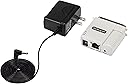
The StarTech.com Ethernet to Parallel Network Print Server converts any parallel printer into a network-ready device with blazing 10/100Mbps speeds. Featuring broad OS compatibility and support for multiple network protocols, it revitalizes legacy printers for modern office environments. Compact and easy to configure via WebUI or Windows software, it ensures seamless remote printing and sharing across your LAN.


| ASIN | B0D9KCWSJC |
| Best Sellers Rank | 170,562 in Computers & Accessories ( See Top 100 in Computers & Accessories ) 24 in Print Servers |
| Box Contents | 1 Parallel print server, 1 Power adapter, 1 Quick-start guide |
| Brand | StarTech |
| Brand Name | StarTech |
| Colour | White |
| Compatible Devices | Printer |
| Compatible devices | Printer |
| Connector Type | Parallel |
| Connector type | Parallel |
| Customer Reviews | 4.1 out of 5 stars 25 Reviews |
| Global Trade Identification Number | 00065030897716 |
| Item Dimensions | 5.6 x 5.3 x 2.3 centimetres |
| Item Weight | 45 g |
| Item dimensions L x W x H | 5.6 x 5.3 x 2.3 centimetres |
| Manufacturer | StarTech.com |
| Manufacturer Part Number | PM1115P3 |
| Model Number | PM1115P3 |
| Number of Items | 1 |
| Number of Ports | 2 |
| Package Quantity | 1 |
| Power Plug Type | No Plug |
| Specific Uses For Product | Laptop, PC, Tablet |
| Specific uses for product | Laptop, PC, Tablet |
| UPC | 065030897716 |
| Unit Count | 1.0 count |
B**R
Easy to setup, works with CUPS and LPR.
Having been a network technician, I found this very easy to set up and to mimic the setup of a very old Linksys print server I had set up about 20 years ago. Works fine with CUPS on MacOS. Recommend!
A**T
Works great as long as you have a basic understanding of networking
This adapter was able to turn our Zebra ZP450 UPS Label printers into network printers and we couldn't be happier with the results. Since Zebra does not even have a factory option for a network card on the 450, we are limited to USB, Parallel, or Serial. When you have an entire warehouse full of computers all trying to ship material, the absence of the 450's networking really start to show. Of course, you can connect the printer to one computer over USB and then share it out over Windows, but what happens when that computer is offline? What about when it gets shutdown accidentally? Or even when it's time to replace it? This adapter eliminates all of those concerns. The first step is just to power on the adapter (not connected to the printer) and connect an ethernet cable from it to your computer. On Windows, go to control panel and change your ethernet adapter's IPv4 address to 192.168.0.15 and subnet 255.255.255.0. Navigate to 192.168.0.10 in your web browser and the adapter/print server should show up right away. From within here, you can change the IP Address, DNS name, and other settings. I would recommend changing everything else besides the IP, and then doing that last. Once you have it all set, connect the adapter to your printer, power it back on, and try to connect to it over the network. If you're successful, the only step left is to install the printer like any network printer except for the changing the protocol to LPR. StarTech has some fantastic documentation on all of this, so make sure that check that out too.
G**L
Worthless garbage
Garbage. Installing the software corrupted my Dell laser printer software and it took hours to get everything back. After all that, while it did show up on my network, I could never print to it.
T**T
works
Did what it was supposed to do
E**F
Simple and functional
Simple setup - works great for converting old parallel printers to ethernet.
Trustpilot
3 weeks ago
2 weeks ago