Buy anything from 5,000+ international stores. One checkout price. No surprise fees. Join 2M+ shoppers on Desertcart.
Desertcart purchases this item on your behalf and handles shipping, customs, and support to Belgium.
🚀 Upgrade your workflow, not your budget!
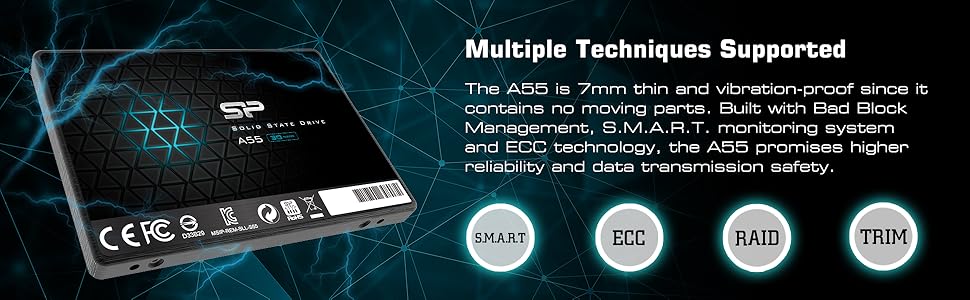
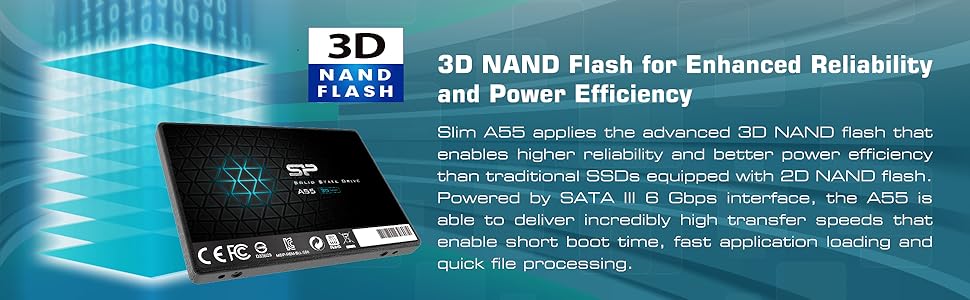
The Silicon Power 1TB A55 SSD combines 3D NAND flash and advanced SLC cache technology to deliver sustained 560 MB/s read speeds and reliable performance. Its ultra-slim 7mm form factor fits seamlessly into ultrabooks and laptops, making it an ideal upgrade for professionals seeking faster boot times, quick app launches, and ample storage. With built-in error correction, TRIM support, and a 3-year warranty, this SSD offers a durable, high-value solution for enhancing system responsiveness and longevity.


| ASIN | B07B4G19X3 |
| Additional Features | Backward Compatible |
| Best Sellers Rank | #145 in Internal Solid State Drives |
| Brand | SP Silicon Power |
| Built-In Media | 1 x Silicon Power Ace A55 Solid State Drive |
| Cache Memory Installed Size | 1 |
| Color | 1TB |
| Compatible Devices | Laptop |
| Connectivity Technology | SATA |
| Customer Package Type | Standard Packaging |
| Customer Reviews | 4.6 out of 5 stars 8,414 Reviews |
| Data Transfer Rate | 6 Gigabits Per Second |
| Digital Storage Capacity | 1 TB |
| Enclosure Material | YURP104 |
| Form Factor | 2.5-inch |
| Global Trade Identification Number | 00886576030456 |
| Hard Disk Description | Solid State Drive |
| Hard Disk Form Factor | 2.5 Inches |
| Hard Disk Interface | Solid State |
| Hard Disk Rotational Speed | 5400 RPM |
| Hard-Drive Size | 1 TB |
| Hardware Connectivity | SATA 3.0 Gb/s, SATA 6.0 Gb/s |
| Hardware Platform | Laptop |
| Installation Type | Internal Hard Drive |
| Item Dimensions L x W x Thickness | 3.94"L x 2.75"W x 0.28"Th |
| Item Type Name | Silicon Power 1TB SSD A55 SLC Cache Performance Boost SATA III 2.5" 7mm (0.28") Internal Solid State Drive |
| Item Weight | 50 Grams |
| Manufacturer | Silicon Power |
| Media Speed | 5.6E+2 megabytes_per_second |
| Mfr Part Number | SP001TBSS3A55S25 |
| Model Name | A55 |
| Model Number | SP001TBSS3A55S25 |
| Number of Items | 1 |
| Read Speed | 560 Megabytes Per Second |
| Special Feature | Backward Compatible |
| Specific Uses For Product | personal, gaming, business |
| UPC | 886576045757 886576030456 |
| Warranty Description | 3-year warranty |
E**S
Excellent Budget SSD That Delivers Real Performance Gains
Excellent Budget SSD That Delivers Real Performance Gains The Silicon Power A55 1TB SSD has been one of the best upgrades I’ve made to older systems—it instantly breathed new life into a sluggish desktop and a midrange laptop. Installation was plug-and-play simple: slide it into the 2.5" bay, connect the SATA cable, and you’re ready to clone or install your OS. Once installed, Windows boot time dropped to about 15 seconds from power-on, and apps like Chrome, Word, and Lightroom open nearly instantly. The drive uses 3D NAND and an SLC cache that really helps sustain speed when moving large files—no sudden slowdowns even when transferring big folders of photos or videos. It runs cool, silent, and uses very little power. I also appreciate that it’s slim (7mm), so it fits even in ultra-thin notebooks. Reliability has been solid so far, with stable SMART readings and zero errors after months of use. While Silicon Power isn’t as widely known as Samsung or Crucial, I’ve found their drives to be consistent performers at a fraction of the price. You do give up the premium software suite that comes with bigger brands, but for a clean, reliable SSD, that’s hardly a drawback. Bottom line: if you’re upgrading from a hard drive, this SSD will feel like you just bought a new computer. Excellent speed, easy install, and unbeatable value for under $60.
C**Y
Excellent 1TB SSD for the $
This was one of the best values I've found for SSD's in the 1TB range. Most others still run well over $100 for 1TB of storage (at the time of this review in Dec 2019). Silicon Power does provide free software for download to check and monitor the health (and check the SMART stats) of their SSD drives - SP Toolbox. I would recommend downloading the free utility from SP's website for occasionally checking and ensuring your drive is in good health. From a transfer rate perspective, this SSD works as advertised, and performs as well as a Crucial MX SSD 3D NAND that I also have installed in the same desktop system. SSD's are best for general purpose use - primarily as boot drives for OS and apps, especially on laptops. The OS will boot much, much faster from a SSD compared to a mechanical HDD, and the SSD will consume a lot less power than a mechanical HDD. Apps also launch in a fraction of the time on a SSD. The only drawback with a SSD is its overall shelf life - it has a limited number of writes, which not a huge factor if you're only using the drive for booting the OS and running apps. For media storage, backups, databases, and large files, mechanical HDD's are still the way to go, and they're still a lot less expensive than a SSD. Over time, if you write or delete a lot of data from a SSD drive, performance will begin to deteriorate. Most however will not encounter much in the way of performance degradation, even after several years of drive use. Either way, SSD is best for "read" operations, and will vastly outperform a mechanical HDD for reading data, hence the much faster boot and app launch times. They are well worth it for the performance boost...time is money. Silicon Power seems to be making quality drives that work, but time will tell. If it fails or clunks out early, I'll be back here to modify my review. Otherwise, no complaints, 5 stars.
B**L
Reliable SSD Without the Fuss
The SP 1TB SSD (Model SP001TBSS3A55S25) is a straightforward, no-nonsense solution for breathing new life into older systems or expanding storage on a budget. After using it for several weeks in both a laptop and desktop, here’s what stands out: Performance & Usability: The SATA III interface delivers exactly what you’d expect—speedy boot times, quick application launches, and snappier file transfers compared to a traditional HDD. The SLC Cache ensures consistent performance during large file operations, like moving 50GB of photos, without the slowdowns I’ve experienced with cheaper drives. While it won’t match NVMe speeds, it’s a night-and-day improvement for SATA-bound systems. Installation: Installation was hassle-free. The 2.5” 7mm design slid seamlessly into my laptop and desktop bays. No mounting brackets were included, but most users repurposing older drives likely have these already. Cloning my old drive using free third-party software took under an hour, and the SP SSD recognized immediately. Build & Reliability: The 3D NAND technology inspires confidence in longevity, and the drive stays cool even under sustained use. While SP isn’t as household a name as Samsung or Crucial, the build quality feels robust, and the 3-year warranty (check manufacturer’s site for specifics) adds peace of mind. Value: At its price point, this SSD offers excellent value. The 1TB capacity is ideal for moderate users, balancing cost and storage needs. It’s priced competitively against similar drives, making it a smart pick for budget-conscious upgrades. Verdict: If you’re upgrading an older PC, laptop, or need affordable secondary storage, the SP 1TB SSD delivers reliable performance without breaking the bank
W**G
Nice drive once I figured out the power issue
UPDATE: I bought another one, and Amazon delivered it overnight, helping me finish a PC build in record time. The second one is just as good as the first, with no power issues this time at all. For $43, just buy it already! I bought this to upgrade the secondary hard drive in my laptop, a hybrid Seagate. The initial installation went pretty flawless, but right away I started having read issues where the drive would hang during a loading operation, like for a game or benchmark, and sometimes it would recover, while other times I got a blue screen of death (BSOD) from Windows 10. I know you're thinking, "Why give it 5-stars then?" Because the problem went away after I disabled power management on the SSD, and now it works great and is very fast as well. I'm getting over 430 MB/sec read and about 400 MB/sec write speeds with the drive 3/4th full. Definitely worth it for the $$. If you're thinking about this drive, and I recommend it myself, you should disable low power management as part of your installation. In Windows 10, go to Settings > System > Power and Sleep > Additional power settings, then next to the Power Plan, select Change Plan Settings, then Change Advanced Power Settings. When the window opens, go to Hard disk > Turn off hard disk after, and select "0" or "Never".
A**E
Samsung 870 EVO 2TB Sata3
I installed this drive into a Sata2 based computer to extend the life of a 10+ old desktop computer that is still very functional as a non-gaming work and multimedia computer. My operating system boot drive and additional internal storage drives began to fail so I purchased this SSD to replace the operating system drive. Even though this drive in my situation is running at half speed due to Sata2 motherboard the speed of booting into windows desktop from completely off went from between a minute 40 to 2 minutes just to get to the desktop and then another 7 to 10 minutes for the computer to become usable waiting on all the software to load and startup tasks to complete. Replacing the failing spinning platter hard drive with this SSD it takes around 30 seconds to a usable computer in the desktop, all the background tasks loaded and completed and all the software loaded and running. Writes and Reads are faster than a spinning platter hard drive. All software loads and in general operates faster and in some cases dramatically faster. If you have a SATA 2 based computer and it is working but slow, replace the operating system drive with this SSD and you will get 3 to 5 times speed increase. Even if you have been told that your computer will not support SSD's, you just replace your existing hard drive with this and it will just work. Look at installing the most recent BIOS for your motherboard to give some additional features, possibly, but the drive itself should just work either way. Exceptions to every rule but if Windows 7 or above is running currently on your computer, this SSD WILL WORK. I have the 2 TB drive. Windows 7 and Windows 10 in dual boot. When you format the drive and need to choose between MBR or GPT for the file system and you are running Windows 7 then choose MBR. In BIOS set UEFI AND Legacy Boot OR if you just have Legacy option by itself then choose Legacy or your SSD will not be recognized and will not boot windows. If you have Windows 10 ONLY then choose GPT file format and then UEFI boot in your bios. Windows 10 will also work with MBR and you need to set that if you have less than 2TB of space on your SSD. It depends on the size of the SSD AND the operating system(s) you are running. Samsung Magician Software is GARBAGE and does not work either at all or will randomly stop working and you have to uninstall and reinstall the software. I have tried all versions from 6.3 to 7.1.0 and experienced the same result on my system. You only need it to test to make sure the drive is good and does not have bad sectors and to do a secure erase if you choose to do that. If you have a DUAL BOOT system like I do and use their data migration software to transfer your operating systems to the SSD it will fail or seem to work but the second partition with the additional operating system will be corrupted in some fashion. You MUST test and actually use software and do normal use things in both operating systems before you call it good and working. I had to reformat and reinstall using TWO third party paid software to complete the transfer and have both operating systems working. Even then I had to reinstall several applications that I should not have had to. AND reactivate Windows 7 after a BIOS setting change during testing. Due to the failures of Samsungs Data Migration Software for my unique use case it cost me over 2.3TB of writes to the SSD in less than 60 hours of owning the drive. This comes to less than half a percent of life of the drive for life time writes, but still. Every test I used came back NORMAL. The SMART results for all the SMART log fields that show errors all kept coming back 0 on the raw data column. The speed of the drive over time has actually gotten faster according to CrystalDiskInfo and Mark8. Every test keeps showing Normal, no errors. One of the software I had to purchase to migrate my dual boot disk to the SSD has a backup utility and I have been doing daily and just setup hourly backups but so far there is NO issues at all with the drive in using or test results. I transferred a 1TB disk that was in the process of failing to a 2TB SSD and due to Samsungs crap software I had to do this multiple times, multiple reformatting and alignments which is why the process ate up over 2TB or writes in 60 hours of trying to get a stable dual boot system. Due to custom configuration of both Windows 7 and Windows 10 AND thousands of dollars of PAID software with customizations I did not have the luxury or fresh installs. Also Windows 7 is no longer supported by Microsoft so there are no downloads of that ISO any more. I have paid for BOTH operating systems which are the PRO versions and did not get either one FREE. Eventually I was successful in migrating and stabilizing both operating systems and everything that should work, works. EXCEPT for Samsung Magician which is total CRAP software and has seemingly been very buggy from day one and has never been fixed. It is FREE software but is supposed to be the end all be all for Samsung SSD management. It is not. It is SO buggy they had to role back 7.10 to 7.01 and even that version has issues. Samsung Magician keeps telling me in red letters under the Help Center section that my SSD has Failed LBA. Under the actual Test Logs it shows NO ERRORS and Successful Completion of ALL tests. I called Samsung Support and it was confirmed that the software has a bug that produces this false flag message. As long as the Test Logs show no errors and SMART shows no errors then this is a bug in Magician. After I was satisfied that the tests were showing the SSD was 100% I uninstalled the software. After doing this I opened up a Disk Sector Reader and looked at the Over Provisioning space that Magician setup on the drive and discovered it was NEVER written to. All the sectors were 0's... No data written ever... I just did a speed test and it is showing a few percentage faster than the last test so I am happy with the SSD. Some say this drive fails or that the older drives manufactured before mid 2021 are bad batches. The drive I have was manufactured in December 2021 and was brand new when I received it. SMART is showing '0' for all the Raw Data Columns regarding Failure, CRC Errors, Recovered Sectors and swapping sectors with good - forget the name... it has increased to 3 for Wear Leveling which is the stat that tells you how many times the entire drive has been completely erased. 3 times but this was due to trying to get Samsung Migration to work with my Dual Boot setup and then having to use 3rd party software to successfully migrate my operating systems. 1TB's written and rewritten many times to the 2TB SSD. Through this I discovered that this drive can take a lot of abuse and the end result, the drive has gotten faster. The only thing I am sad about is that the computer this drive is running on is only Sata2 I would like to see what it would be like at full speed. Don't use Samsung's software other than to test the drive is working properly, do a couple weeks of tests on the drive, once or twice a day for a few weeks. If all is 100% and no changes in the ERROR counts in SMART.. uninstall Samsung's software and in the mean time setup daily backups using some software other than windows backup and go until it dies.
B**Y
Excellent Budget SSD with Great Performance
The SP 1TB A55 SSD is an outstanding choice for anyone looking to upgrade their storage without breaking the bank. With 3D NAND technology and SLC cache performance boost, this SSD provides fast and consistent read/write speeds, significantly improving system performance over traditional HDDs. Boot times are incredibly quick, and applications load much faster now. The SATA III interface ensures compatibility with a wide range of systems, and the 2.5" form factor fits easily into most desktops or laptops. The 7mm slim design also makes it a great fit for ultrabooks or slimmer laptops. For the price, you're getting a solid 1TB of storage, which is perfect for expanding capacity while also enjoying the speed benefits of SSD technology. While it doesn’t match NVMe speeds, for SATA III, this drive performs excellently and is ideal for general use, gaming, or even content creation. If you’re looking for a budget-friendly SSD with solid performance and reliability, the SP A55 1TB is a fantastic option! Highly recommended for anyone upgrading from an HDD or seeking extra space with a performance boost.
G**B
SP1 SSD,3D NAND technology, SLC Cache, is a ssd that promises enhanced performance and reliability
The SP SSD offers a significant performance boost compared to traditional hard drives. The 3D NAND technology ensures efficient data storage and retrieval, resulting in faster boot times, application launches, and overall system responsiveness. The drive's read and write speeds are notably improved, making it a suitable upgrade for those looking to breathe new life into an older computer or enhance the performance of a newer one. The inclusion of an SLC (Single-Level Cell) cache is a noteworthy feature. SLC caching technology optimizes the drive's performance by temporarily storing frequently accessed data in a high-speed cache. This means that everyday tasks and applications benefit from accelerated speeds, even when dealing with larger files or multitasking. This SSD is designed with broad compatibility in mind. Its 2.5-inch form factor and 7mm (0.28-inch) thickness make it suitable for most laptops and desktop computers. Additionally, its SATA III interface ensures compatibility with a wide range of devices, including older systems that may not support newer NVMe drives. Solid-state drives are known for their durability, and the SP 1TB SSD is no exception. With no moving parts, it's less susceptible to physical damage caused by shocks or vibrations. It's also engineered to be energy-efficient, which not only extends the life of the drive but also helps conserve power in laptops for longer battery life. In terms of value for money, this SSD offers an excellent balance of price and performance. It's a cost-effective way to upgrade your computer's storage and enjoy the benefits of a solid-state drive without breaking the bank. In conclusion, the SP SSD with 3D NAND, SLC Cache, and SATA III connectivity is a reliable and efficient storage solution. It provides a noticeable performance boost over traditional hard drives, making it a worthwhile upgrade for anyone seeking to enhance their computer's speed and responsiveness. Its compatibility with a wide range of devices and its cost-effectiveness make it a compelling choice for both casual users and enthusiasts. If you're in the market for a dependable and affordable solid-state drive that can breathe new life into your computer, the SP SSD is a worthy investment that combines speed, reliability, and value for money.
R**2
Thin, light, but died after barely any use.
I got this in hopes of replacing my playstation 4 hard drive with a solid state drive. First thing I will say is that this is a thin and light 2.5 solid state drive. It was easy to install into my ps4 although the screws would not go all the way into the drive like it would the disk drive so I ended up having to put a bit of force when installing the drive. I was able to install the Playstation 4 system files easily and quickly and it was working great. I tried it for a few weeks by playing games on it. My Playstation never had a problem with the old drive it was just time to upgrade to bigger size. My playstation read the memory at 1 tb so it was good to go. I was able to install my games on it and it ran pretty smoothy at first. That being said, I shut it off for a few months as things got busy and I went to turn on my ps4 again and it was super laggy all of a sudden. I tried to access my games and it was super slow. It took several minutes to open a game and even when it did it would lag randomly which was annoying. I couldn't go to my settings and I just ended up taking the drive out and putting a disk drive back in and it would fine. The solid state drive would not read on my Playstation 4 anymore so I could not even format it again. It was pretty much a dud at that point after less than 2 months of use. I lost all my game saves and pretty much have to start from scratch with a drive. I did plug it into an external and it took a few tries to detect. I formatted it and it still has the same issues with connecting on my desktop now. Overall I am not happy with this solid state drive. It is thin and light but the fact it barely lasted me a few months is terrible. I lost a bunch of data and it was not worth the headache. I would avoid this solid state drive and get a more reliable one for gaming purposes. I am not sure if this is really reliable for windows/mac as it had issues reading on there too.
Trustpilot
3 weeks ago
2 months ago