





Corel Videostudio 2019 Ultimate Ml
Product ID: 608889123
✨Morph & Seamless Transitions
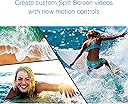
🎥Dynamic Split Screen Controls
🎨Advanced Color Grading
🎬 Elevate your edits, own the spotlight.
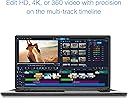
Corel VideoStudio 2019 Ultimate ML is a powerful Windows-only video editing suite featuring advanced color grading, dynamic split screen controls, morph and seamless transitions, built-in video and screen recording, plus premium plugins and effects to transform your creative projects.
| OS | Windows 10, Windows 8, Windows 71, 64 bit only |
| Manufacturer | CORE CORPORATION |
K**A
Fraud item
Empty disc
P**P
Initial Impressions Upgrading from X4 to 2019
Corel Video Studio X4 worked just fine for me for a lot of years to author videos, Video-CDs, and DVDs based on mpeg-2, mp4, h.264. However, with the prevalence of h.265/hevc I needed to update. In my opinion based on research, Cyberlink PowerDirector (CPD) is more powerful and feature rich than Corel VideoStudio 2019 (CVS). However, as a long time user of VideoStudio, the learning curve to simply update would be significantly less, and besides, CVS cost only a third of CPD. But just to make sure that CVS fully supported h.265/hevc, I checked out the downloadable Trial version of CVS. Using sample hevc files from jell.yfish.us, it was disconcerting to find out that TRIAL CVS could not import files over 110-mbps (eg threw an error trying to import jellyfish-120mbps-4k-uhd-hev-10bit.mkv). In the end, I figured I probably would not author files over 50mbps, so I'd cross my fingers and hope that Corel would fix the import problem in the future. TIP: Download VLC (VideoLAN) to get a h.265/HEVC codec onto your PC for free; or pay MS $1 via the MS Store. I pulled the trigger and purchased the PC Disk version off of Amazon. IF your PC does not have a (DVD) optical drive but you have access to another PC with one, then you can copy the contents off the Corel Visual Studio Install disk to a USB portable drive (eg flash drive). It needs to be at least 2GB in size. Then connect the portable drive to your target PC and run the install application, VisualStudio2019_Installer.exe from the mounted drive. (IF you don't have a portable drive, then copy the files to your target PC using Google Drive or DropBox or equivalent.) VisualStudio2019_Installer.exe will prompt you for the Product Key. … OR buy an external DVD or BD drive. (While you're at it, check out 1000 year M-DISC.) At the time of this review, the installation process virtually redownloads the entire CVS again, via Service Pack 3 (1.06Gb), so get ready to wait 45 minutes for a server side, throttled download. I think I remember another short download for ultimate content, but don't remember for sure. *** I'm happy to report that ALL jell.yfish.us hevc content imports in the full version! That said, my i7-1065G7/Intel Iris Plus laptop isn't fast enough to process 400 mpbs hevc and provide a good experience anyways… like running original Ulead VideoStudio on a Pentium processor (slow, crashes). Bottom line: Trial VS isn't a robust bellwether for the full app. In summary: Corel VideoStudio 2019 is a great value to get into video editing. (Imho) CVS is easy to use, which for casual users is important so you don't have to learn the app all over again each time you use it. … more later as I get more edit-time on this new version.
D**K
Update after 10 years
I had been using this product in prior version for over 10 years to do simple edits of HDV and then AVCHD for home videocams of my family, very simple overlay titles, transitions, with no re-rendering of the video to retain the original quality. Any re-rendering of the HD video resulted in visible degradation of the video, so I avoided that. Also would create DVDs. Never upgraded that original version. With the demise of Windows 7, forced to get a new PC and a new video editor. This one is very cheap, offers 4K editing and I still have AVCHD camcorder but also 4K Gopro that encodes HEVC. I am happy to say that the software is immediately comfortable to use and everything I try seems to work as it always did. It is now a bit more confusing because there are now so many different types of video, but it seems to handle everything as before. Rendering to a different format seems to produce better quality than before with little or no degradation of video. Note that the free trial version is severely handicapped and do not use it to judge its capability for >1080p video, it simply does not handle it at all. It chokes on it. It could edit 1080p mp4 without any re-rendering and looked good. I had to download QuickTime (no longer supported on PCs) in order for it to load MOV (apple video) files, but then all good. There is an option to retain the video properties of the video that you want to edit, but even if it says it does this and you hope to output in the same properties, I don't think it will always work (I edited a 2.7K video, but it would not output a 2.7K file, had to re-render it into something else). I think you have to kind of play with it to see what it will render without any recoding and what it has to recode. If it works lightning fast, then it is not re-rendering and you will get exactly what your native video is except for transitions, overlays, etc.
塚**男
画像の色調等手法が多い
編集の幅が広がり楽しい
G**L
Not significantly better than VS Ultimate X8
I bought this expecting it to handle large HD files from a DJI drone better than my current VS Ultimate X8, but it did not. Ouput to MP4 crashes program or produces unusable video. Spent a couple of weeks emailing with tech support - Checked my pc specs, cleared caches, reset to defaults, renamed a folder. When they told me to reinstall from scratch again I realized they didn't have a clue yet what the problem was.
G**Y
great software
I used this to make a here's your life type video for a grandson that is graduating from high school. It consists of alot of stills as well as video clips, from birth thru graduation. The hardest part is sorting thru the thousands of pictures and videos to include. I have used corel video editing software for many years so it was not to difficult to get started. It has some newer features that make the editing easier and more fun. If you have never used editing software be aware that it can be very frustrating to learn no matter the brand. I have tried several brands and this one is by far the most inclusive and easiest to use for my money.
Trustpilot
4 days ago
1 month ago