




by Timekettle, T1 Mini Translator Device No WiFi Needed, Built in 1-Year Global Mobile Data, Supports 36 Languages and Photo Translation, Instant Language Translator for Travelling White
Product ID: 562854166
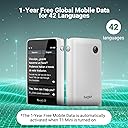
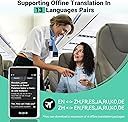
Fluentalk by Timekettle, T1 Mini Language Translator Supports 36 Languages and Photo Translation, Instant Translator Device No WiFi Needed for Travelling Review: Fluentalk T1 Mini Translator - The T1 Mini Translator is a good size for packing around town with you; it's about the size of a credit card, but a little fatter. The screen isn't HD like its big brother the T1, but it's still very clear and easy to read. I couldn't find any online information about what was included with the unit before I purchased it, so I had to wait until I received it. FYI - a charging cable is included, as well as a user manual and a lanyard for wearing the T1 mini around your neck. A charger is NOT INCLUDED, so you'll have to get one (uses a standard USB-A type charger). The T1 mini seems reasonably solid and well-built. Plus it's pretty simple to operate. There are only three physical buttons on the T1 mini: the on-off button, the volume up-down toggle, and the record button. There are additional settings on the app screen menu, but these are minimal and not overly complicated (mostly used for setup). Setting up the unit was pretty easy. I just turned it on and followed the instructions. Once the T1 mini was added to my Wi-Fi, I set up the Global Mobile Data network and downloaded 4 offline language packs in just a few minutes. The T1 mini has three modes: online translation, offline translation, and photo. The online translation mode uses the global mobile cellular network (1 year free) to access translation data. It has usually been very fast. Depending on your geographical location or if you're in a building, the mobile service could be spotty and slower (or even non-existent). The offline mode uses the downloaded language packs to translate when the online network isn't available. At that point, you'll have to MANUALLY switch over to the offline mode (this isn't automatic). Also be aware that there are presently 13 offline language packs (a maximum of four allowed on the unit at a time), so offline mode won't be able to translate some of the 36 languages offered in online mode. Unfortunately, the offline mode is also slower and less accurate than the online mode, but it's a lifesaver if you need it. The photo mode (online only) is used for taking photos to translate menus, street signs, etc. The translation seems to work best with larger print and better light, but seems satisfactory for most things. There's also a nice feature in photo mode that allows you to toggle between the original text and the translated text. There's another feature that I liked. You can create and save sentences that can be quickly accessed and played in the presently selected language. Another thing I noticed, the T1 mini may discharge faster if the signal isn't great. Not sure why, but maybe due to more data being sent and received to get an accurate translation. All in all, not a bad little unit. It should come in handy if I'm traveling abroad and I can also carry it around Los Angeles with me, as it's small enough to be able to do that. Review: Excelente traductor - Muy buen traductor, vale la pena la inversión.


| ASIN | B0C6CVF1MT |
| Batteries | 1 Lithium Ion batteries required. (included) |
| Batteries Included | Yes |
| Batteries Required | Yes |
| Battery cell composition | Lithium Polymer |
| Brand | Fluentalk |
| Customer Reviews | 3.9 3.9 out of 5 stars (290) |
| Date First Available | 15 June 2023 |
| Includes Rechargeable Battery | Yes |
| Item Dimensions LxWxH | 9.1 x 5.5 x 1.3 Centimeters |
| Item Weight | 240 g |
| Item part number | TMK007 |
| Manufacturer | Timekettle |
| Product Dimensions | 9.09 x 5.46 x 1.35 cm; 240 g |
S**P
Fluentalk T1 Mini Translator
The T1 Mini Translator is a good size for packing around town with you; it's about the size of a credit card, but a little fatter. The screen isn't HD like its big brother the T1, but it's still very clear and easy to read. I couldn't find any online information about what was included with the unit before I purchased it, so I had to wait until I received it. FYI - a charging cable is included, as well as a user manual and a lanyard for wearing the T1 mini around your neck. A charger is NOT INCLUDED, so you'll have to get one (uses a standard USB-A type charger). The T1 mini seems reasonably solid and well-built. Plus it's pretty simple to operate. There are only three physical buttons on the T1 mini: the on-off button, the volume up-down toggle, and the record button. There are additional settings on the app screen menu, but these are minimal and not overly complicated (mostly used for setup). Setting up the unit was pretty easy. I just turned it on and followed the instructions. Once the T1 mini was added to my Wi-Fi, I set up the Global Mobile Data network and downloaded 4 offline language packs in just a few minutes. The T1 mini has three modes: online translation, offline translation, and photo. The online translation mode uses the global mobile cellular network (1 year free) to access translation data. It has usually been very fast. Depending on your geographical location or if you're in a building, the mobile service could be spotty and slower (or even non-existent). The offline mode uses the downloaded language packs to translate when the online network isn't available. At that point, you'll have to MANUALLY switch over to the offline mode (this isn't automatic). Also be aware that there are presently 13 offline language packs (a maximum of four allowed on the unit at a time), so offline mode won't be able to translate some of the 36 languages offered in online mode. Unfortunately, the offline mode is also slower and less accurate than the online mode, but it's a lifesaver if you need it. The photo mode (online only) is used for taking photos to translate menus, street signs, etc. The translation seems to work best with larger print and better light, but seems satisfactory for most things. There's also a nice feature in photo mode that allows you to toggle between the original text and the translated text. There's another feature that I liked. You can create and save sentences that can be quickly accessed and played in the presently selected language. Another thing I noticed, the T1 mini may discharge faster if the signal isn't great. Not sure why, but maybe due to more data being sent and received to get an accurate translation. All in all, not a bad little unit. It should come in handy if I'm traveling abroad and I can also carry it around Los Angeles with me, as it's small enough to be able to do that.
L**Z
Excelente traductor
Muy buen traductor, vale la pena la inversión.
F**O
Buena relacion costo beneficio
Alguna veces se pasma cuando no tiene INET y se tiene que reiniciar
A**R
Easy to use but with Limited Functionality
What appears to distinguish the T1 mini from its hand-held competitors, is that it is one of the least expensive units that can tap into a global access network. "Free" access is provided for one year- and after that the cost is ~$45/year to continue to use the global network. The T1 mini is about the size of a credit card, but thicker. It comes with a lanyard and a short USB C to A cable for charging. It requires Wifi for initial setup- and after setup can use Wifi or the "Global" network. On very preliminary testing, the best translation results occur with the fastest connection, which often is Wifi. There are a limited number of offline packs available. Offline translation is probably inferior to "online," given that it can't take advantage of TineKettle servers that probably employ AI and other means to improve translations. My guess is that it is better for some languages than others. English to French seems good when the connections is fast and stable. Many internet reviews fail to address typical real-world issues such as noisy environments, which one brand may handle better than another. I haven't tested it in noisy settings, but I would imagine most units of this type are challenged in these situations. I may be wrong- but it seems to me, that if you are interacting with a stranger outside or in noisy setting for directions or help, it requires some patience on both ends. Battery life may also be variable, but my initial impression for the T1 mini is that it declines pretty quickly when actively translating larger chunks of speech. Standby time is 7 days. The mini lacks Text to Speech. You can't export its translations for review. You can't connect it to Bluetooth earplugs or headphones. The one button chat mode requires that you press the button right before someone responds- or it may miss part of the translation. It can autodetect the language used based on the setting, for example if it is set for English to French, when it hears French it will translate to English and vice-versa. It would benefit in certain situations from a conversation mode that didn't require pushing a button. The touch screen is bright, clear and obviously small- and it is difficult to see photo translations. I find text font size acceptable. There is no listen mode to track lectures, speeches, etc. There is no external SIM card option if you determine that the global network is too slow and you don't want to drain your smartphone's battery using it as a Hotspot. I am not sure how secure it is if you use a cafe's hotspot for example. I see this device has a "supplement" to a smartphone, where Chat GPT, Microsoft Translate, Google Translate, etc, can fill in the missing gaps. It is useful for situations where you may lack a cell phone signal, and/or you don't want to take out your cellphone every time you need to translate.
L**H
Handy Translator Tool
When I received this item, I opened it with excitement. The boxing is beautifully done with each item in its own little compartment. Enclosed are the directions that are simple to understand, the lanyard to carry it with that allows extension beyond the body, the charging Type C USB cord, and the T1 Mini Translator. I charged it to max and turned it on. The setup was simple, with only a few taps of the screen to get it set up. The user interface is simple and to the point with all menu items accessible with a swipe to left, or right, up, or down. Swipe to the right and you can translate picture text or menu items from 39 different languages to your desired language. This is a beautiful feature. Swipe to the left and you get to system settings of: Network Connections, Display, Shortcut Statements, User Guide, Offline Language Package where you can download them from, System Settings, and Contact Us. Swipe down from the top and you have a shortcut to Wi-Fi, Air Plane Mode, and Settings, along with shortcut setting to font size and screen brightness. The system boots up to the main screen quickly, which allows you to select your language and the target language with ease. This is very intuitive. I found the user interface to be delightful and simple. From the System Settings you can download offline language packs. The translator will hold up to four offline language packs at a time. This feature comes in handy if you are in a no Wi-Fi area or at a place with less than a solid connection. However, the device does come with one year of a data plan to the translator services, but the offline packs are very helpful. There are 13 available offline packs for you to choose from. This device will also connect to any Wi-Fi you have access to and is even capable of using your mobile hotspot for connection. This device has a storage capacity of 8GB and does store your speech record using that space. The entire device weight is about the weight of a smartphone. The dimensions are approximately 3.5 Inches X 2 inches X 3/4 inches. The power button is easily accessible from the top, the sound buttons are on the side for higher or lower settings, and the push to talk button is on the right side. After setup and complete review of this product I went straight to translating, which was a delightful experience. There was no lag while connected to the Wi-Fi and only a slight lag that was negligible when using the offline language packs. The use is so simple by just pushing the push to talk button and speaking then viola the translation of my words was being spoken through the device speaker in the target language automatically. When using the offline language pack, you get yet another screen that allows you to push the language you are speaking in. For example, I want to speak English but have it come out in Spanish and this does that. Then the Spanish speaking person can push their button and their words come through the speaker in my language. I am super impressed with this device and am finding that I am keeping it near me just in case I need to talk to someone in another language. This is a must have device for any person who wants to travel or just speak with people of other languages. It is also very helpful if you just want to practice learning another language as you can replay the translations over and over again until you get the pronunciation correct and then practice until it is right. I absolutely love this device and it is well worth the money to purchase it. WTG Timekettle!!!
Trustpilot
2 months ago
5 days ago