Desertcart purchases this item on your behalf and handles shipping, customs, and support to Belgium.
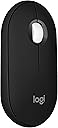
๐ฑ๏ธ Elevate your desk game with the Pebble 2: sleek, silent, and sustainably smart.
The Logitech M350s Pebble 2 Bluetooth Wireless Mouse combines minimalist design with advanced functionality. It supports seamless Bluetooth connection across up to 3 devices and multiple operating systems, features Silent Touch Technology to reduce click noise by 90%, and offers a remarkable 2-year battery life. Made with over 58% recycled plastic, this lightweight, portable mouse is perfect for professionals seeking eco-friendly style and efficient multitasking on the go.


| ASIN | B0BT4GFFGR |
| Additional Features | Lightweight, Portable, Soundless, Wireless |
| Antenna Location | Gaming, Office |
| Battery Average Life | 18 months |
| Best Sellers Rank | #46 in Computer Mice |
| Brand | Logitech |
| Button Quantity | 3 |
| Color | Black |
| Compatible Devices | Windows, macOS, iPadOS, Android, Chrome OS |
| Connectivity Technology | Bluetooth, Radio Frequency |
| Customer Reviews | 4.5 out of 5 stars 2,182 Reviews |
| Enclosure Material | Plastic |
| Hand Orientation | Ambidextrous |
| Hardware Platform | Linux, Mac, PC |
| Item Dimensions L x W | 4.3"L x 3"W |
| Item Type Name | Mouse |
| Item Weight | 76 g |
| Manufacturer | Logitech |
| Mfr Part Number | 910-007168 |
| Minimum Required Operating System Version | ChromeOS 137 |
| Model Name | M350s |
| Model Number | 910-007168 |
| Mouse Maximum Sensitivity | 4000 dots_per_inch |
| Movement Detection | Optical |
| Movement Detection Technology | Optical |
| Number of Batteries | 1 AA batteries required. (included) |
| Number of Buttons | 3 |
| Operating System | Chrome OS |
| Power Source | Battery Powered |
| Range | 10.0 meters |
| Special Feature | Lightweight, Portable, Soundless, Wireless |
| Style Name | Pebble 2 |
| UPC | 097855191304 |
| Unit Count | 1 Count |
| Warranty Description | 1 Year Limited Hardware Warranty |
S**M
Stylish, Slim, and Surprisingly Comfortable โ A Great Portable Mouse
I recently picked up the Logitech Pebble Mouse 2 (M350s), and Iโm really happy with it. The slim and minimalist design caught my eye firstโitโs easy to carry around and fits into my laptop bag without adding bulk. When Iโm working on the go, the lightweight build makes a real difference. Performance wise, the Bluetooth connection is solid and easy to pair with my laptop. The clicks are quiet, smooth, and feel nice under the fingersโfar better than cheap travel mice Iโve used. Itโs also comfortable enough for longer sessions, even though itโs small. The design strikes a good balance between portability and usability. One of the things I appreciate most is how it works seamlessly across multiple devices. Switching between my laptop and tablet during work was smooth, and the battery life has been impressive so far. I havenโt had any hiccups or lag in my daily use. If you want a dependable, good-looking travel mouse that doesnโt feel like an afterthought, this one is a very strong choice. Stylish, functional, and truly portable.
C**R
Sort of forgot the Pebble. Reacquainted myself after 10 months. A seamless Apple accessory.
I purchased this in August 2025, primarily for use with my 13in iPad Air. For that purpose, the Pebble Mouse was less useful than my Magic Keyboard folio. So, I stuck the device in a drawer and forgot about it. Recently, I found my desktop Magic Mouse out of charge and still had a bit of work to do. So I fired up the Pebble, and it was excellent with my desktop MacAir laptop and hub setup. The device immediately paired. I like a highly responsive mouse, and this one is. Left and right controls and the scroll wheel work precisely, smoothly, and as seamlessly as the Magic Mouse. I love my Apple stuff and use Apple devices exclusively, including a Magic Track Pad, Magic Mouse, of course, and the trackpads on two different iPads. All are excellent. The Logitech Pebble Mouse fits right as a smaller, lighter alternative, perfect as a stand-in, but now I realize how well it will work with MacAir when traveling as more precise pointer control for editing music projects in Logic Pro and complex writing projects, both for which the trackpad is not as easy to use.
K**B
Excellent Wireless Mouse
This is a great Bluetooth mouse, inexpensive and very comfortable in the hand with great battery life. I've been very happy with a USB version of this mouse and decided to purchase this Bluetooth version to use with a new laptop. The buttons are quiet, and mouse tracking and motion is very smooth. There is a button on the bottom of the mouse that allows it to be paired with up to three devices. This feature works well, I have it paired with a couple different laptops and it is nice to be able to use it with either one without moving a USB receiver from one to the other. The battery is accessed by removing the top cover which is held securely in place by a few magnets, a nice design feature that eliminates sliding covers and plastic latches.
A**O
Great Value with value
Honestly not a bad buy, sure the mouse is smaller than average mouses, but for what it does it gets the job done. It's small, compact, so it's easy to move it around, and store it in your bags. You just have to keep that in mind when comparing it to the others, good value for money overall no complaints yet, or with battery life, will update accordingly if needed. Not to mention the "quieter" clicks help as well so it not as noisy, may order a second if the battery lasts. Once again if you have larger hands, keep that in mind at times it can be uncomfortable then.
J**Y
Very good very low profile travel mouse.
If you're very limited on space, this is pretty great. Button feel is good, scroll wheel works well. Very low profile can be somewhat uncomfortable if you're used to something like a vertical mouse, but not as bad as a Magic Mouse. This now just lives in my backpack since it takes up so little space.
L**A
Worth Every Penny
I bought this for my new MacBook Air, and it connected in seconds with Bluetooth. No dongle, no hassle, just paired and started working right away. The mouse is lightweight, comfortable to use, and the clicks are nice and quiet. The tracking is smooth, and it does everything I need for everyday work and browsing. For the price, Iโm honestly impressed. If youโre looking for an affordable wireless mouse for a MacBook, I definitely recommend giving this one a try.
B**K
Good with proper expectations
This mouse is great for on the go but beyond that itโs a standard Bluetooth mouse, with just a little more discomfort. Itโs ok value for the cost and feels good quality (not while in use). The ergonomics on it are horrendous. I understand itโs meant to be small but Iโm sure a company of that size couldโve found a more graceful solution. Not a bad purchase, just be sure of what your priorities are when looking to buy a mouse like this!
Y**I
It works
Works well with MacBook Air and Surface Laptop, mush buttons but feels good, small and can be stored at almost anywhere.
T**D
My go to travel mouse
I've spent a long time trying to find an ideal travel mouse that is lightweight, compact and comfortable to use. My previous travel mice include the Logitech M590, Logitech MX Anywhere 3, Apple Magic Mouse, Surface mouse, Cheersdot 2 and many other compact ones. When I needed to pack ultra light but still needed a mouse, the Cheersdot 2 was by far the most compact but it was not comfortable to use and the clicks were not silent. The other Logitech mice were more bulky and found it hard to fit into my Aer slim electronics organizer. This Logitech Pebble 2 mouse looked like an ideal travel mouse as it has a slim profile and could fit into my pouch easily. But the size is not ultra compact so it would still be comfortable to grip. In fact, it is a bit longer than the MX Anywhere 3. For a mouse under $30, it can pair and switch between 3 different devices, so I can pair this with my laptop, tablet and phone making it great for travel. It is also silent, great for use at night without waking up the wife. The slim profile does mean it's not the most ergonomic, but I did find it easy to grip and use. Because it's Logitech, it works great. It pairs easily, is responsive and had no problems with any device I've paired with. The sensor won't work on glass however and the scroll wheel is basic, but is wide and comfortable to use. For the low price, the travel friendly design and features included, the Pebble 2 is an ideal travel mouse.
K**N
Simple functional wireless mouse
Bought 2 of these mice for my work-from-home setup, and they're still working great years later. I don't remember when I last changed the batteries on them. They work great with the wireless Bluetooth connections, no annoying lag. They're really basic and probably not the most ergonomic, but I like the clean, simple look and have never had issues with hand fatigue using them.
B**R
Perfect for travel
Great little mouse. Works fine. Can pair to multiple devices. Great for traveling. Itโs compact, but large enough that itโs still comfortable to use.
J**O
BEST MOUSE FOR YOUR DAILY USE ...!!!!
Exceptional Multi-Device Mouse with Soft Clicks and Comfortable Design. I recently had the pleasure of using what I can confidently say is the best mouse I've ever laid my hands on โ the Logitech Pebble Mouse 2 M350s and i bought it to pair with my MacBook air. This one has set a new standard for a computer mouse with Its soft clicks, easy multi-device switching, ergonomic design, and smooth performance make it the best mouse I have ever used. If you're in the market for a best mouse that enhances your computing experience, look no further than the the Logitech Pebble Mouse 2 M350s. It's a game-changer that combines style, comfort, and functionality seamlessly. Im using 3 laptop which includes mac & windows , you can switch the device with a click of the button which is my favourite function apart from the soft click. If you are looking for a normal mouse with super soft - silent click and easy switching between the devices , This is the one...!!!!!!
M**E
A Seamless Experience with the Logitech Pebble 2 - A Must-Have for Productivity and Style!
I recently had the pleasure of using the Logitech Pebble 2, and I must say it has exceeded my expectations in every way. This compact and stylish wireless mouse is a game-changer for anyone seeking a reliable and aesthetically pleasing peripheral. Here's why I'm absolutely thrilled with my Logitech Pebble 2: 1. Sleek Design: The Logitech Pebble 2 boasts an elegant and minimalist design that instantly caught my eye. Its slim profile and smooth curves make it not just a functional accessory but also a stylish one. The matte finish not only feels great in hand but also resists fingerprints, ensuring it looks pristine at all times. 2. Comfortable Ergonomics: The ergonomic design of the Pebble 2 provides a comfortable grip that allows for extended use without any hand fatigue. The mouse is perfectly contoured to fit my hand, and the textured surface adds an extra layer of grip, making it a joy to use for both work and play. 3. Whisper-Quiet Clicks: One of the standout features of the Pebble 2 is its near-silent clicks. The buttons are responsive and tactile without producing the loud, distracting noise often associated with other mice. This makes it an ideal choice for shared workspaces, libraries, or late-night work sessions without disturbing others. 4. Dual Connectivity: The Logitech Pebble 2 offers the convenience of dual connectivity โ Bluetooth and a USB receiver. This flexibility allows me to seamlessly switch between devices with ease. The setup is straightforward, and the connection remains stable, providing a hassle-free experience. 5. Impressive Battery Life: I was pleasantly surprised by the Pebble 2's battery life. With the power-efficient design, a single AA battery lasts for months, reducing the need for frequent replacements. This is a game-changer for anyone who values reliability and minimal disruptions during their workflow. 6. Precise Tracking: The high-precision optical tracking of the Pebble 2 ensures smooth and accurate cursor movement on various surfaces. Whether I'm working on a desk, coffee table, or even my couch, the mouse responds flawlessly, enhancing my overall productivity. 7. Travel-Friendly: The Pebble 2's compact size and wireless design make it incredibly portable. It easily fits into my laptop bag, making it the perfect travel companion. The on/off switch on the bottom adds an extra layer of convenience to preserve battery life during transport. In conclusion, the Logitech Pebble 2 is a superb wireless mouse that seamlessly combines style, comfort, and functionality. Whether you're a professional seeking a reliable work companion or a casual user who appreciates quality, the Pebble 2 is a fantastic choice. It has certainly become an indispensable part of my daily routine, and I wholeheartedly recommend it to anyone in search of an exceptional wireless mouse.
Trustpilot
1 month ago
2 weeks ago