Desertcart purchases this item on your behalf and handles shipping, customs, and support to Belgium.
🚀 Elevate your 3D printing game with precision and power that demands attention!
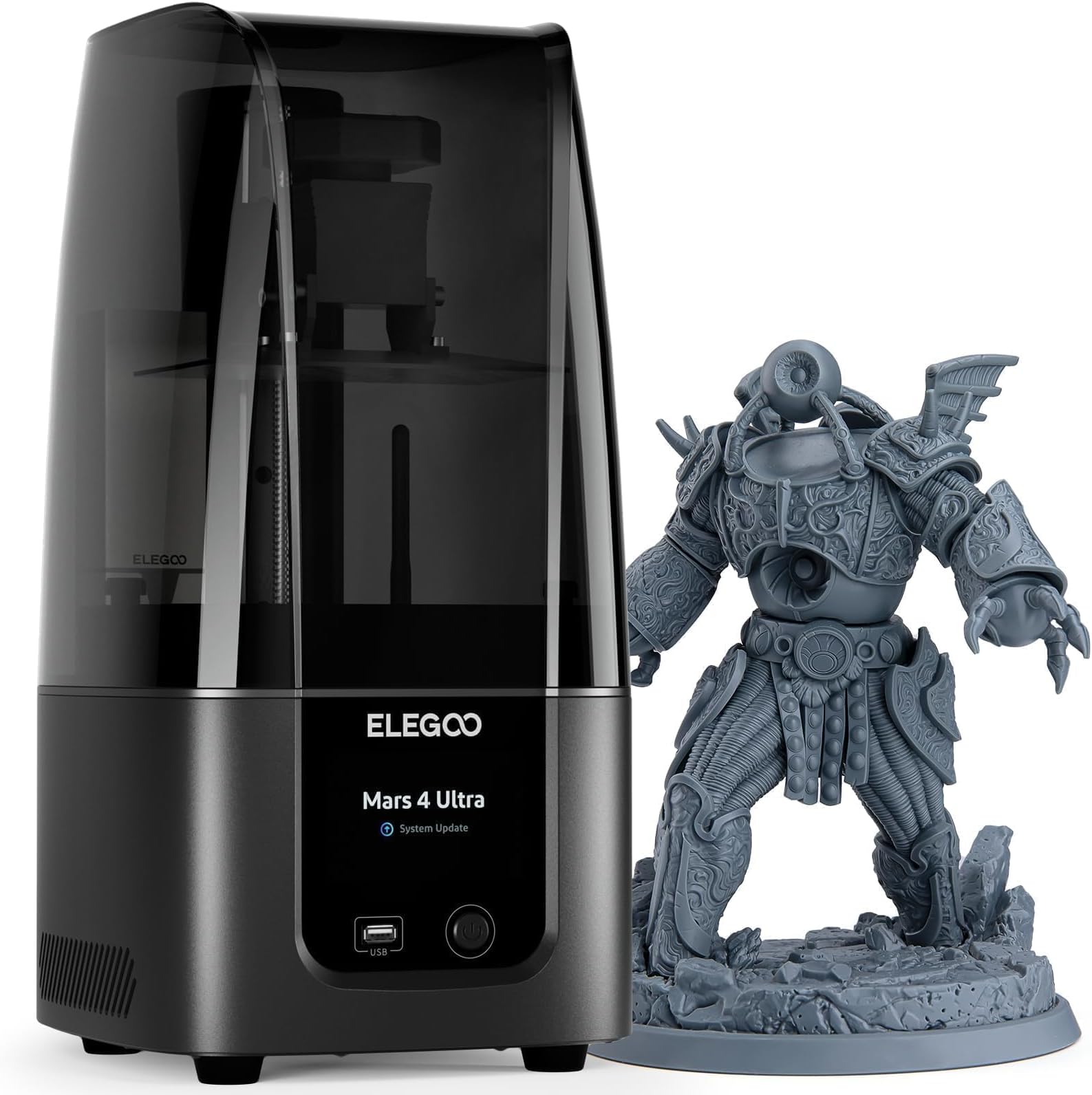
The ELEGOO Mars 4 MSLA 3D Printer features a cutting-edge 7-inch 9K monochrome LCD delivering ultra-fine 18μm XY resolution, a sizable 6.04×3.06×6.89 inch build volume, and a powerful COB 405nm UV light source for consistent, high-quality resin prints. Its laser-carved build plate enhances adhesion, while the user-friendly 3.5-inch touchscreen offers real-time monitoring and easy adjustments, making it ideal for both beginners and pros seeking detailed, reliable prints.


| Best Sellers Rank | #8,167 in Industrial & Scientific ( See Top 100 in Industrial & Scientific ) #15 in 3D Printers |
| Brand | ELEGOO |
| Color | Black |
| Compatible Devices | Laptop, Personal Computer |
| Customer Reviews | 4.0 out of 5 stars 153 Reviews |
| Item Weight | 18 pounds |
| Material | ABS, Aluminum , Polycarbonate |
| Product Dimensions | 23.82"D x 11.22"W x 10.63"H |
T**D
A great printer from a great company!
[Original two-star review, published 11/30/23:] Coming from a Longer Orange10 printer with the resolution of a potato (115μm), the Elegoo Mars 4 Ultra I received was still technically an improvement, but I have to fault the quality control at the factory for ever sending this thing out, and some questionable design choices for making the problem severe enough that I simply had to return the entire unit. First things first, the deal-breaker: the leadscrew came bent. Not just a little bent, but bent right at the bottom by the motor such that the opposite end wiggled about an inch side-to-side as it rotated (shown in the video clip). This caused wobbly artifacts in the test print I did, which you can see in one of the photos. The linear rail is remarkably stable and consistent, so the print still succeeded, but it still couldn't totally compensate for how bent the leadscrew was. Straight vertical lines on the print came out wavy, with the period of the waves corresponding to the pitch of the leadscrew. The second problem, which I could've coped with on its own, was that the entire cast aluminum plate that the resin vat, z-axis assembly, and lower chassis bolt onto was somehow also bent, creating a gap (pictured) at the back of the printer. The gap was only about an eighth of an inch wide, but the problem was that it let a lot of un-shielded UV light out, which of course is an eye-safety hazard. I could have just put electrical tape over the gap, but I still don't know how anyone could have missed that if they actually tested it before shipping as they claim. Finally, the "questionable design choices" I mentioned above are threefold, and they all pertain to the z-axis. First, there's no support bearing or other structure to receive the end of the leadscrew opposite the motor, so it's just free at that end, which is what allowed my bent one to wiggle so much (and perhaps allowed it to become bent in the first place). The second odd design choice was that the leadscrew isn't attached to the motor shaft with a coupler, it *is* the motor shaft, meaning the entire stepper motor/leadscrew assembly must be replaced if the leadscrew becomes damaged. The final choice I can't understand involves the sensor for zeroing the build plate arm. It's located at the bottom of the z-axis instead of the top, which renders the "set z=0" function effectively useless, since it still has to pass the sensor at the bottom to know where 0 is supposed to be. In the end, I might still re-buy this printer model (if Amazon ever issues me my refund now that I've returned it to them), since on paper it's still the best 3D printer for me, but this whole experience has been awful for me and meant that I'm not going to be able to make people ornaments in time for the holidays like I'd planned, so I wanted to go ahead and let people know that this stuff can and does happen and to be wary of it. [Update as of 12/12/23:] A few days after I wrote my original review, Elegoo customer service reached out to me (the first time a seller/manufacturer has ever done that in response to my review) to extend their apologies for my trouble, offer me a full refund, and ask me to give them another chance. I'd heard that Elegoo has the best customer service, and it seems I heard correctly. Their message gave me the confidence to order a new Mars 4 Ultra, and I'm glad I did, as the new printer works flawlessly. (I can still see a little UV light if I look at it at just the right angle during printing, but it's minor, and nothing is bent this time. I may eventually add a strip of thin, adhesive-backed foam between the chassis components to create a better light-blocking seal, but I doubt it's necessary.) It was a mistake to contact to Amazon's customer service before Elegoo's, as the latter has been wonderful to work with, even reaching out to make sure that I was happy with the replacement printer I ordered and reminding me that I can always contact them with any questions/issues. In light of my customer service experience, and the quality of the printer I got to replace the first one, I'm upgrading my review to five stars. I can now say that I wholeheartedly recommend this printer, even knowing that significant problems can occur, because I know that Elegoo has my back if and when those problems occur. Seriously, if something is wrong, contact them first. You'll be glad you did.
J**B
UPDATED: This printer is impossible to level....
UPDATE: IT's a quality control thing... Elegoo reached out to me and Amazon sent out a new Mars 4 Ultra. I was having the same issue with the new unit. I tested both build plates and could not get them to level without excessively pressing them into the LCD screen. I went back to the original base, used the new build plate and was finally able to get this thing to level. Just an FYI you must remove the resin tank, loosen all 4 screws, retur the unit to zero (with the card in place), press the build plate firmly against the card and tighten the screws, then adjust the z offset back down on the card by 0.1mm until the card no longer moves with minimal effort, then you can set your new zero. Once this was done and I used the proper exposure settings (FYI big shout out to Fauxhammer on youtube for giving me some pointers) I have been able to get 3-7 prints at a time without needing to re-level the build plate. I'd say this is a good resin printer, it is just a tricky hobby. So be ready to do a lot of your own research and trouble shooting!!! This is not a hobby for someone who does not like to tinker, you will be test printing calibrations way more than fun stuff in the beginning, but this should be true with any printer you buy. You will need to know your printer and the resin settings for all you favorites. Sorry I'm a little long winded on this... I have a lot of thoughts but if you made it this far I by no means discount this Elegoo Mars 4 Ultra. It does what it is intended to do and does so with decent quality for a printer under $300 and it is my opinion that you could not go wrong by purchasing either Mars 4 printer. Just know the hobby you are committing to. Oh and Elegoo, if you are reading this, thank you for your constant communication through this but please also do mind the QC process because you do have a good product. I received this printer on Friday and have had failed print after failed print. The print bed cannot be leveled... facing the front of the machine the left side will hold the paper but the right freely slips out. I have only been able to get on successful print by going to zero getting level best I can with the set screws tightened. Then move the bed down 1mm as many times as I can until the paper will not move anymore and backing off by .1mm at a time until I find it is set. My problem with this method is I'm very concerned it will damage the LCD and I can find any instructional videos that show anyone in their right mind utilizing this method. I have spent all weekend waiting for prints to fail, then draining and cleaning the printer, only to go through the whole process again. This last time I finally had some lubricated to apply to the release film which did not help the issue at all. I'm at a loss and I'm hoping that the Elegoo customer service will help with this issue as I really need this printer for work and school. Sorry for the rant but I hope this is helpful to others looking into this printer and I will update when I have more information.
C**G
Excellent customer support.
Good build quality and testing the settings on exposure settings went well and was easy to set up. I had some quality issues with the build plate having some low areas. I sent an email to tech support and next day I had reply and some suggestions as to help diagnose the problem. I sent a picture of the issue and then a new replacement was sent out. I received the part 4 days later. New build plate is working as it should and looking forward to printing some miniatures and dice.
D**T
Screen failed in less than 2 months. Elegoo delivers very poor customer service.
Screen failed in less that 2 months. it started to print just a sheet of material on the plate so I checked the screen only to find a bunch of lines instead of the logo. Update: Elegoo will only send a replacement screen. And because their showing how to replace it, failed to show the massive amounts of hot glue on the connectors, I damaged the motor cable plug while attempting to remove. But Elegoo refuses to send me a new unless I pay for it. This is my second and last Elegoo printer where the screen has failed. Never again! Update 3: It took 3 weeks for the new screen to arrive. It came with a bad ribbon so I had to use the old the old. But worse, it's mirrored. So my prints come out mirrored. I am never again purchasing anything from Elegoo.
R**N
So far so good! Have a lot to learn but good unit
Love it! Still learning but I’m getting better
J**S
Elegoo Mars 4 ultra
Muy buena impresora, la recomiendo por su precio y calidad de impresión.
C**R
One of their best so far.
I have to say after using it for several months, I can honestly say that it is one of the best SLA printers that I have used. I started with the OG Mars and have progressed through the years with newer printers as I learned more about how to use SLA printers. The Mars 4 Ultra that I got , I had a bit of a hard time getting it connected to my WiFi network. I finally got it connected after several months of just using a USB drive. So for this reason, I am deducting one star. I really like that it isn't very loud and that I don't have to level the plate before every print. I especially like the carbon filter that I'm using with it because it cuts down on the fumes. The speed and quality of this printer is head and shoulders above its predecessors.
A**.
So far, so good.
I've found this machine to be a lot less frustrating than my finicky FDM printers, all while making much better prints. I leveled the bed as per the instructions, dumped some resin in the tank, and printed the rook model from the USB drive without any issues. Subsequent prints have all gone well. Before I got the Mars 4 Ultra, I had purchased a very similar printer from another major brand. That didn't work out too well ("screen connection status error" randomly before or during printing). Instead of taking apart a brand-new device and futzing with the screen connection cable, as the official support wiki tells you to, I returned it and got this Elegoo machine instead. Couldn't be happier!
J**.
Excelente
Muy funcional
C**G
excelente impressora!
esta e a minha primeira impressora 3d e fiquei impressionado com a qualidade do produto. a unicaxfalha que tive foi por erro meu. alem do preco bom e otimo produto, a entrega foi feita antes da data prevista, estou muito satisfeito.
F**R
Excelente impresora
Es un equipo muy intuitivo fácil de usar, las impresiones son de muy alta calidad, pero lo malo es que no había un vídeo en español para saber cómo nivelar la cama, solo encontré uno en portugués que pude subtitular, por lo demás ya impresa la figura, fue entender cómo limpiar y curar las piezas que si tiene su cuidado por lo tóxico de la resina.
R**O
Buen envío y buen producto
Buen producto y vino bien
M**.
tiempo/ calidad impresion
Estoy reconsiderando si me la quedo o no. Primero que nada, por el detalle de fuga de luz en la pantalla touch que puede llevar a una falla en esta y segundo que recien la recibo e instalo y ponen en descuento con lo que podia haber comprado 1litro de buena resina (50-60dlrs) :C Pros: -Es muy rapida, piezas que me llevaron mas de 10hrs en FDM aqui las hizo en 3-4hrs -Calidad de impresion excelente, con mis impresoras FDM no hubiera logrado este acabado que mas que nada es para hacer esas piezas "dificles, tediosas en FDM" y que en resina son mas faciles y rapidas, como rostros, cabello, manos, etc. -Tamaño de impresion suficiente sabiendo ordenar los modelos, pero aqui si fuera153,36x10.00x165 mm en vez de 153,36x77.76x165 mm seria excepcional Contras: -Ensamble, si bien se mira muy solida la mars 4 ultra, no me gusto para nada que la pantalla tenga esa fuga de luz, por el momento parecen o afectar el funcionamiento, pero con el tiempo podria dejar de funcionar la pantalla touch -Nivelacion, siento que deberian venir ya niveladas como algunas de la competencia, yo estoy acostumbrado a nivelar tambien en resina como fdm, pero usuarios nuevos es tedioso y hasta dificil -Insumos caros, antes de poder imprimir sin fallas tuve que hacer los test de exposion, variando de 0.1 en 0.1 el tiempo de exposicion de 0.5 hasta 1.8 y los mejores resultados estan entre 0.6 a 0.8 dependiendo la resolucion que imprima para mi resina, para esto me gaste 700-800ml de resina de $45drls, algo caro solo para poder calibrar la maquina La voy a pensar estos dias haber si me la quedo o no, porque si me causa mastante inquietud lo de la fuga de luz en la pantalla :C
Trustpilot
5 days ago
1 month ago