


📸 Snap, Print, Share - Your Memories, Your Way!
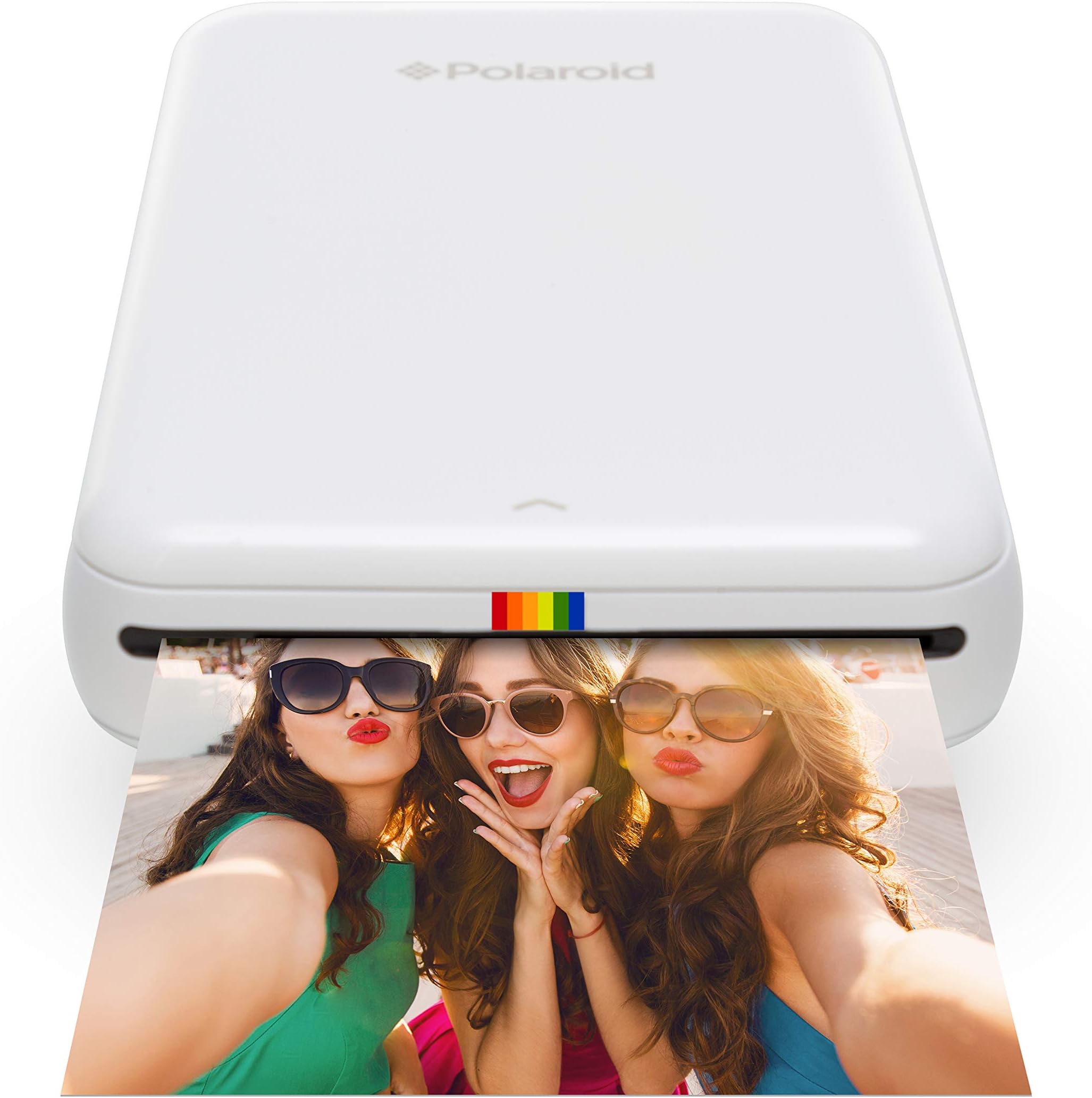
The Polaroid ZIP Mobile Printer utilizes innovative ZINK Zero Ink technology to deliver vibrant, high-resolution prints directly from your smartphone or tablet. Compact and portable, this printer is perfect for capturing and sharing memories on the go, with a user-friendly app that enhances your photo editing experience.


| ASIN | B00TE8XKIS |
| Additional Printer Functions | Print Only |
| B&W Pages per Minute | 1 ppm |
| Box Contents | Printer and accessories |
| Brand | Zink |
| Brand Name | Zink |
| Color Depth | 24 bits_per_pixel |
| Color Pages per Minute | 1 ppm |
| Colour | White |
| Compatible Devices | Polaroid Zip |
| Connectivity technology | Bluetooth, NFC |
| Control Method | App |
| Controller Type | Android, iOS |
| Customer Reviews | 4.3 out of 5 stars 5,630 Reviews |
| Dual-sided printing | No |
| Duplex | Automatic |
| Global Trade Identification Number | 00840102108965 |
| Hardware Interface | USB |
| Initial Page Print Time | 1 Minute |
| Ink Colour | ZINK |
| Is Electric | Yes |
| Item Dimensions D x W x H | 9D x 29W x 47H millimetres |
| Item Type Name | Kodak Polaroid Zip Wireless Mobile Photo Mini Printer |
| Item Weight | 0.41 Pounds |
| Manufacturer | C+A Global |
| Maximum Copies Per Run | 25 |
| Maximum Copy Resolution Black and White | 300 dpi |
| Maximum Copy Resolution Color | 300 dpi |
| Maximum Copy Speed Black and White | 1 ppm |
| Maximum Print Resolution Black and White | 300 dots_per_inch |
| Maximum Sheet Capacity | 50 |
| Maximum Supported Paper Size | 2x3 inches |
| Maximum print Resolution Color | 300x600 dpi |
| Model Name | POLMP01W |
| Model Number | POLMP01W |
| Model Series | POLMP01W |
| Model name | POLMP01W |
| Network Connectivity Technology | Bluetooth, NFC |
| Number of Drivers | 1 |
| Number of Licenses | 1 |
| Number of Trays | 1 |
| Other Special Features of the Product | Portable,Compact |
| Output sheet capacity | 25 |
| Paper Size | 2 inches |
| Print media | Glossy photo paper, Paper (plain) |
| Printer Output Type | Colour |
| Printer Type | Zink Technology |
| Printing technology | Zink Technology |
| Processor Count | 1 |
| Resolution | 300 x 300 |
| Scanner Type | Photo, Portable |
| Series Number | 1 |
| Special feature | Portable,Compact |
| Specific Uses For Product | Parties, gatherings, holidays, DIY projects and daily social media sharing |
| Total USB 2.0 Ports | 1 |
| Total USB Ports | 1 |
| UPC | 840102108965 |
| Unit Count | 1.0 count |
| Warranty Type | limited warranty |
| Wattage | 500 milliamp_hours |
S**E
Great little travel printer
Great little printer. I bought it primarily for traveling. I like to keep a travel journal and the size of the prints are perfect for this. It is really lightweight, but well constructed. It was really easy to set up and load with the printer paper. It takes 10 sheets at a time. The app on my phone (iOS) version pairs with the printer quickly and easily. The app allows you to make some edits to the photo and add text if you want to before printing. The photo prints in a few seconds and is completely dry as soon as it comes out of the printer. Print quality is good - if you really look you can see fine lines on the print - but you have to look for them. The peel off backing on the printer paper means you can easily attach your photo to a journal or album. Overall I am very pleased with the printer, and is perfect for what I bought it for.
C**S
its a good piece of kit
needed it for business for some mobile out of the office work, its a good piece of kit, works fine every time I have used it. It does not produce brilliant photos, more of a temp solution that a high end colour printer but its great fun, photos have a sticky back as well which was useful for sticking over project plans etc. the app on the smartphone is ok as well.
J**I
Very Cool Gadget
Absolutely love it! The quality of the pictures can be a hit and miss, 1 in 7 comes out a bit dark but it adds to the effect. I’ve prinited over 100 pictures already and made a album for my daughters first birthday. The app support isn’t great. You have to always go back and select the album you are picking from which can be frustrating. The battery last for over an hour which is good.
S**M
Polaroid Zip Instant Printer
Firstly, this review is of my opinion. I am a fashion and advertising photographer so I therefore look for clarity and good colour reproductions in images. Overview: For what this little printer is, it isn't too bad! For my intended use, it may perhaps suffice but it could certainly be better. Positives: - Small physical size (very) - Great Portability - Rechargable unremovable battery (unlike closest competitor). Could also be a negative for some - Small images (wallet size - can be seen as good and bad) - Quick to print (despite other reviews the speed isn't bad) - Good accompanying app (could be improved - see negatives) Negatives: - The image size would be nicer if it was a bit bigger (for me personally). - The clarity/sharpness of the prints isn't great, though for what the Polaroid Zip is, perhaps I'm asking too much of it (it's more of a fun, consumer product than a pro printer after-all). - The colour reproduction is off, producing a magenta tinge to images (even black and whites come out with a red/magenta tinge, and even also a little blue). - The App: When resizing images in the 'edit image' portion, unfortunately there is no way of centering the image (either on the horizontal or vertical axis (a method similar to that of Microsoft words image positioning would be ideal) - The battery isn't removable, so if you're in the wild with no mains you cannot remove it and put in another precharged battery like you can with the Zips closest competitor. What you can however do is print and charge at the same time, so try a battery pack for charging phones/laptops etc (i.e search Anker on Amazon). The Polaroid Zip instant printer isn't a bad product. The ease of use and portability makes it a superb product, it is however let down by its image quality (though only slightly). My review is therefore a 4* and not 5*.
M**T
Great little printer and will keep your treasured memories plastered ...
I own a Instant Fuji and this mobile printer is on par. The size of an external harddrive and slightly heavier (but not too much), it allows instant printing on the go. Other reviews complain about darkness, just lighten the photo with the edit functionality on the downloadable app. They also complain about streaks, just make sure the device is fully charged. Great little printer and will keep your treasured memories plastered over the wall or stored in albums for years to come!
A**Y
A new app that messes the whole thing up.
I tried out a friend's ZIP a little while back and loved it. This one arrived a few days ago and seemed to work great. Images were a little dark, but no more so than on most home printers I've used. They were crisp and clear and the whole thing was easy to use. BUT I got home tonight and they've changed the app (the printer is useless without the app) and it basically it no longer works. Aside from the new app being clunky and unintuitive it's caused the connection to keep dropping out so you can only print by closing the app, reconnecting and printing immediately (no editing or it stops working). When you do get it to print the picture you've previewed isn't the same size as what you've edited OR what comes out, so expect the edges to be cut off etc. Oh, and the firmware won't update. Right now I'm waiting for an email from the company but I'm likely to be sending this back as it's now not really fit for purpose. Gutted. UPDATE The customer services are friendly and quick to respond but so far have just told me to update and it'll be fine. It is not fine. Here are my list of complaints (so far): You have to connect in app as well as on the phone, which you didn't have to before and just adds another layer to go wrong (as happened initially when I couldn't connect the phone and printer at all). You only have access to camera roll, not albums so can't print any older photos. If you take a photo through the app you can't use the forward facing camera (no selfies), plus the view you take the photo in is square but the photo itself is not. There is no way to edit in portrait, you just have to struggle doing things sideways. You have removed the cleaner frames, including the more traditional plain one which was the only one I used. You have removed the business card feature, which was a selling point for me. The in-app sliders are clunky and inaccurate. You have to hand rotate text etc. which is OK if you're doing something deliberately wonky but a pain if you want something square to the edges. A rotate 90 degrees option please! You can't edit and print. You edit, save, get sent back to the home screen, reselect and then print. Once you've edited, saved and reopened an image the preview frames it differently to the way you’ve just edited it to fit (the one I'm doing as I write this to make sure I don't miss anything has a white line along the bottom for some reason) Then you go to the print preview screen (different to the image preview for some reason) and the image is framed differently again (the test one I'm using has lost the white line at the bottom but now has them down both sides instead). When you do finally print the image is a totally different colour to what’s on the screen and has further edges cut off. Basically, it’s not the picture you started with. I'm desperately hoping they see sense and revert back to the old app. FURTHER UPDATE Polaroid are refusing to give me any idea of when the app will be improved, refusing any access to the old app and refusing to arrange a refund for their now defunct product. I have a £99 useless piece of plastic in my house. After weeks of back and fore I now have to say that, not only would I not recommend this product, but I will avoid all Polaroid products in future.
B**N
Good printer but the size of the photos is not ...
Good printer but the size of the photos is not very clear when purchasing, as it is really really smal, good for fridge magnets making! Expensive, better get the camera instead!
C**N
Perfect for having physical memory of special moments (paper is a bit pricy though)
Have been using the product for over 6 months now: PROs - More rational than an instant camera as you can choose the perfect picture to print - Picture quality is very nice considering the size/price of the printer - Instructions are clear and the use of the device is very intuitive - Really no smearing of the pictures at all and no ink cartridge which is a blessing - Battery life is good if you're not planning on printing all pictures from your holiday CONs - Paper is pricy but I don't think this is meant to be used for mass printing anyway - The app needs a lot of getting used to and is not as easy to use as you'd like (especially since the update mid 2016)
J**N
Pretty good device but skip the app
This is perfect for printing wallet sized photos. The app it suggests you use, don't even bother. It's not user friendly, needs to update before EVERY use (even tho I've already spent 15 min installing the update), and it just doesn't work. The DEVICE however works fairly well although the pics come out a little dark (think of classic Polaroid pics). I have a Google Pixel 3 so I choose my pic from my camera roll, use a filter that makes the pic brighter (almost washed out but not losing any details), click open the options to send the pic (usually used when I'm attaching the pic to a text message), and click Blutooth. Make sure the device is on, then you can send the pic from your phone via Bluetooth without needing to use their worthless app. PRO TIP: These are wallet size photos so if you have a large detailed photo you're trying to print, keep in mind it's only going to print the center most area of the photo (cutting off edges). You can modify this by screenshotting your pic, editing it to make it zoomed out a bit which creates a thick black border around your original pic, then printing. Since the photo on your phone is more centralized, when it prints, it'll pull more of the image since the black edges will be cut off. Hope this helps!!
M**E
Gadget de luxe
J'avais déjà cette imprimante depuis des années et elle vient de me lâcher, j'en ai donc racheté une. Presque 10 ans plus tard, la technologie n'a pas vraiment changé à vrai dire. Je vois que le logiciel associé s'occupe d'éclairer un peu les photos pour compenser le fait que certaines impressions étaient sombres. La qualité n'est pas meilleure, mais en même temps, cela reste un gadget, de petites photos instantanées à partager et qui de plus sont des "stickers", donc c'est très sympa. La technique est simple : la machine n'a pas de cartouches d'encre, car l'encre est dans le papier, c'est la technologie Polaroïd que nous connaissons tous. C'est à dire que l'imprimante chauffe à des températures différentes à différents endroits du papier lorsqu'il passe dans le rouleau, ce qui affiche des couleurs différentes. On en déduit plusieurs choses, l'une, la résolution, c'est à dire la netteté de l'image, n'est pas parfaite : la machine ne peut pas faire des températures très différentes de façon très précise sur de tout petits points. D'autre part, les couleurs sont "lissées" c'est à dire peu de contrastes, lorsqu'une image est plutôt bleue, tout est un peu bleu, c'est dû à cette technologie. Certains endroits dont les couleurs sont très semblables, exemple un caillou plutôt marron, sortiront un peu lissés, donc le caillou fera plutôt une "tache marron" que montrer beaucoup de reliefs. Enfin, au démarrage, des "lignes" peuvent apparaître si on a pas un peu chauffé la machine avant, c'est à dire passer au moins 2 fois la feuille bleue de calibrage dedans, pour que les rouleaux chauffent. Et si on fait une pause de deux trois minutes il faut la re-chauffer en repassant deux fois la feuille. Et toute dernière précision, les photos prendront mal la chaleur, le soleil : si vous voulez la mettre dans un endroit souvent éclairé, mettez la dans un petit sachet en plastique, ne repassez pas à chaud l'image, encore moins laminée à chaud. Sinon les couleurs disparaitront. Une fois que tout cela est OK pour vous, c'est un gadget formidable. Pour des photos souvenir en soirée. Pour afficher des petites choses sur des carnets, par exemple scrapbooking, carnets de vacances. Pour faire des stickers simples et rapides. L'autocollant tient bien, et la qualité, tant qu'on ne demande pas trop de détails, reste très correcte. A chaque fois que vous la sortirez, vous ferez sensation ! Bref, je reste une cliente fidèle à ce produit, qui, en espérant qu'il soit aussi robuste que les précédentes versions, reste "increvable" : la mienne a duré très longtemps pour quelque chose d'aussi petit, ce n'est pas fragile du tout.
T**.
Product was great but the box came smashed up and it was for an Xmas gift!
Person I gifted this loves the product. Gives great flexibility in editing the photo before finalising and printing. I used it myself. I would have given this item a 5 star but the box it came it was pretty smashed up. It was quite upsetting and I can't remember the number of times I had to apologised to the receiver. I tried contacting the seller but it was just radio silence. What if the product was damaged?? Bottom line is good product, bad seller.
S**A
Fout gegaan
Doordat alleen mijn voornaam op het pakje stond, heb ik de printer nooit op kunnen halen. Geen idee of het item goed is. Ik wacht nog op de financiële afhandeling!
K**S
Tut was er soll! Gutes Produkt.
Habe ihn mir hier bei ElekShop bestellt. 1A Versand über UPS... in einem Tag von London nach Deutschland!? Hut ab! Zum Gerät selber: sehr schneller Druck, auch sehr sauber. Allerdings hatte ich beim ersten Foto einen helleren Streifen auf dem letzten Stück dass raus kommt. Das lässt sich aber umgehen, wenn man die Fotos ganz schnell nach Druck herauszieht. Hat wohl mit dem erhitzen zu tun...könnte Polaroid beim nächsten Modell in Angriff nehmen. Die App zum Drucker läuft auf meinem S4 flüssig und fehlerfrei und hat saukomische Features zum bearbeiten. Von Scherzbrille und Schnurrbart bis zum schönen Rahmen. Praktisch, wenn Fotos mal das falsche Format haben, man nicht zuschneiden möchte und ein Rand bleiben würde! Bei der Fotoqualität würde ich immer drauf achten, dass die Bilder in der App lieber etwas zu hell als zu dunkel an den Drucker gegeben werden! Ich bin zufrieden und sind wir mal ehrlich....so ein kleiner Drucker macht auf nem Abend mit Freunden echt was her und man hat endlich mal wieder Fotos zum ANFASSEN. LG, Kurtiis
Trustpilot
2 weeks ago
3 weeks ago