Buy anything from 5,000+ international stores. One checkout price. No surprise fees. Join 2M+ shoppers on Desertcart.
Desertcart purchases this item on your behalf and handles shipping, customs, and support to Belgium.
🚀 Elevate your workspace — all-in-one power, speed, and clarity in your pocket!
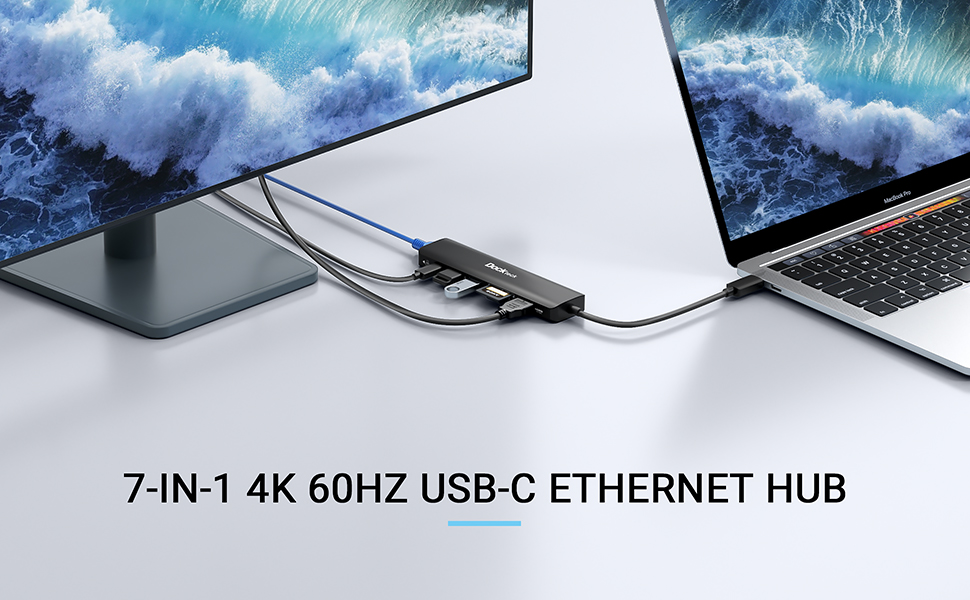
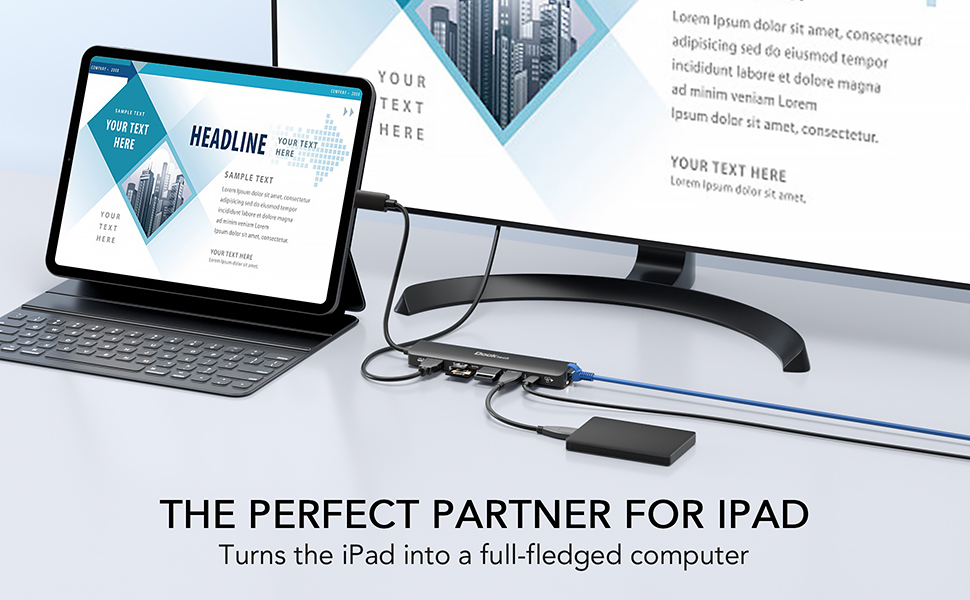
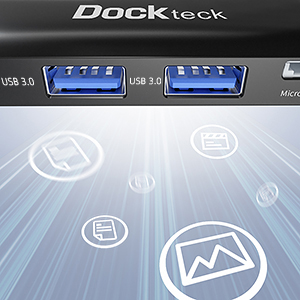
The Dockteck 7-in-1 USB C Hub is a versatile, ultra-portable docking solution featuring 4K 60Hz HDMI output, 100W power delivery charging, 1Gbps Ethernet, dual USB 3.0 ports, and SD/Micro SD card readers. Compatible with MacBook Air/Pro M1, iPad Pro, and other USB-C devices, it delivers fast data transfer and stable wired internet, perfect for professionals seeking a sleek, efficient mini workstation on the move.


| ASIN | B09491F17Q |
| Additional Features | Fast Charging, Fast Data Transfer |
| Best Sellers Rank | #227 in USB Hubs #578 in Laptop Docking Stations |
| Brand | dockteck |
| Color | 7 IN 1 Black |
| Compatible Devices | Laptops, Macbook Air, Macbook Pro, Surface Pro, iPad Pro |
| Customer Reviews | 4.5 out of 5 stars 2,937 Reviews |
| Data Transfer Rate | 5 Gigabits Per Second |
| Enclosure Material | Plastic |
| Hardware Interface | USB Type C |
| Item Dimensions L x W x H | 5.36"L x 1.34"W x 0.55"H |
| Item Weight | 0.13 Kilograms |
| Manufacturer | dockteck |
| Mfr Part Number | DD0015 |
| Model Number | DD0015 |
| Number of Ports | 7 |
| Operating System | Windows, macOS |
| Special Feature | Fast Charging, Fast Data Transfer |
| Total USB Ports | 2 |
| Total Usb Ports | 2 |
B**4
Great for gaming and computing on the go!
I bought this 3 years ago to connect external monitors and AR glasses to my Steam Deck, and it is still going strong! It allows for pass-through charging during use, which is super convenient, but do be aware that you may experience lowered charging speed unless you plug it into a proper Steam Deck or USB-C laptop charging cable— a phone charging brick will not be enough. I've never had it get too hot during use, nor has it caused overheating in the device it's plugged into. It's very portable and easy to toss into a laptop bag or travel case. I do wish it had USB-C input ports for controllers, but the HDMI is what I originally bought it for, and it works great for stable, high-quality gaming on the go. I've also used this here and there to import photos from an SD card into MacBook and Windows computers. Recently I plugged it into my iPhone 17 on a whim to see if I could import my photos directly for easier posting, and it actually worked! I opened up the Files app, and there they were. So it's a really versatile dongle. Will it replace a proper docking station? No, you'll probably want some more USB-C ports and maybe another HDMI. But it's a great interim or travel option when you're short on extra space.
C**H
Great Hub so far but a bit disappointed
First of I will say I have used every part of the hub and that I only bought to be used with my Steam Deck. Using sd cards and usb works great. I haven't tried the ethernet port yet with my Steam Deck to see if it works yet but I tried the HDMI port and it does not work, at least not properly. For some reason, when it's connect the Steam Deck screen would go blank as if it was connected to an external display which would be my TV but when I with switch over the HDMI input that has the Deck noting is showing. Long story every time I tried to connect it, it connect to the TV for a split second and then it would disconnect, I thought it was my HDMI splitter but it wasn't because it wouldn't work directly connected to the TV. So for that I'm a little disappointed. Update! I guess I was wrong, the HDMI port does work with the Steam Deck, however the Steam Deck doesn't support 4k, that's why it wasn't working with my TV.
A**.
SURPRISINGLY good USB-C dock, perfect for my use-case.
Bought this to replace the crappy HP OEM USB-C dock that I bought with my Ryzen HP Envy x360 laptop, which APPARENTLY only seems to work with an OEM HP USB-C charging cable??? I wasn't paying OEM prices for a cable, so I got this dock instead. The cool thing is, this works really well with an Anker GaNPrime 140W brick and 120W-rated USB-C cable, and will even charge the laptop while it's in use. The OEM HP dock doesn't even see the input power from that combo, and refuses to charge the laptop while plugged in (the dock USB ports and Ethernet port will work, the charger will not). This DockTek one is also at least 1/4th the size of the OEM dock, no bigger than a candy bar, and works super well. I just wish that it had a USB-C port for data as well as for charging, but I'm not going to knock off a star for that. Bravo, DockTek. I carry it with me everywhere now.
C**D
UPDATED Good dock for the money and part time use. Can be used with Windows or Mac.
UPDATE - 10 months into use and the HDMI port is having issues. I also began using the Ethernet connection daily for hard wired Internet. Although the specs and speed test show good connection quality, real world use case was not good. Screen sharing via Teams and other VC functions did not work well. Switched to WiFi and it was fine. I then purchased another dock from a name brand and the connection issues went away. I would recommend this as a part time, cost effective solution (possibly for travel only) but it did not hold up to dial use. I originally bought this to use on a Dell with Windows 11. Dell support app would pop up and say the charging pass through was not rated and asked if I still wanted to use it. When I said yes, it was fine. All other I/O ports worked. This was plug and play on my MacBook Air 2020 w/ M1 processor. Unit gets warm when charging, but that’s fine and it’s away from the laptop enough not to make the laptop hot.
S**E
Works great on Steamdeck
I've been using this for my Steamdeck and it works great. One issue that I worked around that I think people should be aware of with Steamdeck: When using HDMI output, the Steamdeck will ALWAYS match the native resolution of the display you're connecting to, upscaling 1280x800 to that resolution. This is an issue because performance at 4K is awful, even just in the Steam UI browsing through games. Streaming from my PC was laughably bad, like 12fps. Also, the Steamdeck apparently will only do 4k @30Hz even if the dock supports 60Hz. So I googled this and found a work-around, which involves editing a file and setting 1280x800 to 1920x1080 with capital W and H instead of lowercase, which I believe is what tells it to force the output to 1080p as well as the rendered resolution on the device. If you set it to 1920x1080 with lowercase letters still, I assume it will still use 4K and be laggy while rendering 3D at 1080p instead of 800p. This work-around works great as a permanent solution. I rebooted after editing the file and could easily tell the UI was much smoother. There are "easier" solutions where you don't have to enable SSH and PuTTy into the device and edit a file (basic Linux or sys admin type things), where you install an app and apply it every time you boot up the Steamdeck to force it to output at 1080p on a 4K TV, but that's just silly when you can do a permanent fix.
M**I
Easy to use! Compatible with Mac & PC. I bought another one for my partner.
I started a new work-from-home job that uses MacBook computers. I've never had a Mac before, but I hoped that my old USB-C docking station would work with both my personal Dell laptop and my work MacBook Air, but no luck. I found this inexpensive dock with all the ports I need: USB A, USB-C power, HDMI, and ethernet. There is also a micro and full-size SD card reader. The unit is super compact and lightweight - easy to toss in a messenger bag or laptop bag. I love that I can now easily use my 32" LG monitor with HDMI connection on both my work and personal laptop, just by plugging and unplugging this one little cable. My partner got a Mac this winter and will be in a similar situation where they may want to use it on both a PC and a Mac, so I got them one. Super happy. I hope it holds up, but for the price, ease of use, portability, and lightning-fast delivery time, you cannot go wrong. Power supply- when I use my MacBook Air M1 (2020), I'm able to use the power supply via the dock only, without any issues. When I use my Dell 7410 i7, 32GB laptop, I occasionally encounter power supply issues. It's never prevented me from using it, but I sometimes get a pop up message saying I should plug in a stronger power supply. This usually only happens when my Dell laptop battery is extremely low. The workaround for this is simply to plug in another power source in to the Dell and the issue is solved. If I could make any improvement, it would be for a longer USB-C cord connecting the dock to the computer. I'm using a pretty standard laptop riser that lifts my USB-C connection about 6.5 inches off my desk. Depending on how the dock lands, there is sometimes a little flex in the cord that keeps my dock dangling off the desk a little. If this were a heavier dock, I'd be a bit more concerned about any pull or tension in the ports on my laptops, but since it's so lightweight, I'm not too worried about it. For my particular use, I wish the USB-C connection cord was long enough so that I could switch between using this dock, without moving the rest of the connection cables, between my Mac and Dell that sit on either side of my 32" monitor. I feel like that's more of a "me" problem than the product's problem. Overall, I'm super happy with it. Highly recommend.
J**F
Great to have at home and in my laptop bag
Love it so much I think I brought two. One for me and another for the misses . I like the compact size it’s perfect for traveling because I have a bigger version at my desk for my laptop connectivity.
D**O
DO NOT BUY
I have had this product for over a year now and from that I can promise you that this is NOT what you want. 1.) The ethernet light is BLINDING. At night you will find the blinking way to bright and annoying 2.) The ethernet port is not able to click in the cord to secure it. So it can get pulled out EASILY. THIS BY FAR IS THE MOST ANNOYING PART. 3.) The usb A ports have an extremely slow connection. Compared to computers built in usb A 4.) Forced to at times to unplug the whole thing and reconnect to get internet connection. The cord of it is well built, at least no problem over the year and a half I have had it. Never used the sd card ports or hdmi but if the usb A ports say anything, just don't get this.
A**E
Perfect
Great dongle with all the ports one needs 👍🏼
S**D
Simple and useful
I needed a gigabit ethernet adaptor and some legacy USB A ports for my Apple Studio Display and MacBook. This fitted the bill perfectly. Gig Ethernet works perfectly at full duplex and the flash card reader is fast and the USB A ports allow connection of my legacy USB stuff stuff which was cheaper than a new cable!
P**R
60Hz HDMI Screen Compatibility is a winner
It might not sound important, 30Hz HDMI Output on a modern monitor, but you will notice the mouse lag. This USB-C Hub solves that issue as it can produce 60Hz HDMI output resulting in crystal clear display on the external monitor and no lag on the mouse movement. As regards all the other things it can do, they are self explanatory.
R**T
Parfait pour mon surface pro 9
Pour l’instant je n’ai testé que les ports USB et ça fonctionne très bien. La longueur du câble est suffisante pour mon PC.
A**T
Veloce e senza problemi.
Perfetto, collegamenti veloci e subito riconosciuto dal mio Mac.
Trustpilot
4 days ago
3 weeks ago