Desertcart purchases this item on your behalf and handles shipping, customs, and support to Belgium.
๐จ๏ธ Compact power, smart savings โ print your way to productivity!
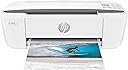
The HP DeskJet 3755 is a compact all-in-one wireless inkjet printer designed for home use, offering fast printing speeds (19 ppm B&W, 15 ppm color), high-resolution output (4800 x 1200 dpi), and versatile connectivity including Wi-Fi, USB, and Alexa voice commands. Certified refurbished for reliability, it supports HP Instant Ink for cost-effective, hassle-free ink management, making it an ideal space-saving solution for millennials balancing style, tech, and budget.


| ASIN | B01GAIU8ZC |
| Additional Printer Functions | All In One |
| B&W Pages per Minute | 19 pages_per_minute |
| Best Sellers Rank | #66,477 in Office Products ( See Top 100 in Office Products ) #67 in Ink Tank Printers |
| Brand | HP |
| Built-In Media | HP 65 Setup Black Instant Ink Ready Cartridge (~120 pages), HP 65 Setup Tri-color Instant Ink Ready Cartridge (~100 pages), HP DeskJet 3755 All-in-One Printer, Setup Poster, Software CD |
| Color | Stone |
| Color Pages per Minute | 15 pages_per_minute |
| Compatible Devices | Laptops, PC, Smartphones |
| Connectivity Technology | USB, Wi-Fi |
| Control Method | Voice |
| Controller Type | Amazon Alexa, iOS |
| Customer Reviews | 4.0 out of 5 stars 21,557 Reviews |
| Display Type | LCD |
| Duplex | Manual |
| Global Trade Identification Number | 00889894728678 |
| Hardware Interface | USB |
| Ink Color | Black |
| Item Dimensions D x W x H | 6.97"D x 15.86"W x 5.55"H |
| Item Type Name | Inkjet Printer |
| Item Weight | 5.1 pounds |
| Manufacturer | HP |
| Maximum Copies Per Run | 9000 |
| Maximum Copy Resolution Black and White | 4800 x 1200 optimized dpi |
| Maximum Copy Resolution Color | 4800 x 1200 optimized dpi |
| Maximum Copy Speed Black and White | 19 pages_per_minute |
| Maximum Media Size | 8.5 x 14 inch |
| Maximum Print Resolution Black and White | 4800 x 1200 optimized dpi |
| Maximum Sheet Capacity | 10 |
| Maximum print Resolution Color | 4800 x 1200 optimized dpi |
| Model Name | J9V91A#B1H |
| Model Number | DJ 3755 white |
| Model Series | DeskJet |
| Number of Trays | 1 |
| Other Special Features of the Product | Cloud Print Enabled, Energy Star, HP Instant Ink Eligible, Network-Ready, Optional HP High-Yield Cartridges |
| Output sheet capacity | 10 |
| Paper Size | 3 x 5 to 8.5 x 14, Letter, Legal, Envelope |
| Print media | Back print film, Banner paper, Envelopes, Glossy photo paper, Paper (plain) |
| Printer Connectivity Type | USB, Wi-Fi |
| Printer Output Type | Color |
| Printer Type | Inkjet |
| Printing Technology | Inkjet |
| Processor Count | 1 |
| Resolution | 4800 x 1200 optimized dpi |
| Scanner Type | Single-page document feeder/ Contact Image Sensor \(CIS\) |
| Series Number | 3700 |
| Special Feature | Cloud Print Enabled, Energy Star, HP Instant Ink Eligible, Network-Ready, Optional HP High-Yield Cartridges Special Feature Cloud Print Enabled, Energy Star, HP Instant Ink Eligible, Network-Ready, Optional HP High-Yield Cartridges See more |
| Specific Uses For Product | Home |
| Total Usb Ports | 1 |
| UPC | 889894728678 |
| Unit Count | 1 Count |
| Warranty Description | One-year limited hardware warranty |
| Warranty Type | Limited Warranty |
| Wattage | 2.2 watts |
A**R
Great compact printer for basic tasks at an excellent price.
First off, the "What's in the Box" blurb on the page that I ordered from was incorrect: the printer does not come with a CD or a USB cable. It does come with the two necessary ink cartridges: one for color and one for black. That said, the CD is really not necessary, and I purchased a USB cable from Amazon for $8.99 which was delivered the next day. Setup was simple, following the very clear and easy instructions. Going online to 123.hp.com gets you to the software download, accomplished quickly in simple steps. I opted out of the automatic ink option, since this is a printer that will not be used frequently. After the connections and setup were done, the single test page printed, in color, very quickly. I also printed a page that was simply text - it printed very quickly (less than 5 seconds from hitting the "print" option on the app). There is a recent review as of this writing that complains that the printing is very slow, but I would guess that is a local software or connection problem, and not a problem with the printer, unless the unit is defective in some way. All in all very pleased with the footprint (it sits with room to spare on a 20" X 10" side table top), ease of use, functionality, quality, and value. Update 7-18-2023: Still a good, compact, reliable printer for light use and basic tasks. But I have it directly connected and dedicated to a single desktop computer, so I can't comment on the WiFi issues. I must modify my initial statement about how quickly it prints text - my first pages were MS-Word documents, and it worked flawlessly and fast. Printing text from PDF files is much slower, about 45 to 60 seconds per page. So not a printer I would recommend for high volume PDF file printing.
L**M
Perfect little printer
This is our third deskjet all in one. We have one for our home office, one for our second home and one for work. By far our favorite. We have had our first one for five years. These are so darn cute. Not the fastest or high quality but itโs darn close. Love the Alexa feature, print from phone and space saver. Does not require you to subscribe to expensive monthly service like the new printers. Please start making these models again. I had to search everywhere to find this one.
W**.
Good printer but...
The printer is slow but it's worth the money. I use it for college and it's perfect. ***Update one year later*** Let me tell you about the trouble Iโve had with this printer. Iโve had fits over this thing because it either prints the same thing too many times, at which point I have to go into my computer settings and cancel the job or it will NOT stop printing. It sometimes skips part of the document and only prints certain pages. AND THE MOST IMPORTANT OF ALL : if you do NOT have the instant ink service, printing from this printer is absolute hell! I signed up for the service and opted out months later because I had been charged a total of 48$ for 6 months of printing and it just didnโt seem right because ink is not that expensive and I was being over charged for printing OVER the amount of pages I signed up for - which is ridiculous paying someone to print my pages when Iโve already bought the damn printer. I had a VERY important application to submit and could not print anything!! I spent days working on this printer. I went out and bought ink. Ultimately I decided to sign up for the instant ink, again, and I swear as soon as I hit the payment confirmation, my printer started printing. At that exact moment. They will screw the whole thing up if you donโt have the subscription, at least they did that to me. I pay 2.99 monthly for the instant ink but itโs never 2.99. Itโs always 5-10$ because I go over 100 pages a month. I need to put it out there. Donโt cancel the HP instant ink service because they will curse your ability to print unless you pay them to let you print. Other than that, the printer itself is a great little machine and I absolutely love it. Itโs slow, but it scans well and I can deal with the slowness as I print from home and am not usually in any kind of big hurry.
K**Y
Worst printer setup EVER! Wouldn't connect to WiFi or USB, and came with a dried out ink cartridge!
If you are about to make the same mistake I did by purchasing this printer b/c it's the least expensive one available for same-day delivery via Prime, then save yourself time and money by reading this first. I literally spent 5 hours working on setting this up today and finally ended up having to call HP Support for assistance. They took 45 minutes to troubleshoot over the phone. 1. This printer ONLY connects to 2.4ghz wi-fi, and not all wi-fi routers are "manually" switchable. So if you have a non-manually-switchable 5ghz router (like I have through Spectrum, model sac2v2s), then you have to call HP Support to get 5ghz drivers by letting them remote-in to your computer because the drivers aren't easy to find. The person I spoke with at HP Support even installed the wrong driver pak on my computer initially. So if you fall into the category of having a router that auto-switches between 2.4ghz to 5ghz without the option to manually switch, then getting the right drivers installed is the ONLY way you'll be able to connect to wi-fi. 2. If you can't connect to wi-fi, then you have to connect via a SPECIAL USB cable... not just any old USB cable. And this printer DOES NOT COME WITH THE CABLE! You must purchase a USB-A to USB-B cable separately (one end is a normal USB connection but the other end is a big old fat square shape with a slightly curved top). It's an "old" printer style cable. 3. But I couldn't even connect via USB, so had to call HP Support for assistance. After the technician remoted-in to my computer, installed the wrong drivers, installed the right drivers, tried figuring out why the printer was showing an error for the ink cartridge (after it super-slowly auto-printed 2 pages of wi-fi setup instructions TWICE, for a total printing of 4 pages overall), then they made me "watch" a video on how to remove the ink cartridges b/c they couldn't tell me how to do it (and there were no instructions included about it), they finally determined there was an issue with the black ink cartridge. She said it happens periodically where the cartridges arrive already "dried up." - This normally wouldn't be that big of an issue since you can print using the multi-color cartridge, but since it's 5 days before Christmas and I just bought the printer this morning on a Prime same-day delivery rush to print shipping labels since my big printer died last night, I'm going to end up using a lot of the color cartridge to get the job done and HP said they were ONLY going to send me a new black cartridge. I had to protest MULTIPLE times since their "defective" black cartridge is going to cost me money because I'll have to replace the color cartridge sooner than normal. The Tech finally got approval from a Supervisor to send me a color and black cartridge - and I'm supposed to receive them in 17 days. SEVENTEEN DAYS! *** Do your homework before buying this printer. When I think about how much time I wasted today and all the hassle I went through just to print labels to ship Christmas packages, I truly wish I had spent $100 more and bought a "decent" printer. This one is AWFUL and the setup experience was beyond horrendous. *** Your only safety net for ensuring you'll be able to print quickly upon delivery is to buy backup ink cartridges and a USB-A to USB-B cable (if your router isn't "manually" switchable or if you're unsure). And even with all that, it will still probably take you a while to setup so it's usable. And you'll still end up with an old model printer with poor print quality that requires you to download the HP Smart software through the HP website before you can do one darn thing! Trust me, keep shopping.
F**R
Itโs a good printer
I like this printer, but it took me a really long time to figure out how to get it to print and it still does. Doesnโt always wanna take a screenshot or a photo or just from my iPhone on my iPad. Itโs a mystery every time I wanna use it, but I do like it when I can get out
V**.
Worst HP ever
This printer is soo bad i'm afraid to ever get another HP! I got it a couple of years ago for home and honestly dont use it much. It has worked a few times over the years but usually its after an hour of troubleshooting each time. I dont get it, there have been times that it has worked great and I got it working for a while and managed to print a few family pictures with it and literally needed it a week later to print a document and it did nothing but shoot blanks. For my husband it has absolutely never worked and its not like it just isn't compatible with his computer b/c we literally share the same laptop! It just so happens whenever he needs it, it will not work! Today my frustration has hit the tip of the iceburg as the world is now changing with this covid-19 pandemic i have to print and fill out some paperwork for a virtual appt and here I am at the 11th hour and my printer is not working. It has failed me for the last time. I am throwing it in the trash and shopping for a new one but not before stopping here to warn you all I went for this printer b/c i wanted something small not bulky for my home office and it has failed me every time i have ever needed it.
K**P
Economical, compact design, lots of glitches
I started out happy enough with this printer. I only wanted something to print occasionally from a chromebook, and my main concern was that it be compact as I live in a small space. The printer is not fancy, but it fits this bill. My biggest problem was trying to figure out how to connect the printer to my local network. They do not send these instructions, and the instructions on the HP website are useless. After half an hour, I gave up trying and called tech support. Very quickly, the girl gave me the secret instructions on how to connect to the network (you look for the printer in your chromebook's list of available networks, click on that, then put 192.168.223.1 into your browser bar and you will be taken to the secret page). Why they can't put this somewhere in the instructions is beyond me. Once I got that done, I had no trouble printing. The tech support girl also told me I could buy an optional USB cord (it's very specific, not just any USB cord will work). I found one for $8 and ordered it. I was not aware that chromebooks could now print from USB cords, so this will preclude all the nonsense with the network. Followup after several months' usage: I understand you get what you pay for, and I'm still very happy with the compact size of this printer, but I have had many problems with it. I've had to call tech support several times to walk me through solutions. They have been able to fix the problem every time, but its very time consuming and annoying to have to do this with what should be a simple product. Unless compact size is your number one requirement for a printer, I would not recommend this one.
D**Y
Was a LIttle Hesistant, But I am Very Happy With My Purchase!
I was a little hesitant to purchase this printer when I read about difficult set-up problems. And, indeed, my printer was hard to connect to my wireless router. However, when I called HP service desk, I was connected to a very saavy technical person who worked from home. After about, probably less than 60 minutes, he was able to get my printer connected successfully. In addition, he gave me an email with a confirmation code in case anything went wrong again. I also hooked up my printer to HP InstaInk and the smart home app via my smart phone. The Smart Home App is free and has many advantages. I like the InstaInk program personally, because I do print on a regular basis. The ink cartridges are very easy to install. The colors from email prints are very vibrant. I haven't tried printing any photos yet, so we will see. This printer is a good value for the money, although it's not the fastest in the world.
J**R
Clear, Colourful, and Compact Printing
I use my printer in my home for personal use. The printing is very clear and the colour is very vibrant and great to look at. The printer is also very compact and fits in the space I have for it very nicely. The delivery time of my new printer was excellent from Amazon. I believe now that I have my printer working, I will be very happy with this product. Also, Amazon Canada accepted my Debit Visa as payment which again the HP Website Canada would not, therefore I was not able to get in on the HP Canada Day Sale. Thank you Amazon! I really appreciate the support Amazon Canada has given me in setting up my printer! HP Instant Ink Canada was helpful, but HP Support was not helpful at all.
R**H
This item is a waste of time and money.
I spent a whole day trying to make this work. It would not connect to wifi. I checked many website, I watched many videos. I tried to use the phone app to connect the printer to the wifi but my phone wouldn't detect the printer, when I looked it up I was told I had to change my wifi from 5G to 2.4G for it to work which is impossible to do if you have a newer phone. I tried using my laptop- PC AND Mac and it still didn't work, it kept saying if I didn't have a touchscreen printer I had to use the USB to connect even though this printer was advertised as being able to connect to wifi wirelessly. Not to mention they didn't even GIVE me a USB. The customer support was useless and impossible to get a hold of. Worst item I've gotten from Amazon and I'm returning it. Wasted my time, my ink, my paper and my money.
A**R
Wifi Password
Whew!!! What a relief when I finally got it working. Iโm not a technical guru in any way, shape or form. After searching the web and YouTube for hours, I discovered the password for the wifi setup. Itโs 12345678. Hopefully this will save someone else the grief of trying to set up their wireless device. The printer was destined for the recycle pile but Iโll hang on to it now. Glenn
J**E
Great buy!!!
I purchased this printer/copier/scanner this week for my personal home use and I absolutely loooooove it! Although I am not a tech savvy girl, I was able to set it up on my laptop with my WiFi in just minutes. I just followed the instructions on the web site and it was as easy as 1-2-3. I've tried all 3 features since and they work perfectly. I also love the Insta Ink feature which allows me not to worry about running out of ink and having to go purchase it myself. I would definitely recommend this great little printer. It looks great too! :)
F**R
They do not tell you the right things ????
I nevdr had so many troubles to installed a Printer, i have payed a Pro for a company because i was not able to do it and with the HP instructions so many limnks and anyones his the good one to help you anyway that Pro of Informatique he spend more then 2 hours to try to installed my porinter and after everythings he did whe recieved a post who say PROBLEM WITH THE PRINTER DAMMAGE AND THE COLORS INKS SAME DON'T WORK OR IT'S EMPTY OR DAMMAGE! I was so upseth because i was shure having my tiny Printer and being able to print all of the Documents for my Job but no i have to returnthis Printer to get my refund so very disapointed!
Trustpilot
1 week ago
1 month ago