๐ Elevate your Wi-Fi game with the ultimate mesh system!
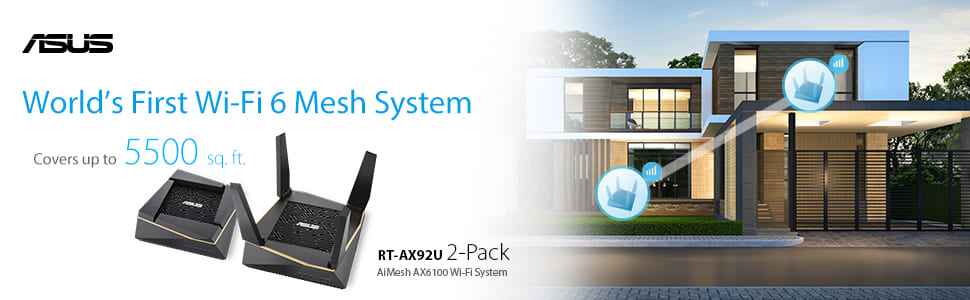
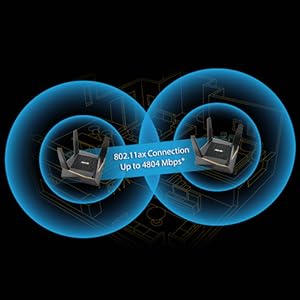
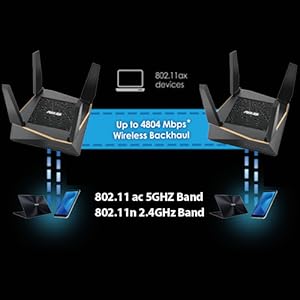
The Asus RT-AX92U 2-Pack is a high-performance tri-band Wi-Fi6 mesh router system delivering AX6100 speeds. Featuring AiMesh technology for seamless wireless backhaul, it supports multiple devices efficiently with OFDMA and MU-MIMO. Enhanced with AiProtection Pro for commercial-grade security and advanced parental controls, itโs designed to future-proof your home or office network.


| ASIN | B07RPN8LCH |
| Antenna Location | Home and small office |
| Best Sellers Rank | #110,408 in Computers ( See Top 100 in Computers ) #1,459 in Routers |
| Brand | ASUS |
| Built-In Media | Asus RT-AX92U ( 2 Pack) |
| Color | Black |
| Compatible Devices | Personal computer, laptop, tablet, smartphone, game console |
| Compatible devices | Personal computer, laptop, tablet, smartphone, game console |
| Connectivity Protocol | Wi-Fi |
| Connectivity Technology | Wi-Fi |
| Control Method | App |
| Coverage | Whole home coverage |
| Customer Reviews | 4.1 out of 5 stars 240 Reviews |
| Data Transfer Rate | 6100 Megabits Per Second |
| Frequency | 5 GHz |
| Frequency Band Class | Tri-Band |
| Frequency band class | Tri-Band |
| Has Internet Connectivity | Yes |
| Item Dimensions L x W x H | 15.5L x 15.5W x 5.3H centimeters |
| Item Type Name | 2 Pack Performance Mesh Tri-Band 802.11 Ax6100 Wi-Fi Router |
| Item Weight | 651 Grams |
| LAN Port Bandwidth | 10/100 megabits per second |
| Manufacturer | Asus |
| Maximum Upstream Data Transfer Rate | 6100 Megabits Per Second |
| Mfr Part Number | 90IG04P0-MU2020 |
| Model Name | RT-AX92U |
| Model Number | RT-AX92U |
| Model name | RT-AX92U |
| Number of Ports | 6 |
| Operating System | ASUS-Linux |
| Other Special Features of the Product | WPS |
| Router Firewall Security Level | Advanced |
| Router Network Type | wireless |
| Security Protocol | WPS |
| Special features | WPS |
| UPC | 192876116845 |
| Unit Count | 1 Count |
| Warranty Description | 3 years |
| Wi-Fi Generation | Wi-Fi 6 |
| Wireless Compability | 802.11n |
| Wireless communication standard | 802.11n |
G**N
Node has quit
Updated the firmware on both units to latest first. Set up as easy, except getting internet access from Etisalat. They need to reconfigure the internet to be routed through an open port and not their PPnP. The technician had that sorted in less than 30 min. All good! Programmed the Node. Easy. They are connected via cable. All was working great. Better speed and stability. Until todayโฆ The Node seemed to have disconnected from the network and was no longer providing internet access. It was not showing up on the Asus app either. I have reset it and tried to configure it again but it fails the process when applying the network settings from the router. Seems it has failed. Will be in contact with the vendor for warranty replacement. If it gets sorted I will chalk it up to being unlucky. If it is resolved and works as it did for the first couple of weeks I will give it the extra 2 stars. Stand by.
M**I
It says 2 router in the description
I returned this Item because I received only one router
L**D
Excellent bit of kit
I bought this for my son as a gift, he has not made one complaint so I can only assume that it works perfectly.
S**B
Very Stable and Solid Connection
The two RT-AX92U routers are simply made for the job of running a mesh system and have expansion capability but stay with another AX92U if you do intend to increase. The whole system is excellent. The stability must come from the units being tri-band routers not the suspect two band for Aimesh. Regarding installation, you will be asked at set-up of one, any one, of the routers if you want the second router to be a Node - do this. If you do the complete set-up you will find that when you come to check for updated firmware, which I did as the last process, that you will get a different firmware number than that on the Asus website for the individual routers. This would be to make the two routers behave as one and increase the backhaul capability. The update affects the two routers at the same time and the one operation updates the second router so no worrying about updating the second separately. After using a mix and match router set up for Aimesh AX88U, AX58U and AC68U I found that the combination did not work and lost connection within about five minutes. Asus technical could offer no solution to resolve the issue. Amazon and their external trading network have been extremely sympathetic in my returning these items and I cannot thank them enough. These routers are excellent in their own right but DO NOT try to run them on a mesh system as Asus say you can. My existing router was the AC68U and I was going to upgrade with the other two AX routers. Do not make the same mistake as I did and believe Asus. The AX58U kept disconnecting and blocked the complete Wi-Fi in the process. This mesh system is strong, solid and appears very reliable. It will also take my AC68U with no problem so maybe ASUS are not entirely wrong. Go for this dedicated system you won't regret it and I highly recommend it. Take it from someone who has found the annoying problems. Again, a big thank you to Amazon and Box for being so understanding
J**H
Disappointed!
Product will be fine but I have to source my own adapters as only UK and USA plugs supplied!!! Why sell in Australia through UK amazon if your not going to supply the right plug
E**N
The Router Pair that Couldn't
These routers worked well for the first three months and, then, we started experiencing connection dropouts. Initially, once or twice a week but - over a period of three weeks - connection dropouts increased until it distablised every five minutes. Turned out one of the pair was faulty. We've been operating on the remaining router for almost two months: fingers crossed, it holds. Returns process was smooth but had chase the refund.
A**N
Works well once setup
Had an existing Asus Zenwifi setup (a couple of XT8 routers), and needed to extend it, so went for the upgrade to the AX92U. The main logic for the upgrade was that XT8s don't have a proper guest networking feature (if you set up as a single network/aimesh the guest network is only broadcast from the master router), and from the documentation the AX92U would solve that, enabling satellite nodes to broadcast the guest network as well. The plan was therefore to use one of the AX92U's as the master unit, and setup the remaining AX92U and the two existing XT8s as aimesh satellites. We have a separate ADSL modem, so the master AX92U was plugged into that to setup...and nothing. Which meant I had to read the instructions :-(. There aren't many, but what they did say was to power down your modem, plug in the AX92U unit, then power back up. On doing that, it took a good two to three minutes for the AX92U to "see" the modem WAN connection, but once it did setup was very simple and straightforward. Setting up the satellite AX92U unit was trouble free, as was the first XT8 unit after a hard reset. The second XT8 unit was more of a problem, as the install to the aimesh network kept failing. After a good half day of trying various permutations of reset, reposition, configuration...the node finally installed when I hard wired it to the master AX92U unit for the process. The network has been running a couple days now - providing very good, stable coverage and filling in the previous "blank spots" in the house and surrounds. Have also found that the QoS and prioritisation appears to be working with this new system - I'm actually not convinced that the QoS and prioritisation on the XT8 network worked at all. For doing the upgrade, there's quite a lot of discussion with tips in the Asus forums, but definitely make sure you have the latest firmware in your existing units before starting, and if the aimesh install isn't completing try a hardwired cat5 connection between the routers. Good: - Better coverage, more stable, QoS that works, guest network at every node Not so good: - Can be fiddly to do initial setup
Trustpilot
2 days ago
3 days ago