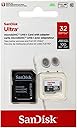
![SanDisk Ultra 32GB MicroSDHC Class 10 UHS Memory Card Speed Up To 30MB/s With Adapter - SDSDQUA-032G-U46A [Old Version]](https://m.media-amazon.com/images/I/61tatwMeIRL._AC_SL3840_.jpg)


Desertcart purchases this item on your behalf and handles shipping, customs, and support to Belgium.
🚀 Upgrade your storage game with speed and resilience!
The SanDisk Ultra 32GB MicroSDHC Class 10 UHS-I memory card delivers reliable Full HD video recording and fast data transfers up to 30MB/s. Engineered for durability with waterproof, temperature, shock, and X-ray proof features, it’s ideal for Android devices, cameras, and laptops. Backed by a lifetime limited warranty, this card offers a trusted, high-performance storage solution for professionals on the go.
| ASIN | B007XZM6VG |
| Additional Features | Temperature Proof, Water Proof |
| Best Sellers Rank | #817 in Micro SD Memory Cards |
| Brand | Sandisk |
| Color | Silver/red |
| Compatible Devices | Laptops, Most Cameras, Most phones |
| Customer Reviews | 4.6 out of 5 stars 52,097 Reviews |
| Flash Memory Type | Micro SDHC |
| Global Trade Identification Number | 00619659078645 |
| Hardware Connectivity | MicroSD |
| Item Part Number | SDSDQUA032GU46A |
| Item Weight | 9.07 g |
| Manufacturer | SanDisk |
| Media Speed | Up to 30MB/s |
| Memory Storage Capacity | 32 GB |
| Mfr Part Number | SDSDQUA-032G-U46A |
| Model Name | Sandisk |
| Model Number | SDSDQUA-032G-U46A |
| Number of Items | 1 |
| Secure Digital Association Speed Class | Class 10 |
| UPC | 619659078645 |
| Warranty Description | Lifetime Limited |
| Warranty Type | Limited |
H**M
UPDATED - Great w/ Galaxy S4 & Galaxy Tab 4 10.1 - No Complaints Here!!!
[[ UPDATE - 6/19/2014 ]] So my lovely wife bought me a Samsung Galaxy Tab 4 for Father's Day and I've been loving it ever since. Just as other with Samsung products, the Galaxy Tab 4 has the ability to add a microSD card to expand the memory on the device. Since it's been over a year, I decided to do some more research to see if SanDisk offered anything new. As of 6/19/2014, their product lineup for microSD cards from worst to best (performance-wise) are the as follows: SanDisk SanDisk Ultra SanDisk Ultra PLUS SanDisk Extreme SanDisk Extreme PLUS SanDisk Extreme PRO Now, the difference between all of these cards are simply the speed in which you can read/write data to the card. Yes, the published rating of most all these cards (except the SanDisk regular) are Class 10/UHS-I but that's just a rating... Actual real world performance does get better with each model, but with faster cards come more expensive prices. Since Amazon doesn't carry the Ultra PLUS model of microSD card, I had to do direct comparisons between the SanDisk Ultra ($34.27), Extreme ($57.95), and Extreme PLUS ($67.95). As mentioned in my earlier review, I purchased the SanDisk Ultra for my Galaxy S4. My question was, did I want to pay over $20 more for a card that is faster than the one I already owned? Or I could pay almost double to get SanDisk's 2nd-most fastest microSD card. The Ultra works perfectly fine for my style of usage (storing/capturing pictures & HD video and movie playback) on my phone. So in the end, I ended up just buying another SanDisk Ultra 64GB card. I use my cell phone *more* than I do my tablet and if the card is good enough for my phone, it's good enough for my tablet. I don't own a 4K HD camera or anything like that, so I honestly didn't see a need to get one of the faster cards at this time. I am now a proud owner of 2 SanDisk Ultra cards and have absolutely 0 issues with it in my Samsung devices. [[ ORIGINAL REVIEW - 5/1/2013 ]] I haven't had to buy a microSD card in a long time. The last time I bought one was for my cell phone over 2 years ago. But since my cellular contract was up, I knew I would have to get a newer card in addition to my new phone, the Samsung Galaxy S4. Reason for this is because I knew my small 16GB microSD card wasn't going to cut it. Doing research on the Galaxy S4, I wanted to get the best card possible that had decent capacity (32 GB or greater). This led me to find that the Galaxy S4 supports the microSDXC Class 10 UHS-I card, which is the fastest possible given that class. Searching for that specifically on Amazon gave me results of only 3 vendors (as of April) that makes these microSDXC Class 10 UHS-1 cards. They are Sandisk (the majority), Samsung and Lexar. Nobody else makes these that are sold on Amazon. Seeing how SanDisk is a pretty good name out of the 3 (I've used them the most), I decided upon the SanDisk because Lexar was overpriced and the Samsung one was overpriced (as well as not eligible for Amazon Prime). But the scary thing is that when you filter by the SanDisk, you literally get DOZENS of options. All of them have different model numbers, different sizes, etc. Then there's that confusion of what's the difference between SDHC & SDXC? SDHC vs SDXC: SDHC stand for "Secure Digital High Capacity" and SDXC stands for "Secure Digital eXtended Capacity". Essentially these two cards are the same with the exception that SDHC only supports capcities up to 32GB and is formated with the FAT32 file system. The SDXC cards are formatted with the exFAT file system. If you use an SDXC card in a device, it must support that file system, otherwise it may not be recognizable and/or you have to reformat the card to FAT32. FAT32 vs exFAT: The differences between the two file systems means that FAT32 has a maximum file size of 4GB, limited by that file system. exFAT on the otherhand, supports file sizes up to 2TB (terabytes). The only thing you need to know here really is that it's possible your device doesn't support exFAT. If that's the case, just reformat it to FAT32. REMEMBER FORMATTING ERASES ALL DATA! To clarify the model numbers, I I hopped over to the SanDisk official webpage. What I found there is that they offer two "highspeed" options for SanDisk cards. These are SanDisk Extreme Pro and SanDisk Ultra. SanDisk Extreme Pro is a line that supports read speeds up to 95MB/sec, however they are SDHC only. To make things worse, they are currently only available in 16GB & 8GB capacities. Since one of my requirements was to have a lot of storage, I ruled these out. The remaining devices listed on Amazon's search were the SanDisk Ultra line. But here, confusion sets in because SanDisk separates these cards to two different devices. Cameras & mobile devices. Is there a real difference between the two or is this just a marketing stunt? Unfortunately I'm not sure but I do know the price difference between the two range from a couple cents to a few dollars. Since I wasn't sure, I opted for the one specifically targeted for mobile devices (just in case there is some kind of compatibility issue). To find the exact model number, I would go to Sandisk's webpage (sandisk.com) and compare their existing product lineup. From there, you get exact model numbers and you can then search Amazon for these model numbers. That is how I got mine (SDSDQUA-064G). As for speed tests, I haven't run any specific testing, but copying 8 GB worth of data from my PC to the card literally took just a few minutes. One last note is that Amazon attaches additional characters to the end (for example SDSDQUA-064G-AFFP-A vs SDSDQUA-064G-U46A). The difference between the two is that the "AFFP-A" means "Amazon Frustration Free Packaging". Other than that, these are exactly the same. If you're wondering what I got (and want to use it in your Galaxy S4), I got the SDSDQUA-064G-u46A and it works like charm.
D**L
A Disappointing Experience "TURNED TO EXUBERANCE & AWE!"
I had disappointing results for this item. My expectations may have been unrealistic; however, I am comparing with my other products. First, after exactly two years of use, it has failed completely. I never expected this product to completely stop functioning; but, it did exactly that. During its' use, I noted that I could never get more than 38 MBS transfer rate. I have several quality product names for my memory cards, and in all my years of usage, I have never had a single one fail. The maximum data load on this memory card was only 32.7 GB. I realized there was a problem when I could not open my my jpg files, and I could not reformat it. I was fortunate in the fact that I was able to recover my files. Because of the short lifespan, I felt Sandisk might actually replace it. Unfortunately, I was unable to find contact information for the company. I have made the final determination to not buy any more Sandisk memory cards. Not out of spite or anger; but because, I have older cards that outperform the transfer rates and the total usable storage. 64 GB is great; however, if it maxes out at 32 GB, I wonder if the card was accidentally labeled 64 GB, rather than 32 GB. This fact makes absolutely no sense to me. In addition, my other brands are older and have never failed. UPDATE Here is the response that I received: I am posting the information for the benefit of others, who may want to have the contact information. SanDisk Support says: (MANUFACTURER) Hi David L Hall, My name is Allen from SanDisk support. I am sorry to learn that your memory card is not functioning. SanDisk stands behind the warranty on its products. We recommend you to please contact SanDisk support at 1-866-SANDISK or submit a support request at [...]. The manufacturer warranty on brand new products extends beyond the Amazon.com 30 day return period. Whenever you contact us, please provide the Incident ID 3065413 associated with your account. We will assist you towards a resolution including a possible warranty replacement. Thank you, Allen, SanDisk Support I did contact the company. The result of the contact is impressive. First, since I made my purchase from Amazon, I was able to find my invoice. Believe it or not, the company verified my purchase. It turns out that they actually track the serial numbers on the memory cards. I was asked to attempt a reformat. When that failed, I read the error message over the telephone. The representative then informed me that the high end SanDisk memory cards have a lifetime manufacturer warranty. WOW! REALLY? That totally blew me away. I was given an RMA number, and I sent it in with the memory card. What happened next elevated the SanDisk name into the category of the elite. I was told that the model I purchased was no longer manufactured; therefore, I would receive their latest model, as a replacement. (I had never thought of memory cards by model types, and upgrades.) A few days after I submitted the RMA, I received a small package in the mail with a brand new SanDisk Ultra 64 GB, Class 10 Micro SDXC Memory card. I tested it and it's fully functional. I wish that I had the tools to provide a nifty technical review of the memory card. But let it suffice to say that I believe it meets or exceeds all specifications advertised. It certainly meets my personal needs, in my camera. I often take more than 500 pictures in a single day, and I was having problems. (After my work, I was finding hundreds of photos had been somehow deleted. This happened several times, and I could not figure out why. I have been testing it since, and I have not lost a single photo since the replacement.) Now to me: That is impressive warranty service. I have no doubt that this is the result of posting my review. Honestly, I hoped that something like this would happen. I did not expect it; but, I hoped for it. Now in all fairness, I am posting all of this for the credit of SanDisk. I am totally satisfied. I am totally impressed. And I have nothing but respect for the SanDisk product. I have always been a person willing to pay more for the good warranty. I do not know of many things in this life that has a lifetime warranty. Keep your records and register your warranty. My faith is fully restored in SanDisk, and I doubt that you can find a better warranty anywhere in this world. People never regret quality, even if it costs more. I highly recommend the SanDisk Ultra 64GB Micro SDXC Memory Card. I hope this information helps you make an informed decision.
S**N
Ample Storage and Reliable Speed
The SanDisk Ultra 128GB MicroSDXC Class 10 UHS Memory Card (SDSDQUA-128G-G46A) is a versatile and dependable storage solution for all your data needs. With its impressive storage capacity, fast Class 10 UHS speed, and included adapter, this memory card has far surpassed my expectations, providing ample storage and reliable performance for my devices. The standout feature of the SanDisk Ultra 128GB MicroSDXC Memory Card is its vast storage capacity of 128GB. This provides plenty of space to store photos, videos, music, and other data, making it ideal for smartphones, tablets, cameras, and other devices. The Class 10 UHS speed ensures rapid data transfer, enabling smooth and seamless performance when recording and playing high-definition videos or accessing large files. The included adapter allows for easy transfer of data between devices with a standard SD card slot, making it versatile for use in various devices. SanDisk is a well-known and trusted brand in the memory card industry, and the Ultra 128GB MicroSDXC Memory Card reflects the brand's commitment to delivering high-quality and reliable storage solutions. The memory card is also water, temperature, and shock-resistant, ensuring the safety of your data in various environments. In conclusion, the SanDisk Ultra 128GB MicroSDXC Class 10 UHS Memory Card is a must-have for anyone seeking ample storage and reliable performance in a small form factor. Its impressive capacity, fast Class 10 UHS speed, and included adapter make it the ultimate choice for expanding the storage capacity of smartphones, cameras, and other devices. If you're looking for a top-notch memory card that delivers on storage and performance, the SanDisk Ultra 128GB MicroSDXC Memory Card is the perfect option. I highly recommend this memory card for its outstanding performance and the convenience it brings to storing and accessing my data!
B**S
Works with GT-P5113 Samsung Tab 2!
The primary reason for buying this extra capacity SanDisk Ultra 64 GB microSDXC Class 10 card was to use it in Samsung Galaxy Tab 2 (10.1-Inch Model GT-P5113) and I am happy to share that you can get this to work flawlessly after some initial glitches. (Read below) Firstly you need to be aware that the Samsung Tablet Model GT-P5113 currently runs with Android OS 4.1.1 with Kernel 3.0.31-523998 and Build number JRO03C.P5113UECLK7.(Jelly Bean) My experiences shared here are with that level of Android OS your experiences may vary depending on what version of OS you are running. The SanDisk Ultra 64 GB microSDXC card purchased from Amazon (Retail Packaging) gets recognized just fine however when the tablet's Media Device A.K.A 'MTP' application attempts to talk your PC via USB cable the Tablet simply reboots! and after that the card is presented to the PC. - Really strange indeed! This baffled me for couple of hours. Firstly, I attempted to format the card (exFAT) in PC and it formatted just fine. After that I attempted to use it in the tablet to see the same behavioral oddity of instantaneous reboot of the tablet as 'MTP' application tries to communicate with the PC. This made me investigate the issue further and I determined the root cause was the fact that SANDISK now seen to factory format the card with 'exFAT' but also somehow seen to include an 'offset' of 16MB at the beginning of the card which shows up as 16MB unallocated region in the initial sectors on this card under windows disk management tool. The solution is to get rid of that 'unallocated' 16MB partition on the card. You could do it in PC but that might require some windows command line experience and using 'diskpart' utility and what not and I do not want to confuse people here with that process. For most novice users The process should be very simple, Just insert the card on the tablet and use the 'native' SD Card format tool under 'settings' that Android OS 4.1.1 has and it will get rid of that 16MB partition and happily remount it. Now after this simple process the 'MTP' application works just fine with PC to transfer files to the SD card without any strange reboot phenomenon. Not sure why SANDISK formats their Class 10 card in this fashion (They never did it with their class 6 cards earlier) and there's gotta be some technical explanation for why they include that 16MB partition that only SANDISK can give. In the end if you reformat the card in the tablet (Which defaults to exFAT) the card is seen to work just fine. Bottomline: ----------- This is an awesome 64GB capacity MicroSD card from a reputed manufacturer for budget minded people and gets the job done beautifully. The read and write speeds are adequate enough for most Audio,Video & picture file formats in a tablet. The glitch mentioned above forced me to give *Four* stars instead of *Five* stars but let that not stop you from making a decision to buy it. Highly recommended! Cheers!
N**R
Top of the class among all (budget-priced) micro-SDHC cards I have tested / Works great in Galaxy S3
I have tested dozens of SDHC and micro-SDHC cards. One disturbing trend I noticed is that: the speed class rating for micro-SDHC is typically inflated. For example, a 'class-10' rating means the card must deliver a sequential write speed of at least 10MB/s. But somehow, a class-10 microSDHC cards is always slower than a class-10 SDHC card from the same manufacturer. Case in point: the PNY 32 GB microSDHC Card (P-SDU32G10-EFS2) claims to be 'class-10', yet it can only write at 8.6MB/s maximum, while the full-size PNY P-SDHC16G10 achieved 13.4MB/s according to CrystalDiskMark v3.01. This SanDisk Ultra 32 GB microSDHC Class 10 UHS-1 card (SDSDQUA-032G-U46A) , however, proves to be the exception. It achieved a sequential write speed of over 10MB/s according to two different benchmark programs (11.8MB/s in "CrystalDiskMark", 10.6MB/s in "H2testw v1.4"). This is faster than all my other microSDHC cards, including two 'class-10' cards from PNY and Polaroid . A closer look at the file transfer speed using "Flash Memory Toolkit" revealed another nice surprise: For writing small files, this Sandisk Ultra microSDHC card performed just as well as its full-size counterpart, the SanDisk Ultra SDHC (SDSDU-032G-AFFP) . In contrast, all my other class-10 microSDHC cards perform poorly while writing smaller files. See the benchmark results I uploaded to 'Customer Images' for details. When you use a memory card in a digital camera to record HD video, it needs to store a huge video file each session. That means its sequential write speed is most critical. When used in a tablet or a smart phone, however, the card's random write speed for small files is more important. That's why in such applications, the Sandisk microSDHC will perform faster than the PNY and Polaroid cards, even though they are also rated as 'class-10'. [Bottom Line] As of this writing, the Sandisk Ultra microSDHC card ia actually priced lower than other class-10 cards from PNY and Polaroid. This makes the Sandisk the best value - especially if you need honest class-10 performance across all platforms. [Side Notes] - Do not confuse this Sandisk Ultra card with SanDisk Mobile Ultra microSDHC (SDSDQY-032G-U46A) . The latter is rated for class-6 only. - The size of this '32GB' card is 29.7GB according to my computer. This is actually normal because computer people count one Gig as "2 to the power 30", which is 7.3% larger than one billion. So 29.7GB translates to 31.9 billion bytes, which is '32GB' according to marketing people. [Update on Feb 4, 2013] 1. Amazon combined the Sandisk Ultra 32GB and 64GB cards on the same product page. Please beware that your intended appliance must be compatible with 'SDXC' in order to used the 64GB version. My original review refers to the 32GB 'SDHC' version. 2. There are two part numbers for the same card. If you start from the Amazon product page and select 'Retail Packaging', you'll see the part number of SDSDQUA-032G-U46A. But if you click on 'Frustration Free Package', the part number changes to SDSDQU-032G-AFFP-A. [Update on Oct 5, 2013] The Sandisk microSDHC card works great in my new Samsung Galaxy S3, without the need for reformat (the default format is FAT32) [Update on Dec 26, 2013] My old test results were limited by the card reader and USB 2.0 port used. I re-tested the Sandisk UHS1 micro card using the Transcend RDF5 Card Reader connected to an USB 3.0 port. Here are the results from 'CrystalDiskMark 3.01 x64': - Sequential Read speed = 40.0MB/s (was 34.8MB/s when connected to USB 2.0 port) - Sequential Write speed = 13.1MB/s (was 12.6MB/s when connected to USB 2.0 port)
M**K
"Gold standard" for latest Android devices ...
I got my wife a Samsung Galaxy Tab 3 10.1 for Christmas, and it took awhile for her to start figuring out all the things it can do. Once she did, that led, of course, to her wanting to watch movies on it. That was my signal to spring into action, that is, if I wanted to prevent her from running wild, buying "digital copies" of every movie we already have in DVD or Blu-Ray. You can't play DVD or Blu-Ray movies on this device, but you CAN use your computer's DVD or Blu-Ray drive and commonplace third-party software to convert movies in this format into ".mp4" and/or several other types of video files that CAN be played on this tablet. Since this particular tablet is capable of playing high-definition video (screen resolution is 1280 x 800 pixels), and we want to use ALL of that high-def capability, my conversion files tend to be pretty large (average 5 to 10GB per movie) ... way too big to be stored on the tablet's limited internal memory. That's where the tablet's microSD slot ... and this SanDisk flash memory ... comes in. I make HUGE mp4's, store them separately on a 1.5 terabyte drive, and then load as many of them as I can on this chip, which shows up in the tablet as a separate memory source. Then all you have to do is pull up one of the movie files from the card, and hit play. You can use the device's standard video player, or get an app with more controls. Watching high-def video on a tablet that's streaming the data from a memory card (rather than the tablet's internal memory) requires a memory card with very high "read speed," and this SanDisk card's "Class 10" rating fills that bill. That's the difference between cheaper microSD that's primarily designed for simple data storage, and microSD that's designed for higher active transfer/read speeds. The "Class 10" designation generally means that the subject card will transfer data at a MINIMUM rate of 10MB per second. This SanDisk "Ultra" card is capable of transferring data at speeds of up to 30MB per second, depending on the speed of the device you're using it in, and other particulars of the way you're using the device. "Frustration free packaging" means the chip, SD adapter, and plastic case comes in a little, sealed cardboard envelope with a pull tab opener. This card comes pre-formatted for Android, and my use of it in the Galaxy Tab 3 for watching high-def .mp4 movies has thus far been flawless. Finally, don't let yourself get burned by counterfeiters in trying to save a buck. While pricing on memory tends to fluctuate, Amazon's current pricing on this card is VERY competitive with any/all vendors out there selling GENUINE SanDisk "Ultra" memory. Buy from Amazon, or other trustworthy vendor, because I just learned the hard way that these memory cards are being counterfeited in huge numbers ... that is, the counterfeiters are placing SanDisk labeling/packaging on inferior, generic microSD, and selling the bogus chips on Ebay and anywhere else they can. I bought THREE from Amazon after I got burned by a Chinese seller on Ebay. The counterfeit packaging and labeling was good enough to fool me, until I actually tried one of the chips in the Galaxy Tab 3 ... the write speed (that is, the amount of time it takes to transfer files ONTO the microSD card) was dramatically worse than the speed of a genuine SanDisk "Ultra" card, and the read speed was totally inadequate for playing movies on the Galaxy Tab 3. I may never have figured it out at all if I didn't already have one other, genuine SanDisk "Ultra" with which to compare the fakes. If you want the best, most reliable memory for the microSD slot on your shiny, new Android device, look no further ... this is it.
M**N
Watch Price - Great Card Often on Sale
My review is a little backwards… but I thought the most relevant should go first. WARNING: ONLY BUY THIS CARD ON SALE! The *typical* price since summer 2013 is about $24 for 32 GB, and about $48 for 64 GB. DO NOT pay any more than this, and you can actually pay less if you have the luxury of time / patience. The lowest (non-lightning) price hit about $18.00 for 32GB and $35 for 64GB, in early December. I basically buy when the price hits $20 or less, and the 64 nears $40.00. From December 2013 to January 2014, I watched these cards change price on an almost daily basis. They initially went on sale for about $17.95 and $34.95 for 32 and 64 respectively. I watched them slowly increase in price, with random dips and peaks for a month. On January 6th 2014, they still show as a "Best Deal on Amazon" for "7 more days" but they are at the highest price point since last summer -- and higher than I have *ever* payed for these cards! So don't let the "Best Deals" section deceive you, at $27/$50, these are NOT a "deal" in terms of price. Okay, here's my actual "review" of these absolutely great SDXC cards. **** I have tried a variety of MicroSDXC cards, and so far the Samsung Ultra UHS1 are the best -- and the price can't be beat -- for all the most important reasons: speed, capacity, reliability, durability. I have not had a single failure, and I use these cards in my Nook HD+, Nexus 7 2013 (via USB) and my Canon 5D Mark II (with converter) and MacBook Pro (In the card slot). They're durable and waterproof, and I can use the same card in all these devices without reformatting. I even had one go through the wash, and I still use it for pictures. For the technically inclined, I have cards with *both* the Clockwork Mod bootloader (for the Nook HD+) and the MagicLantern firmware for my Canon EOS 5D II on the same card. I can pull it from the Nook, shoot pictures with the camera, and look at the results on the Nook by just pulling the card out of one device and placing it in the other. This should be possible with any SDXC/SDHC card, but it turns out that the Samsung UHS1 is the only card I've found that works reliably. Some cards won't boot because they're too slow too finicky, but all my Samsung UHS1s work great (the 64GB will not boot in the Nook, but no 64GB card will). I keep my eyes open for price drops on these cards because they've performed so well for me. Samsung also has a newer, faster card, but its price-point hovers somewhere north of "prohibitive" so I still stick with these. And that's good news regardless because as the new card increases its market share, these should drop even further in price.
J**F
If you know why you need it, or don't, it's a solid card.
I purchased this card to expand the storage available on a family member's MP3 player. Unfortunately, unknown to him, his player does not accept High Capacity (HC) cards. I decided to keep the card for use in my own phone, put my phone's card in the GPS, and give my family member the 2GB card that was in the GPS. Problem Solved! Pros: Speed, Quality, Size Cons: Device needs to be UHS-1 compatible to take advantage of full speed. Upgrading from the class 4 memory card that shipped with my phone, to UHS-1 proved and instant speed up. When I would record 3D or HD videos longer than 4 minutes on the old card, I would notice there would be A/V sync issues. With this card, that problem was eliminated. I decided to purchase an 8GB unit for my phone, and decided to use this card with an adapter in my DSLR. (I know, it's not the ideal set-up.) When I would attempt to record Full HD video or even HD video on my DSLR, the card speed would prevent me from recording over a few seconds. Aside from an Amazon Basics Class 10 card, which was lost after allowing my sister to copy some pictures, all other brand Class 10 cards would ultimately fail at recording full HD video. This card, however, would not produce A/V sync issues, allowed me to record in Full HD, and simultaneously allow me to take a still without pausing or stopping the recording. (which other cards recording at 480p would do.) I took a few months to actually review this card, because with my experience plenty of other cards would corrupt my data or would become totally unusable. (These cards being from other reputable brands, who did well on their warranty replacement policy, but not actually on resolving the issues.) My devices are UHS compatible, however my primary memory card reader on my desktop isn't. Luckily for me, the reader on my laptop is UHS compatible. When comparing the speeds during file transfers, the read rate is significantly faster for UHS compatible devices than on non-UHS. The write rate is slightly faster. If you know why you need this card in reference to speed, and size, it's definitely a solid card. If you don't know why you need this card, it's still a solid card. Just be sure your devices are HC compatible for it to work properly, and if you want the absolute best performance this card has to offer, just make sure your device is UHS compatible.
P**3
Ottima e capiente, una garanzia.
L'ho comprata per montarla su Samsung Galaxy S2 PLUS. È arrivata velocemente, dentro alla sua custodia di sicurezza SANDISK. All'interno era presente la scheda MICROSD ed un'adattatore per poterla usare su apparecchi più datati che non sono provvisti dello slot microsd. Piacevolmente soddisfatto quando l'ho inserita a telefono spento poichè al successivo riavvio è stata riconosciuta in automatico dal sistema senza nemmeno bisogno di formattarla. Sicuramente se dovessi comprarne un'altra comprerei la stessa. Unica nota, lo scrolling nella galleria delle foto è diventato di poco più lento rispetto a prima, ma penso sia normale mentre non ho notato grosse differenze nello scattare foto o registrare video IN HD. Sicuramente 5 stelle da parte mia. Edit del 30 nov 2015: la scheda micro sd continua a funzionare egregiamente sul Samsung Galaxy S2 PLUS, un po' lento l'accesso alla galleria ma sono sicuro dipenda dal cellulare. Stra-consigliata!!
I**A
速いし、安いです
スマホもキャッシュやカメラでの記録など、書き込みが多いため、高速という触れ込みのこちらを購入。 PCにてベンチをとりました。カードリーダーは、SiliconPowerのUSB3.0対応品 SPC39V1Wで、テストデータは500MB x1回です。 ----------------------------------------------------------------------- CrystalDiskMark 3.0.1 x64 (C) 2007-2010 hiyohiyo Crystal Dew World : [...] ----------------------------------------------------------------------- * MB/s = 1,000,000 byte/s [SATA/300 = 300,000,000 byte/s] Sequential Read : 22.480 MB/s Sequential Write : 12.291 MB/s Random Read 512KB : 21.944 MB/s Random Write 512KB : 0.862 MB/s Random Read 4KB (QD=1) : 5.178 MB/s [ 1264.2 IOPS] Random Write 4KB (QD=1) : 1.927 MB/s [ 470.5 IOPS] Random Read 4KB (QD=32) : 4.617 MB/s [ 1127.3 IOPS] Random Write 4KB (QD=32) : 1.931 MB/s [ 471.4 IOPS] Test : 500 MB [O: 0.0% (0.0/29.7 GB)] (x1) OS : Windows 7 Ultimate Edition SP1 [6.1 Build 7601] (x64) MicroSDHCとしてはかなり高速な部類です。ただカードリーダーはUHS-1に対応していますが、その恩恵があるのかどうか。。という速度ではあります。 今でも2400円ほどと、32GBの高速タイプとしては割安なので、書き込みの多い用途でしたらこういった高速なカードをおすすめします。
M**O
Produto ótimo
Produto ótimo
P**O
Muy económica, Clase 10 y marca conocida ¿que mas quieres?
Pues que mas añadir al titulo de la opinión... Sandisk es uno de los mas reconocidos fabricantes de este tipo de soporte. El modelo Ultra tiene una tasa de transferencia bastante buena y siendo de clase 10 rápida, muy rápida. Las usos tanto de almacenamiento para la cámara de acción Sony AS-15 (version de 32Gb) como dispositivo de almacenamiento permanente en mi Asus Transformer T100. Montando la microsd se pueden instalar programas en ella aumentando 64 Gb la capacidad de la tablet. La velocidad de carga de las aplicaciones y juegos instalados en la tarjeta, así como el acceso a los archivos ubicados en la misma es muy muy buena. Por muy poco precio una solución perfecta para llenar de aplicaciones tu tablet con Windows 8.1
B**I
Stop window shopping and buy it at once 'cause it's a GOOD product made GREAT!!!
Earlier too I used a Sandisk Ultra, of the 16 GB variant. But it was the 2012 model, cost Rs. 1341, and read speed was 30 MB/s (claimed), and write speed about 6 MB/s (claimed: MB/s). But it was srtarting to slow down and so I decided to buy a new one. It was very, very, very tough to choose between a Samsung Evo 16 GB class 10 with all the same specs as the new Sandisk Ultra. But I finally decided to go with Sandisk, as they are a established company, and have a good customer care service. I had by mistake actually ordered the 2012 version as u can see in the specs, but got the 2014 version instead!! (Thank u Amazon). Getting to the specs, it claims a read speed of 48 MB/s, write speed of 10 MB/s and is water proof, magnetic proof, x-ray proof and vibration proof. The only 2 differences in the specs are that my 2012 version had a LIMITED Lifetime warranty and the new one has 10 years. It was when used it that I noticed the difference. While copying around 650 songs from my PC to this card, it gave a write speed average of about 9.23 MB/s, which IS definitely a huge improvement over the last one. Overall, I feel that I have made the right choice by choosing Sandisk again. NOTE: The MRP mentioned on the website is Rs. 1341, but on the pack is Rs. 949, i.e, if u got the 2014 version, though I got it for just Rs. 525.
Trustpilot
2 weeks ago
3 weeks ago