

Buy anything from 5,000+ international stores. One checkout price. No surprise fees. Join 2M+ shoppers on Desertcart.
Desertcart purchases this item on your behalf and handles shipping, customs, and support to Belgium.
๐ก Light up smarter, live brighter โ control at your fingertips!
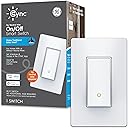
The GE CYNC Smart Light Switch is a sleek paddle-style switch that upgrades any traditional bulb to smart control without needing a neutral wire. It supports 5 Amp loads at 120V, connects via Bluetooth and 2.4 GHz WiFi, and integrates seamlessly with Amazon Alexa and Google Home for voice commands. Featuring energy-saving scheduling, flicker-free operation with included bulb adaptor, and compact dimensions for easy installation, itโs the perfect smart home upgrade for professionals seeking convenience and style.


| ASIN | B082LKCXV9 |
| Actuator Type | Paddle |
| Best Sellers Rank | #237,089 in Tools & Home Improvement ( See Top 100 in Tools & Home Improvement ) #676 in Electrical Light Switches |
| Brand | Cync |
| Brand Name | Cync |
| Circuit Type | 3-way |
| Color | White |
| Compatible Devices | Amazon Alexa, Google Home |
| Connectivity Protocol | Bluetooth, Wi-Fi |
| Connector Type | Clamp |
| Contact Material | Plastic |
| Contact Type | Normally Closed |
| Control Method | Voice |
| Control Type | scheduling, scene setting, remote control |
| Controller Type | App Control, Voice Control |
| Current Rating | 5 Amps |
| Customer Reviews | 3.5 out of 5 stars 1,567 Reviews |
| Global Trade Identification Number | 00043168513562 |
| Included Components | One (1) CYNC Smart On/Off Paddle 3-Wire Light Switch, Installation Guide |
| International Protection Rating | IP00 |
| Item Dimensions | 3.37 x 3.78 x 5.55 inches |
| Item Weight | 0.25 Pounds |
| Manufacturer | GE Lighting |
| Material Type | Acrylonitrile Butadiene Styrene |
| Model | CSWONBLPWF1NN/ST1P |
| Mounting Type | Wall Mount |
| Number of Items | 1 |
| Number of Positions | 2 |
| Operating Voltage | 120 Volts |
| Operation Mode | ON-OFF-ON |
| Part Number | 93120081 |
| Smart Home Compatibility | Smart Home Compatible |
| Switch Type | Touch Switch |
| Terminal | Spst |
| UPC | 043168513562 |
| Unit Count | 1.0 Count |
| Upper Temperature Rating | 40 Degrees Celsius |
| Warranty Description | 2 Year Limited Warranty |
| Wattage | 600 watts |
S**C
I Can't Help but Keep Buying More!
My child has a horrible habit of never turning off lights which bothers me to no end. In addition, my laundry room light switch is behind the door making it irritating to turn on or off when my arms are full of laundry. For those reasons, I had 2 requirements 1) a light switch with a motion sensor for my laundry room & light switches that I can control wirelessly/remotely. To accomplish this, I bought multiple different types of Kasa switches. I was able to install the motion sensor light, but because the motion sensor is on the switch itself & the switch is behind a door, the light kept shutting off at the worst times. I was going to just live with it because I was going to install other Kasa light switches, but when I went to install the other switches, I uncovered a large issue that prevented me from installing the Kassa switches. Unfortunately, Kassa switches require neutral wires which didn't work with my house that was wired in the early 2000s, without neutral wires. I researched like crazy to find switches that are wireless, do not need to connect to a hub that is plugged into my wi-fi router, and do not need a neutral wire. My research lead me to this GE Cync switches. So far, I have installed 2 dimmers, 1 switch paired with a remote sensor, 2 switches I configured as 3-way switches, & 3 other standalone switches. I also have 2 more dimmers & additional switches I have yet to install. I found the installation of the switches to be pretty easy. I have little electrical experience, but after installing multiple Cync switches, I am able to install a new switch in under 15 minutes. As soon as I install a new switch, I immediately connect it to my wi-fi. After getting each switch connected to my wi-fi, I then configure all of the switches at the same time in the Cync app. I did have a few hiccups with the Cync app when I configured the first couple of switches, but if I kept the app open, the lights would connect to it after a minute or so. I also had to restart the app a couple of times, but all in all, connecting the switches to the app was pretty simple. What's nice is when you are configuring the switch, the app tells you to look for the flashing green light on the actual switch so that you know exactly which switch you are configuring (super helpful when you are configuring 3-way switches). One thing to note is that you must first set up a room & add your appropriate switches to the room. If you have multiple lights in that room that you want to work independently, you must create a group in that room for each independent light (e.g. My 3-way switch is in my hallway. I set up my hallway as a room & put both switches in the same group so they work with each other. My kitchen has island lights & an over the sink light. I set up my kitchen as a room & put my island lights in 1 group & my sink light in another group... if I hadn't done that, even when I wanted just my sink light to turn on, both my sink & island lights would turn on & off at the same time, regardless of which switch I turned on or off). Now that the switches have been configured in the app, my lights work great using either the app to control them or the switches themselves. Another thing to note is that in homes with older wiring, your lights may flicker after installing the switches. There is a light bulb adapter that comes with each switch & if you use that adapter with your light bulb, the flickering should stop. The downside to the switches is that they are pretty spendy... especially if you must purchase the switches that do not require a neutral wire. The Kasa switches are much more reasonably priced, but again, the Kassa switches all require a neutral wire. However, when all is said & done, if you watch the price of these switches & are able to get them for under $30, I feel they are well worth it! Every time I find them for under $30, I buy as many as I can with my goal being to have either one of their dimmers or one of these switches in every switch in my house!
A**R
GE/CYNC removes critical safety features without notice!
I bought this to control outside lights on my home and driveway. This was initially difficult to get working properly, because GE's Amazon description said it worked with incandescent, LED, and Compact florescent bulbs. After several calls to their support team, one of their members found a technical document that stated CF bulbs were incompatible! So finally it worked OK for a year or so, but then I noticed it was not adjusting the ON time automatically when it was set to turn on at sunset. I "chatted" with tech support and they said: "Currently, ever since we switched to the new Cync App, we have removed the Sunrise / Sunset feature as it's no longer apart of the scenes / schedules and the times would have to be manually update. " These are important safety features they've removed without notice. My lights were going on at a fixed time, which is a clear signal that no one is home, but GE and their vendor did not see fit to tell anyone ever! And there is no plan to restore that function. Their only response (see the complete text of the chat below) was to see if I wanted to put a request in to add it back in. Which they have never done. Nor will they accept a return or refund my purchase. Avoid all GE/Cync products as they do not care about your security or safety. Full text of the chat with GE support: Phillip S (10/23/2021, 3:32:18 PM): Hi, this is Phillip. How can I help you? Bob (10/23/2021, 3:34:36 PM): Hi, I have the C by GE 3-Wire On/Off Paddle Style Smart Switch that I purchased in October 2020. I have noticed that it does NOT adjust the sunset time, but instead uses the "on" time I to sunset of the day I set up the settings for 'on". How do we get the app or switch to automatically adjust the sunset time? Phillip S (10/23/2021, 3:37:15 PM): Hey Bob, thank you for reaching out to us over here at the Cync Support Team. I would be more than happy to help with this. Currently, ever since we switched to the new Cync App, we have removed the Sunrise / Sunset feature as it's no longer apart of the scenes / schedules and the times would have to be manually update. This is a highly re-requested feature and I'd be more than happy to pass the feedback along to our team. How does that sound? Bob (10/23/2021, 3:39:23 PM): Does not sound good. The old electro/mechanical timer switch I used automatically adjusted the sunset time, but your "smart" switch removed that feature? That makes it a dumb switch. How can I get my money back? Phillip S (10/23/2021, 3:41:04 PM): The feature was recently removed when we transitioned from C by GE to Cync earlier this year. I know that this has been a highly requested feature to return in the Cync app but there is no ETA on when or if it will be added back into the Cync App. We do not handle refunds directly as they are only handled where the item was purchased. Bob (10/23/2021, 3:41:39 PM): I bought it on Amazon. Phillip S (10/23/2021, 3:44:41 PM): Then Amazon would be the ones to handle the refund. In regards to your schedules and timers for the device, I can forward you the information that we currently have for Scenes / Schedules for the Cync app that can show you all the ins and outs of the currently Scenes functionality in the Cync App. I can also pass along the information about the request for Sunrise and Sunset automation for Scenes in the Cync app to the team. Would that be ok? Bob (10/23/2021, 3:49:17 PM): Amazon has no process for refunding of this as I purchased it a year ago and it is now worthless as it cannot properly control my outside lights due to your removal of this critical feature. Cync shoud refund the money since you are the ones that removed the feature without notice or compensation. This is now a warranty claim. How do you process that? Phillip S (10/23/2021, 3:51:14 PM): If this device is no longer working, I'd be more than happy to troubleshoot the device further with you. Are we able to control the device from the Cync App? Bob (10/23/2021, 3:52:32 PM): Yes, but as you stated, Cync removed the feature that makes this switch inoperable. Phillip S (10/23/2021, 3:54:59 PM): If we are able to control the Switch within the Cync App as well as set up schedules through our Scenes function, then I will not be able process any kind of warranty request as it would involve us replacing the switch for a defective product. Bob (10/23/2021, 3:57:31 PM): I'm not sure what that means, as the switch is now a defective product. Where do I send the switch and get a refund for it. Phillip S (10/23/2021, 4:01:10 PM): The product itself defective as you are able to control the device within the Cync App. The Sunrise/Sunset feature that was provided was an application implementation previously. As I mentioned before, we've received requests to get this feature added back into the Cync App. This is something that I believe we are working on, on the backend but I do not have an ETA on if or when it will be released. Again, we do not handle any refund requests as this is handled by the Point of purchase. However, if the product is not turning on or off with the app control or physical control, I would be more than happy to troubleshoot that further for you. Bob (10/23/2021, 4:03:12 PM): Please proviced me the name and address of the CEO for CbyGE. Phillip S (10/23/2021, 4:04:14 PM): We are no longer C by GE and we are Cync and apart of the Savant Team. I would be more than happy to escalate your case but the soonest the someone could be in touch would be Monday. Bob (10/23/2021, 4:05:14 PM): OK, please provide the name and address of the CEO Of Savant or Cync. Phillip S (10/23/2021, 4:05:37 PM): I do not have access to that information. The best that I can do for you is escalate your case to the next level of support. Bob (10/23/2021, 4:06:05 PM): Who is the parent company, Cync or Savant? Phillip S (10/23/2021, 4:06:37 PM): Cync is apart of the Savant team. Bob (10/23/2021, 4:07:25 PM): I don't understand what that means. Is Savant the controlling business? Phillip S (10/23/2021, 4:08:19 PM): Savant is the primary company while Cync is just apart of the company. Phillip S (10/23/2021, 4:08:48 PM): Would you like for me to escalate your case to the next level of support? Bob (10/23/2021, 4:12:25 PM): If they can restore the sunset function, then yes. Is Savant the manufacturer of the switch? If not, who is? Phillip S (10/23/2021, 4:13:19 PM): The next level of support would not be able to restore the Sunset Functionality. This is worked on by a team of developers who I would be able to pass your feedback along to but they wouldn't' be able to provide you with a immediate Sunset Functionality nor could I provide you a direct line to them. I am not sure about the manufacturer of the switch but this has nothing to do with the app implementation of the Sunrise/Sunset feature as that is all App side functionality. Bob (10/23/2021, 4:15:57 PM): Please advise your team that the removal of the sunset feature without notice or compensation has destroyed the key functionally that I (and others) purchased the switch for, ie, controlling outside lights to turn on at sunset. And have them contact me with the schedule for returning that critical function to the app. Phillip S (10/23/2021, 4:18:05 PM): I can provide that feedback to the team but they will not be able to reach out to you. You can use the Scenes function in our app to set a time for your lights to turn on or off at a scheduled time and on certain days of the week. I'd be more than happy to provide you with that information through our support links so you can review what features and functionality the Scenes feature has in the Cync App. Bob (10/23/2021, 4:25:36 PM): I know how to manually set the app. But that does not solve the failure of the switch to perform the function that it formerly did. Bob (10/23/2021, 4:25:59 PM): And that it was sold as capable of . Phillip S (10/23/2021, 4:28:48 PM): The Sunrise and Sunset functionality is a feature of the old C By GE application itself and not the switch. At this current time, I am providing the feedback you've provided to me to the appropriate team. Currently there is no ETA of when or if this functionality will be restored with the Cync App but I would definitely recommend keeping an eye out for updates that we push out in the future. Phillip S (10/23/2021, 4:29:16 PM): At this current point in time, is there anything else that I can assist you with in regards to getting your switch to work within the Cync App. Bob (10/23/2021, 4:30:14 PM): Goodbye. Phillip S (10/23/2021, 4:30:47 PM): I hope that you have a wonderful rest of your night. If you run into any issues with your C by GE or Cync products in the future, please feel free to reach out to us again.
Y**P
GE Cync is awesome I ran into the problems other claim after some study its easy to fix.
GE Cync fits a specific need not available by other switch makers. No Neutral Wire at the box this is very common in existing homes. It does this very well and works with some slight issues. GE needs some software work don't know why but it loses the ability to communicate there should be a power down function where the switch is powered down once per day to keep the memory in good standing possibly or it is a server issue on GE's side that needs rectification. HOW TO FIX IT IF IT STOPS WORKING: Remove the switch from your GE application first. Put the switch into discovery mode by holding the switch Add the switch to your GE Cync App Then be sure you add it back to alexa or google home if you are using this Sometimes you may have to turn off the breaker to shut the power off to the switch. This shouldn't have to be done and the problem can and should be rectified by GE either its their server or their switch needing an occasional shut down to clear memory which even the greatest modern computers need from time to time. That part is a pain but really if I have to do this a few times a year I consider that a decent running computer. However, it could be integrated in their software or firmware to do a shutdown once a week or once a night kill power. But I've only had to reset the switches one time within the last 4 months of ownership to me this beats having to tear down the ceiling and run wire in a cavity that is not accessible without tearing down the ceiling.
K**E
Is ok, but does have issues
Overall, the switch works as expected. Installation was fairly easy and once I put the right bulbs in the lights (LED), everything worked. Now for the complaints. I ended up setting up a routine in Alexa because the CYNC app just didn't work correctly. The Alexa routine is perfect for my needs, and I love being able to turn the lights on and off by talking to my Echo. What is very frustrating is that the switch loses connection and has to be deleted, then readded probably every three months (sometimes more). Just doesn't make sense. And I don't like having to re-establish the routines each time. That needs to be corrected.
C**A
Not designed to fit easily into electrical box.
The switch does work as described however whomever designed this component never did any real electrical work. The design assumes the entire electrical box is available for the back of the Cync box. Given the fact that box also has to house the actual wiring in the house it is too crowded to fit the back of the switch into the box without a lot of work. Probably looked good on paper but not in reality. Would not purchase again.
H**S
One of the few truly solid no-neutral switches
I've tried every brand of switch, outside of the wildly unknown, and found each of the paddle switches annoying. First, it is just a push button covered by a 'paddle' hinged at the top. Secondly, they've all been constructed of too cheap a plastic to the point they make noise, and have a spring action that is ... not right. None have managed to hold a consistent wifi connection when placed in the somewhat tight area between the wall and refrigerator. In fact, each has failed to some degree regardless of location. The no-neutral isn't exactly a complicated issue to get around, but it seems all but Lutron, Leviton and GE put much effort into it. GE CYNC Smart Light Switch On/Off Paddle Style, No Neutral Wire: installed in 7 mins, no issues, silent, holds wifi, and best of all ... far superior construction, feel and action than the others. It may have a better feel than the Leviton paddle-rocker even tho the Leviton does actually rock. Bottom Line: While the no-neutral device selection is limited - If installing a no-neutral smart switch, I've found the extra $15 to grab Lutron, GE or Leviton an absolute no-brainer. Smart setups are wicked sweet handy and worth it when functioning, but if not always rock solid ... not so much.
C**G
Youโd think GE could do betterโฆ NOPE!
Iโve tried and tried to like these switches. I got excited when I came across a well known brand that produced a smart on/off switch without the need for a neutral wire. I have an older house without neutral wires to the switches and for a while the Lutron Caseta dimmer switches were all I could find that worked. I have a few of them and have had little to know issues. They work great, but are expensive and I donโt need dimmers for a lot of my switches. I bought multiple no-neutral Cync switches and have had issues from the get-go. First off, installation is hit and miss. Some I installed easily and some took multiple tries before I could get them to set up properly. Next, a โroomโ HAS to be created for the switch to be set up. The issue with this is that if you have multiple switches and want to group them together in a room but work independently, good luck, it wonโt work. Every switch you put in a room will trigger all switches in that room every time you try to use the switch to turn things on/off. So every switch has to have a separate room if you want them to work independently, which is annoying but not a huge deal. Next, the WiFi connection will come in and out constantly, regardless of how close to your router you install them. I researched a ton and found that they only work on a 2.4Ghz, and if you have a dual-band router that canโt be set to only use the 2.4Ghz channel the switches will struggle. Even with a 2.4Ghz range extender I still have connection issues so that wonโt completely fix the issue. There is a WiFi indicator but you leave the indicator on, it will blink on and off every time it loses connection and gains it back (which is pretty much constant). They come with little adapters that supposedly help them function properly, but they are bulky and often get in the way if trying to install in a smaller space like an outdoor sconce. Even then they donโt work consistently. I have uninstalled and reinstalled switches over and over, so if you are considering these switches look elsewhere. I promise the activation of them outweighs the cost of better products out there.
S**H
No neutral Smart switch? Wish there was a better option.
Update: After several months of having 2 of these, I am not nearly as happy. I must change to a 2 star rating from 4 stars. I currently run my entire house with both Alexa & Google Assistant. I also have a smart router. A very nice one that is intended for Smart Home operations. So I shouldn't have problems connecting to the switches. However, the lights randomly stop working with Google & Alexa. They are "unresponsive". When this happens its a nightmare to get them working again. They even become unresponsive with the C by Ge app at times. The hassle to get them reintegrated to the system is such a pain. And never the same steps. Sometimes you can just force stop the app on your phone. Sometimes you have to delete the devices from Alexa & Google. Then unlink or unlearn the skill. Turning off breakers sometimes helps. I've literally spent hours trying to get the switches working again. I have Geeni bulbs, Kasa aka TP Link switches & MosGo switches. None have this problem. If not for the fact that these are no nuteral required switches, I'd take them out & throw them in the trash. That's my update. Everything now is my original review that' I'll leave here. This review is for the C by GE no neutral required on off Smart Switch. If you have a house where you want a smart switch, but don't have a neutral in the switch box, you are limited for your options. I've only run across 2 switches that are Alexa enabled without needing a hub that will work for this. This one is the better of the 2. It wires very easily. I'm adding a video that will hopefully answer questions about it. I had questions & nobody had an answer. This will work without a neutral. Will also work without a ground. It's not a perfect setup, but it's probably the best you'll ever get in a box without a neutral. I was led to believe in the reviews and whatnot that you would be able to dim the bulb. Using the app or talking to Alexa. This is not the case. I have a LED dimmable bulb. Can't do it. Also, in the C by GE app, you have to set what kind of bulb you have. When I select dimmable LED, it dims the light to almost nothing. And you can't get it to brighten up. Maybe they will fix this in future versions of the app. But right now, I have to have it set to Traditional non dimmable in order for it to work correctly. Any other setting makes the bulb keep shutting off. I tried a wide variety of bulbs. And most of them flicker or blink like a strobe light. CFL bulbs were extremely bad. As those never really turned off. In the end, I came to the conclusion that LED bulbs work great. Which is fine, because that's what I prefer anyway. They are the cheapest & best as far as energy consumption goes. I'm happy with this switch. I put this one in the office. I'll be putting 2 more in the house. One in my son's bedroom & one in the upstairs bathroom. Bottom like is that if you want a smart switch that doesn't require a neutral & works with Alexa without needing a hub, this is your only good option.
N**A
Works Amazing! ----Um... Maybe not.
So I was nervous after checking reviews on this product on the US Amazon site, but it works wonders for me. I'm using them for pot lights in my basement (that wasn't wired with a neutral for some reason). Used 3 switches for 35 pot lights and works great. Easy install and setup. Of course it's a lot more pricey than the other smart lights, but if you don't have a neutral wire, you have to go with these. Integrated perfectly with my Google Home. EDIT: So after a few weeks I started to notice that the smart features cut in and out. Because this solves a problem of not requiring a Neutral wire, I would cut the product some slack. However, for the price, I expect these to work ALL the time. Unfortunately they do not (at least not with smart use). EDIT #2: Well, I figured out why it kept getting disconnected. The device doesn't work well with band steering. So if you have a mesh system that uses both 2.4 and 5 ghz bands simultaneously and switches between them, it won't work well. You have to have a dedicated 2.4ghz band for it to work well. But then it works great. Also, if you are using the switches for lights that are low wattage (below 18w) you NEED to use the bulb adapter that comes in the box. If the light is a LED light that doesn't use a traditional bulb, GE Customer Service chat will send you an adapter that works with any other type of lights for free. I recommend this product highly if you don't have a neutral wire.
J**K
Look elsewhere
TLDR - there are other switches that dont need neutral wires that work better and are far cheaper. I truley hoped this would be the awnser to my issues (the lack of a neutral wire), it is not. The hardware feels good but that doesnt matter when the service behind it is utter garbage. While the unit now stays connected reliably to my wifi (had to place a unifi access point about 10ft from it because its wifi reception is terrible) and it will usually work via the cync app, it stops working with google home every few weeks. The fix is to reset it and start again, its honestly pathetic. I have replaced this switch with one from AliExpress, which not only works better but is far more reliable and costs 1/4 the price. Some people may try to blame google but of all the 50+ smart home devices i have this is the only one i have had issues like this. Oh one more thing. I had some bulbs that would not work with this switch even with the adapter. I intially blamed the bulbs not the switch, but those same bulbs work just fine with my replacement switches so it was just the GE switch.
H**O
Great option for 3-wire switches!
It works great. Very easy to install. GE Support is very good too. The app is fine but a little buggy at times and it takes a bit to load/refresh the switch list. Very pricey but seems to be the only option for 3-wire setups? It's also more expensive in Canada than in the US even taking into account the exchange rate.
A**R
Works great
The switch worked great for me. Easy to install. 3 wires. There is No neutral wire in our older home, so this was the solution for a smart switch. Others had not worked for us. Integrated with Google home just fine. Using it to run 7 or 8 outdoor lights.
M**S
Amazing product - that does not need a neutral wire.
Most smart switches on the market require a neutral wire to connect and work. Many light switches in most homes do not have a neutral wire. This was one of the few products that I could find that did not need that neutral wire. - It was super easy to install and wire. - It connected at once to my WiFi without any issues. - I configured the account and easily connected it to Google to allow voice control. I have had it installed for almost a month now, with zero problems. I am very happy with it and would recommend it to anyone who needs a switch without a neutral wire. EDIT #1 I have had this switch installed for several months now. In that time it has disconnected 8 - 10 times (red light blinking) and this last time, I have not been able to reconnect it. I have the new app, but it does not even recognize the switch via BT (blue light blinking) standing 1 metre away from it. I believe it is unreliable hardware. So I have to discard it and look for an alternative or use it as a dumb switch. I have many, many other smart switches and smart devices installed, and I have NEVER had a problem with them, as I have had with this one. I do not believe this switch was mature enough to release to market. I am therefore downgrading this rating to a single star.
Trustpilot
5 days ago
1 month ago