๐ Your ultimate office companion!
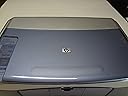
The HP PSC 1350 All-in-One Printer, Scanner, and Copier combines high-quality color printing with fast copying and scanning capabilities. With a maximum print resolution of 4,800 x 1,200 dpi and the ability to produce up to 50 copies at once, this device is perfect for busy professionals. Its USB connectivity ensures compatibility with both PC and Mac, while the user-friendly touch control makes it easy to operate. Enjoy a full warranty for peace of mind.
| ASIN | B0000C9ZJV |
| Additional Printer Functions | All In One |
| B&W Pages per Minute | 17 ppm |
| Brand | HEWLETT PACKARD |
| Color | blue |
| Color Depth | 36 bpp |
| Color Pages per Minute | 12 ppm |
| Compatible Devices | Camera, PC |
| Connectivity Technology | USB |
| Control Method | Touch |
| Controller Type | iOS |
| Customer Reviews | 3.6 out of 5 stars 43 Reviews |
| Dual-sided printing | No |
| Duplex | Simplex |
| Global Trade Identification Number | 00808736660686 |
| Hardware Interface | USB |
| Ink Color | color |
| Manufacturer | Hewlett Packard |
| Maximum Copies Per Run | 50 |
| Maximum Copy Resolution Black and White | 600 x 2400 dpi |
| Maximum Copy Resolution Color | 600 x 2400 dpi |
| Maximum Copy Speed Black and White | 17 ppm |
| Maximum Media Size | Letter |
| Maximum Print Resolution Black and White | 600 x 2400 dpi |
| Maximum Sheet Capacity | 150 |
| Maximum print Resolution Color | 4800 x 1200 dpi |
| Model Name | PSC 1350 |
| Model Number | Q3501A#ABA |
| Model Series | 1350 |
| Number of Trays | 1 |
| Other Special Features of the Product | Copying, scanning |
| Print media | Glossy photo paper |
| Printer Connectivity Type | USB |
| Printer Output Type | Color |
| Printer Type | Inkjet |
| Printing Technology | Inkjet |
| Resolution | 4800 x 600 |
| Scanner Type | Flatbed, Photo |
| Special Feature | Copying, scanning |
| Total Usb Ports | 1 |
| UPC | 808736660754 808736660686 |
| Warranty Type | full warranty |
C**.
Came back to buy the THIRD one!
I've used mine for probably a year now without any of the problems I'm reading about here. Then my parents got one for Christmas - and have no problems. I came to order my third one when I found all the gripes here. I scan, copy both b/w and color, and print everything from basic stuff to photos and love it! (My 17-year old daughter won 2nd place in a national art contest with a digital picture of her pastel work printed from this printer. It did a great job!) It's got some great software, though some of it is a little of trial and error to see how different settings affect the image. However, for most things I just use the panel buttons and get great results without messing with the software! I do recall there being a note with my setup disk that there had been some upgrades made available on the HP website which I did install with my original installation. There is also an automatic update check available that I use to keep my software current. Maybe that's why I love it and others don't? My only frustration is that two or three times someone has started hitting buttons to cancel a print job while it's printing and it gets stuck in the printspooler and won't just delete out. Eventually it disappears but I can't tell you how. The aggravation is that it bottlenecks the spooler and you can't get past it. I'm not sure that it has anything to do with the printer though... Overall, I love the quality for the price and ease of use. (Even my 9-year old can use it.)
J**E
GREAT PRINTER - FIREWALL PROBLEM
This is a truly wonderful product! But the software can get corrupted or have conflicts and this can cause many hours of woe. Here is a fix to prevent others from going insane: if you are using Zone Alarm and you find yourself unable to print anything from your computer - disable Zone Alarm for 5 seconds and try to print - whether you are successful or not - start Zone Alarm up again. After I printed successfully and started up Zone Alarm again I was still able to print. I run Windows XP Pro. I hope this helps someone else!
A**R
Software Drivers Truly Terrible
I have an extensive I.T. background, working helpdesk and tech support for various organizations over the last 5 years. I have installed and uninstalled hundreds of printers, mostly because it is usually so easy to do. In fact, I've *always* recommended HP products to all my clients because they are so simple, reliable, and essentially ubiquitous. Not so for this printer! I have spent, and this is no exaggeration, the better part of 5 work days on the phone with tech support *just trying to install the printer*. Whereas some people can install with no problem, when there is a problem, it is catastrophic. Installation issues include: * Having to install the drivers (all 450 MB of them) multiple times; according to their support site, HP tells you some machines require multiple installations before they work. WHAT? * An installation program that crashes with no error or warning. Suddenly, it's just gone, and nothing's actually been installed. Or, of course, there's my favorite: An error message that's simply a blank pop up window. Pretty tough to address that one. * An uninstall procedure that's 4-steps deep. That's right--you have to run their uninstaller FOUR TIMES, and each iteration takes longer than the last. Be prepared, if you call tech support, to uninstall OVER AND OVER AGAIN, and repeat the same process OVER AND OVER AGAIN. When you call a tech support line and their first idea to address why the install program doesn't work is to update the drivers for your USB ports on a machine that's only 6 months old, they're fishing for answers, but nothing's biting. AVOID THIS PRINTER AT ALL COSTS! Sure it's cheap, but that's because it doesn't work very well!!!!!!
M**K
Good machine for the price, some drawbacks
I bought this little fax/copy/scanner about a month ago for light-to-medium home/office use. I've been pretty happy with it, overall, with some reservations. Pros: 1. Very good copy and print quality. (Haven't used the scanner) 2. Moderately fast print/copy speed. 3. Variety of print settings to allow you to print fast/draft, fast/normal, normal, best, and maximum dpi. You can also choose greyscale and "black cartridge only." Given the price of color cartridges, I use the latter setting most often. 4. Easy to learn. The manual is good, and use is pretty intuitive (mostly). 5. The size is great -- it fits on top of a small bookshelf, with all the features of much bigger units. Cons: 1. While mostly intuitive, use is not COMPLETELY intuitive. To print some custom-size invitations, for example, I learned by trial and error that you need to change the settings in TWO places: in the document's printer properties settings (through Word, in my case) and through the printer's own settings, through the print manager. Very strange way to do it, I thought. 2. The in/out paper slot on the printer is the same. That is, it takes paper up, prints on it, and spits it out on top of the "in" tray. It doesn't re-use printed pages, but this isn't the most convenient arrangement for monitoring paper level or even grabbing finished documents. 3. The paper ejection is often too powerful, especially in Fast/Draft. This results in the finished document's being scattered all over the floor -- very annoying. 4. Cancelling print jobs often requires restarting the computer to clear the memory -- although this could be a Windows bug. I mean, an "undocumented feature." 5. Cartridges are pricey. The HP site (only place I looked) listed black cartridges for over $20 and color for more than $30. Overall, it's a decent machine that could use some retooling to improve functionality. If you're just going for quality and price (and size!), and you have low to moderate volume print/copy requirements, you'll probably be very pleased. I'll probably live with the annoyances of this unit, given my light print/copy needs. If I printed/copied more often, I'd return this machine for something better engineered. One special note: I purchased this printer through Amazon's partner program from Circuit City. When I went to pick it up, the store had lost the order, even though I had an order number. The staff was incredibly rude and unhelpful. I finally bought it off the floor and had to call to cancel the original order (for which I'd already been charged!). Given Amazon's own excellent customer service, free shipping, and fair return policy, I wish I'd just waited the week it would have taken for Amazon to ship it to me directly. I won't make that mistake again. Update October 2008: This machine is still working fine, and I remain pleased with it (with the above caveats). I still haven't figured out how to stop it from spitting paper all over the floor, and I'd prefer a double-sided option -- but I'm happy it's still going five years later!
M**N
capable printer
Out of the box this is a good looking, small, multifunctional printer The software took an extremely long time to load. It spun my cd-player the slowest it has ever gone, crawling to occasionally stopping. You'd think that people who were smart enough to design this could hire some good software writers. The scanner ran well when I scanned the test page that automatically came out of it. Haven't tried scanning photos yet but I think it will be good enough for what I do with them. Prints very nicely and quickly. Not that noisy either except for a grinding noise at the end of a scan that someone else I think has mentioned. I hated my Lexmark from the moment I got it for free with my Dell computer. Glad to get back to HP which I think are fairly bullet-proof.
A**R
printer just so-so
I came without a power cord so I used one from another printer that I own. It doesn't print right away.
H**H
PSC 1350 is not for iMac with OS 9.1
Purchased HP PSC 1350 from Amazon on August 6, 2004 to use with Macintosh iMac based on information that the minimum requirements are G3 Processor and Mac OS 9.1. I have had no problems in scanning and printing so far. As for printing it is okay for some of the photos. I cannot use HP Image Editor to edit photos I want to lighten or darken and to select size of prints. Reason? HP Support staff member told me that the Mac OS 9.1 cannot support the HP Image Editor. HP Support staff member suggested that I install Photo Shop to do editing. I wish this information was made available in product descriptions. I may not have purchased this product if I knew about some of the shortcomings of this printer when used with iMac with OS 9.1. The Reference Guide that came with PSC 1350 is not too helpful.
W**Y
It took awhile to arrive but I am really pleased with my replacement HP all-in-one printer
It took awhile to arrive but I am really pleased with my replacement HP all-in-one printer, scanner, copier. I had my HP PSC 1210 for over a decade, it served me and my family well! I still had some ink cartridges when it finally stopped working so I decided to look for another HP PSC that used the same ink cartridges. I am very happy with my "new" used HP PSC 1350!
Trustpilot
3 weeks ago
1 month ago