Buy anything from 5,000+ international stores. One checkout price. No surprise fees. Join 2M+ shoppers on Desertcart.
Desertcart purchases this item on your behalf and handles shipping, customs, and support to Belgium.
❄️ Keep your Pi cool, controlled, and connected—because overheating is so last season.
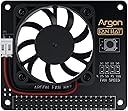
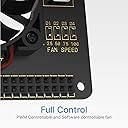
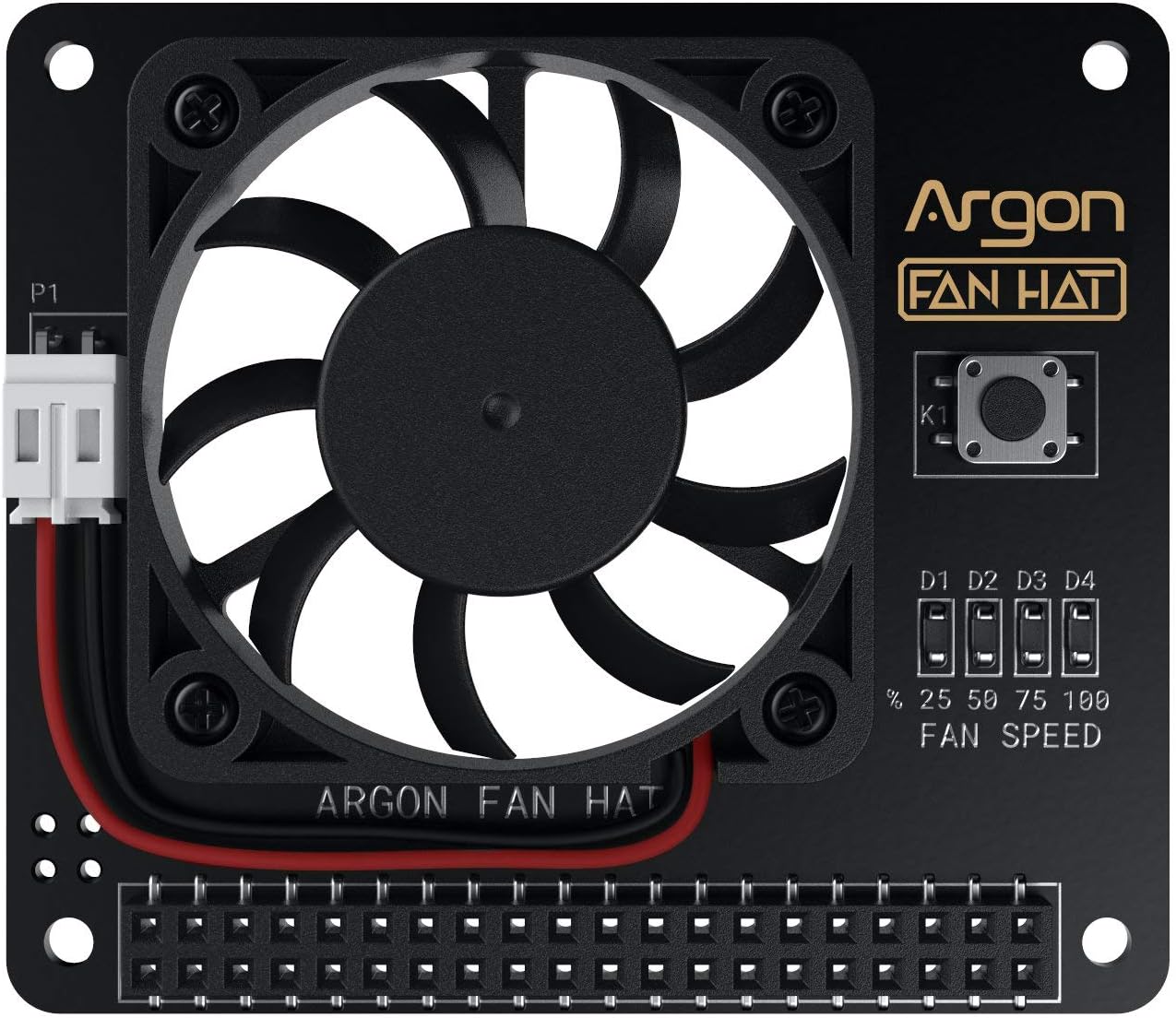
The Argon Fan HAT is a compact 40mm PWM cooling fan designed for Raspberry Pi 3 and 4, featuring software-controlled fan speed for efficient, quiet cooling. It includes an integrated multi-function power button for safe shutdown, reboot, and forced power off. Easy one-line installation and compatibility with most Pi cases make it ideal for professional-grade projects requiring reliable thermal management and power control.


| ASIN | B07Y9LFP1J |
| Air Flow Capacity | 4.34 Cubic Feet Per Minute |
| Best Sellers Rank | #165 in Computer CPU Cooling Fans |
| Brand | Argon Forty |
| Brand Name | Argon Forty |
| Compatible Devices | Server |
| Cooling Method | Air |
| Customer Reviews | 4.5 out of 5 stars 762 Reviews |
| Item Weight | 0.02 Pounds |
| Manufacturer | Argon Forty |
| Material | Plastic |
| Material Type | Plastic |
| Maximum Rotational Speed | 5000 RPM |
| Noise Level | 48 Decibels |
| Number of Items | 1 |
| Part Number | AR Fan HAT V1 |
| Power Connector Type | 2x20 pin header |
| UPC | 670924946939 |
| Unit Count | 1.0 Count |
D**H
Perfect in every way
The Argon Fan Hat is a low profile, programmable speed fan, for RaspPi. It is nicely built, and takes power off the GPIO connector; no ugly wire for power. All GPIO connections are passed through so that adding another hat would be easy. The speed control is programmable, according to temperature and allows full on, or various % of speed to be set at 3 different user selected temperature points. The fan is very quiet, and kicks in and out almost imperceptably. I bought 3 and could not be more pleased. The construction is superb and it installs easily. They provide a link for the control software, which can be installed without problems. A very nice addition for working Pis.
Y**Y
Great Pi 4 fan
Not using this fan for overclocking my Pi 4 but just need something to keep the heat down during the long hot summer months since the Pi 4 computer stays in the garage where temps can get up to around 104F in the summer. This fan doesn't come with any mounting hardware but I already have a kit and made it work along with mounting a MMDVM hat on to of the fan. Also the nice thing about this fan kit is that it has a pass thru GPIO header so you can mount whatever boards you need on top of the fan and not have to worry about loosing the 2 GPIO pins for power. I didn't modify the config file but just mount it and left it alone. And so far in the heat, the operating temp is a cool 92 F degrees. This should prolong the lifespan on the Pi 4 computer in the heat. Installation again was easy as long you have the mounting hardware for it. As for connectivity it has the pass thru GPIO and the fan pulls power from the two pins (see photos for a better explanation. Lastly if you're using a passive heat sink, you probably have to get those GPIO spacers so it clears the heat sink.
B**N
Works well and are mostly quiet
These fans are awesome. They are also configurable via software on the Raspberry Pi that allows you to set what temp the fan will turn on and also what speed it will run. If you choose not use the software at all, the fan will just stay on a run at the 50% speed. Just doing this chopped off about 10 degrees on my devices, so I think I'll just leave that setting as is. I have three units running all at the same time and while I can hear the fans when up close, they aren't super annoying. It wouldn't bother me anyway since I have these devices running in a dedicated network rack, so it's not something I ever have to be close to.
S**.
Great Cooling, Blocks Some Access to the Pi4
Got my first Pi a bit ago, read that these Pi4 models could run a bit hot. So I picked up the LAFVIN acrylic case that came with a Pi-Fan and put it all together. Before I plugged in the fan in but after I got the system updated and running, I monitored the CPU and GPU temps with a command line script, and noted the temp hit about 58 deg C or so. I then plugged in the fan to give it 5V and the temps quickly cooled to under 30 deg C. After a few hours of configuring and installing things, I assessed that the Pi-Fan was likely running when it didn't need to be and not only making more noise than necessary, but also drawing more power than it needed too. Neither of those things were huge deals, so I waited a bit before finding this on Amazon. Finally decided to buy, and overall, I'm happier with this variable-speed fan than I was with my always-on little Pi-Fan. Installation was pretty easy, and I experimented a bit with temp break points. I added more and more break points, and then finally decided to load Stressberry in order to give it some load to prove that the multiple breakpoints were indeed working, and they were. Some of the reviews mentioned that they could not get more than the 3 speed break points to work. I was able to use the included config executable to create 5 pairs of temps/fan speeds, and then I went into the argononed.conf file (located in ./etc) and edited the file directly to add even more points, and it was clear that these were all working. I now have my fan configured with 14 temp/speed pairs! After looking at the python script, there doesn't seem to be any hard-coded limit. The way the script uses the config data is that it finds the greatest temperature in the config list that is less than or equal to the current CPU temp, and uses the associated fan duty cycle for that temperature. It does NOT interpolate duty cycles between temp values in the list. But since there is no limitation on the number of config pairs, you can make the change in fan speed as smooth as you want! This is the reason I used so many points - I can get this fan to keep the CPU temp just about anywhere I want it to and without noticeably changing speed. As you can see from the attached Stressberry plot, the CPU temp tops out around 45 deg C, and at that temp, I have the fan running at just 5%. For those people that mentioned this fan is loud, try setting some points where you run the fan at even 1%. When the Pi is idling, as it mostly is now while I type this, the fan turns on for a bit, and turns off for a bit, and I see the CPU temps displayed between 38 and 40 deg C. I do not actually hear the fan running at all, although the led and the spinning fan indicate it is running; it is much quieter than my laptop that is sitting on the other side of me. I did play around with this a bit a learned a couple things that might help out some newbies in the future, and this is relevant to the Fan Hat product, not the Argone One case. The hat itself uses some of the pins in the GPIO connector to communicate with the Pi. By using this hat, you may have conflicts with other hats that also use the same pins. GPIO4 is used for sure, pins for I2C are also used although I'm not sure which, and that is likely all. The power button on the hat is NOT connected to the power supply for the Pi; it is strictly used to tell the Pi to shutdown, and you still need another way of actually shutting down power. The power button on the hat is not a substitute for a true power switch. The biggest drawback to me isn't the change in the GPIO connector gender, and in fact, with my Pi case, bringing that header up higher is very much welcome. I will ultimately add some spacers and replace my case bolts to make the stack a bit higher, allowing the layers to stay flat. Currently, the layers on top of the hat are a bit bowed, but a proper spacer or two should be able to fix that. The biggest drawback I have is that the fan board obscures the camera and Display port connectors on the Pi. Since the cooling is so effective as-is, I may try removing the large 40mm fan in this hat, put a JST connector on the 30mm Pi-Fan and try the smaller fan with original case cover. Or, I may modify the original case cover hole and keep the 40mm fan as is, but using the smaller fan likely allows access to the camera connector on the Pi and the 40mm fan performance seems to indicate it is overkill. In summary, the fan cools a RPI4 VERY well, and you can tune the fan to be very quiet if you put a minute or two into the configuration. The hat is a bit large, however, and used as-is, prevents connecting to the camera connector and the Displayport connector, and probably also prevents connecting to the 4-pin POE pins. If you don't care about these things, I would say this is a perfect fan fo rthe RPi4 and definitely a great value. Wish the was some more documentation about the hat itself in terms of its interface with the RPi and perhaps a schematic showing that interface. I'm including the argononed.conf file that I created and am happy with. Note that changing the config file also requires the argone fan service to be restarted in order to take effect: systemctl restart argononed.service My argononed.conf with lots of resolution: # # Argon One Fan Speed Configuration # # Min Temp=Fan Speed 35=0 38=1 39=1 41=2 45=5 50=10 52=15 54=20 56=30 58=40 60=60 62=70 64=80 65=100
R**H
Quiet and Effective
This fan is easy to install and runs quietly, even at full speed. It can be run at full-time at full speed and is supposed to have an automatic mode where the speed controlled based on user-supplied temperature settings. A set of LEDs is supposed to show which of three temperature bands it is operating in. I have not been able to get the automatic mode to work, but to tell the truth, I didn’t spend much time trying. As a result, mine are running full-speed with all three LEDs lit. Something I don’t find much use for is a power button mounted by the LEDs that controls power the the Pi. I had already installed switches on the power cables of my Pis. All-in-all, I would recommend the Argon fan HAT, but wish I could get auto mode to work. Nonetheless the fan does a great job of getting the Pi cool while running distributed apps 24/7.
B**B
Perfect fan for a case or without
Excellent fan, quiet and efficient, I would ask Argon to write the script (for fan control) to work on other variants, but I can rewrite it myself.
T**T
I'm Not As Excited About The Argon Fan Hat As I Thought I Would Be... It Works Well.
I purchased the Argon Fan Hat because I really, really like the Argon One RasPi case. I purchased this Fan Hat for another project. My disappointment is that the Fan Hat doesn't have all the same functions as the fan in the the case. The Fan Hat doesn't have the Power On function, where as it does still have the Power Down, Reboot and Hard Power Down depending on the power button sequence. So it's back to either powering down with the power strip or and additional power button on the RasPi power supply. I think it needs stand offs provided for mounting. It only uses the GPIO pins to mount/secure the Fan Hat to the RasPi. Granted, the RasPi isn't getting thrown around, but its a little nerve racking having the fragile GPIO pins as the only thing holding the Fan Hat. Speaking of the GPIO pins, they're a total loss unless and additional male to male adapter is used or adapt most everything to a male pin out. The first image is of the mounting and clearance. A heatsink CAN NOT be used on the processor unless the Fan Hat is only partially fitted to the GPIO pins, then it's quite unstable and will definitely require stand offs. The second image is upon power up, the Fan Hat itsels powers up to 50% as shown by the two LEDs for several seconds then idles out till it's time to cool things down.
J**S
No mounting hardware to mount a hat device huh? Brilliant...
... Not only that, but when one tries to simply press it on using the PINs one comes to find that the screws holding the fan itself into place on the hat-circuit board are secured with a nut that comes into contact with a standard PI CPU heatsink. (heres hoping that I din't damage the PI mainboard itself when attempting to remove the hat that inevitably presses down too far under this scenario...) Simply including something to mount the device with, would be the difference between this device being a waste of time, and a resultant immediate return for most people. (then again, if mounted properly, the PINs wouldn't be long enough to make contact with the connectors on the hat would they...? really just looks like a bad design for anyone not getting all 'mad scientist' with it.) When I buy a pair of shoes, I expect them to have laces... I'm returning this on principle.
M**N
Kühlleistung Top. Geräuschentwicklung geht so. Scriptsteuerung Flop.
Wir haben verschiedene Produkte für die Kühlung von Raspberry Pi 4Bs gekauft und in Langzeittests verglichen. Zwei Hauptkriterien dabei waren Geräuschentwicklung und Kühlleistung. Der Argon 1 Fan HAT ist eine stabile Lösung, die allerdings die komplette Pfostensteckerleiste belegt. Das Board ist stabil und professionell hergestellt. Die Bauteile sorgfältig platziert, die Lötstellen sauber. Der Lüfter ist auf dem Board mit vier Schrauben/Muttern befestigt. Die Stromversorgung des Lüfters ist nicht verlötet, sondern mit einem Standard-Stecker versehen, der in einer Buchse der Platine einrastet. Gut gemacht, denn durch diese Art der Befestigung und Stromversorgung kann der Lüfter jederzeit getauscht werden. Bravo! Die ganze Lösung macht einen sehr guten Eindruck und ist – im Vergleich zu anderen Lösungen – nicht nennenswert teurer oder billiger. Der Argon1 Fan HAT lässt sich per (Python-)Script in vier Geschwindigkeitsstufen steuern. Diese lassen sich auch selektiv beim Erreichen eines Schwellwerts per Script auslösen. Das klingt allerdings besser, als es sich in der Realität darstellt. Grund dafür ist die grobe Granularität des cron-Dienstes, über den das Script gestartet wird. cron läuft minütlich, kann das Script also auch nur alle 60 Sekunden starten. Es hat sozusagen einen Takt von 60 Sekunden. Wenn der (übertaktete) RPi Last hat, steigt die Temperatur der CPU innerhalb von 3-5 Sekunden in den Bereich, in dem Kühlung erforderlich wird, um den Takt nicht drosseln zu müssen. Aber das Script startet nicht. Es müssen weitere 55-57 Sekunden vergehen, also das zehnfache bis zwanzigfache der Zeit bis zum Erreichen des Schwellwerts, bis das Script startet. Dann setzt der Lüfter ein und reduziert die Temperatur in ca. 10 Sekunden auf ca. 63 °C. Er läuft dann – ohne Not – weitere 50 Sekunden, bis das Script erneut startet, erkennt dass die Temperatur unter dem kritischen Schwellwert von 80 °C liegt und den Lüfter abschaltet. 3-5 Sekunden später kocht die CPU wieder bei 80 °C und erneut beginnt das Warten auf den Lüfter. Fazit: Wenn der Lüfter läuft, kühlt er gut. Aber er läuft halt entweder ständig, oder zu selten. Oder anders formuliert: Mit Script läuft er zu selten. Wenn er ständig läuft, braucht es kein Script. Die ganze – auch elektronisch aufwändige – Script-Steuerung ist nutzlos. Ein Gimmick. Verkaufsfördernd, aber im in unserem Einsatzszenario sinnfrei. Aus dem obigen Absatz geht hervor, dass der Lüfter – wie bei allen anderen getesteten Produkten – ständig laufen muss. Da wäre eine niedrige Geräuschentwicklung wünschenswert. Leider ist der Argon1 Fan HAT deutlich zu hören. Sehr deutlich. Auch in der niedrigsten Betriebsstufe. Das ist schlecht. Dafür ist die Kühlleistung sehr gut. Die Lautstärke rührt von der hohen Geschwindigkeit, mit der der Lüfter läuft, >und< von dem eher günstigen Lüfter an sich. Wo die Platine vorbildlich professionell ist, ist der Lüfter eher kostenorientiert ausgewählt. Das 5 V-Modell dreht schnell, und das hört man. Dafür hat es eine große Förderleistung, die den RPi4 dauerhaft und in allen Belastungsszenarien bei 63-65 °C hält. Das ist ein sehr gutes Ergebnis und mit dem besten getesteten Modell vergleichbar. Als zusätzlichen Test haben wir den 5 V-Lüfter durch ein 12 V-Modell ersetzt. Die Geräuschentwicklung war dann deutlich geringer und angenehmer. Durch die gute Konstruktion der Platine ist das problemlos möglich (führt aber zu Zusatzkosten und -aufwänden). Zum Vergleich: Die beste aller getesteten Kühllösungen, ein simpler 12 V Lüfter mit keramischen Lagern auf einem Kühlkörper befestigt und bei 5V lautlos betrieben, hatte eine Kühlleistung von 26 °C und den RPi4 selbst bei tagelanger Voll-Last, übertaktet von 1500 auf 2100 MHz und der höchsten Kernspannung bei 25 °C Umgebungstemperatur in einer Wärmekammer bei konstant 63 °C gehalten - weit von den 83 °C entfernt, bei dem der RPi die CPU-Frequenz drosselt. Wenn man mit der deutlichen Geräuschentwicklung des Argon1 Fan HAT leben kann, bspweise weil das Gerät ohnehin irgendwo verbaut wird, wo die Lautstärke des Lüfters unkritisch sein wird, ist es ein empfehlenswertes Produkt.
R**H
Good Product!
Did a lot of research before buying the suitable fan for my new raspberry pi 4. So far this is working as expected. The perfect companion Argon NEO Raspberry Pi 4 Model B Heatsink Case. In a quiet room you can hear the fan but not loud. Like my other appliances, a little noise is good. It's a sign that things are working and gives you that peace of mind. Recommend.
B**X
Efficace
Super simple à installer et très efficace...
G**A
Silenziosa e ben fatta. Soddisfattissimo
Eccellente ventola, silenziosa e dal basso profilo andrebbe montata senza dissipatori sui chip del raspberry ma con uno spacer gpio si può montare leggermente sollevata permettendo l'uso di dissipatori su tutti i chip della rpi4. In accoppiata con il case neo é perfettamente integrata sotto allo sportello magnetico del case stesso (che però non ha fori di areazione). Una volta forato e settata una strategia di controllo termico per la ventola (script comodissimo in dotazione) la mia board resta costantemente tra i 30 e 35 gradi in ogni condizione di carico. Soddisfattissimo
S**N
Fan works great.. Script was easy.. Would buy again
Fan works great.. installs in seconds.. script for fan was easy.. I went a step further and cut a large hole into the top case so I could continue to use the additional passive cooling while also using the fan.. also it just looks better this way (my opinion)
Trustpilot
2 weeks ago
5 days ago