Buy anything from 5,000+ international stores. One checkout price. No surprise fees. Join 2M+ shoppers on Desertcart.
Desertcart purchases this item on your behalf and handles shipping, customs, and support to Belgium.
🔥 Stay cool, save smart — your comfort, your command! 🏡
The Honeywell TH9320WF5003 Wireless WiFi Thermostat offers advanced 7-day programmable scheduling, Alexa voice control compatibility, and a custom touchscreen display showing indoor/outdoor temperature and humidity. Designed for professional installation with 'C' wire power, it enables remote management via the Total Connect Comfort app, helping busy professionals optimize home comfort and energy use effortlessly.
| ASIN | B00G4CIG7M |
| Additional Features | Alerts and reminders: on display and through app. |
| Backlight | Yes |
| Best Sellers Rank | #293,013 in Tools & Home Improvement ( See Top 100 in Tools & Home Improvement ) #330 in Home Programmable Thermostats |
| Brand | Honeywell |
| Brand Name | Honeywell |
| Color | White |
| Connectivity Protocol | Wi-Fi |
| Connectivity Technology | Wi-Fi |
| Control Method | Voice |
| Control Type | Touch |
| Controller Type | Amazon Alexa, Vera |
| Customer Reviews | 4.4 out of 5 stars 5,360 Reviews |
| Display Type | Manual |
| Global Trade Identification Number | 00085267344951, 00696727249190 |
| Included Components | Thermostat |
| Item Dimensions D x W x H | 0.88"D x 4.5"W x 3.5"H |
| Item Type Name | Honeywell TH9320WF5003 WiFi 9000 Color Touchscreen Thermostat, Works with Alexa, Needs 'C' Wire |
| Item Weight | 9.6 ounces |
| Manufacturer | Honeywell |
| Manufacturer Part Number | TH9320WF5003 |
| Manufacturer Warranty Description | Manufacture. |
| Material Type | Plastic |
| Model Name | Honeywell TH9320WF5003 WiFi 9000 Color Touchscreen Thermostat, Works with Alexa, Needs 'C' Wire Model Name Honeywell TH9320WF5003 WiFi 9000 Color Touchscreen Thermostat, Works with Alexa, Needs 'C' Wire See more |
| Model Number | TH9320WF5003 |
| Mounting Type | Snap-In |
| Number of Batteries | 1 Lithium Ion batteries required. |
| Power Source | Low Voltage |
| Product Dimensions | 0.88"D x 4.5"W x 3.5"H |
| Product Style | Touch Screen,Wireless,Wi-fi,Wifi |
| Screen Size | 3.5 Inches |
| Shape | Rectangular |
| Smart Home Compatibility | Smart Home Compatible |
| Specific Uses For Product | HVAC |
| Temperature Control Type | Programmable |
| UPC | 696727249190 085267815321 085267468879 732454122235 085267344951 |
| Unit Count | 1.0 Count |
| Voltage | 24 Volts |
S**E
Great Thermostat
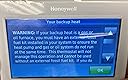
We started to notice that our 11-year-old thermostat seemed inaccurate. We would set the temperature and find that the house was much warmer or colder than the thermostat indicated. To be on the safe side, we decided to have the furnace checked. It seemed like an ideal time to install a new thermostat so I spent a lot of time researching smart thermostats before purchasing the Honeywell TH9320WF5003. I reviewed Nest, Ecobee and Honeywell. Here are some of my findings: The scheduling features are only helpful if you keep a regular schedule. I work from home occasionally and my husband often has an odd schedule. Even though our thermostat is in our family room (where we spend most of our time at home) many reviewers mentioned problems with the learning/sensing features. They mentioned that their pets triggered the “at home” settings. Since we have pets, I decided against this feature. Nest My HVAC company mentioned they have a lot of problems with Nest. It could be that it is very popular and people install it improperly. I don’t like the fact that I am forced to use my phone to review the thermostat settings. Solely having the temperature displayed on the console is not interesting to me. Ecobee My HVAC salesperson mentioned that he installed an Ecobee at his home. He said that he doesn’t use most of the features. He explained that his family doesn’t keep a regular schedule and that temperature “changes” are what cause most of the utility costs. Like the Nest, I would like more information on the thermostat console. I don’t want to have to rely on my phone or laptop to change or review the settings. Honeywell Our HVAC company recommended Honeywell. The only difference I could find between the Honeywell TH9320WF5003 and the RTH9580WF is that the RTH model is for retail purchase and the TH model is supposed to be sold only by HVAC companies. The TH model has a 5-year warranty ONLY IF INSTALLED PROFESSIONALLY. The RTH model has a one-year warranty. My HVAC company quoted the TH model at well over $250. He said that his cost was much higher and encouraged me to purchase the same model from Amazon. The only difference would be that they would include a 1-year labor warranty in addition to the 5-year manufacturer’s warranty. I was tempted but figured that it would be about the same cost to have the HVAC company return. The “C” cable provides power to the thermostat. Our old thermostat had batteries so the HVAC installer had to install a C cable. I found this surprising since our house is only 11 years old. I love the Honeywell console. It shows the current indoor temperature and humidity, the current setting, the outdoor temperature and humidity and the time. The informative console is a huge advantage over the Nest and Ecobee. Honeywell support is unbelievably bad. If fact, they are non-existent. I called (during standard business hours) when I had a problem registering the device. The printed label on the side of the box had one correct number (MAC address) and a completely incorrect second number (CRC). You have to input these number when you create your Honeywell account. I kept getting an error message so I called the Honeywell support line only to get a message that they could not help and asking me to call back at “another time”. That’s it – nothing – no leave a message – just call back at “another time”. I eventually found the correct CRC information in the console and was able to register, but if there is a problem in the future, I dread having to contact them. Please consider this fact when you make your purchase. Once the thermostat is registered with Honeywell (on the TotalConnectComfort site), it was really easy to install the app on my phone (see photo), connect it to the SmartThings hub and start controlling it through Alexa (install the Honeywell Total Connect Comfort skill and log in using your Honeywell account). You don’t need the SmartThings hub. We already had one so I connected the thermostat to it. We have had the thermostat for about a week and love it. We changed the “skin” on the console to one that complements the room color. I never thought that I would love being able to control the thermostat through Alexa, but it’s great being able to say “Alexa, set the temperature to 72” while making my coffee in the morning. At this point, I highly recommend the Honeywell thermostat. It's one of those "how did we manage without it" purchases. I don't know if we will save on energy costs, but it's great to be able to check the settings when we are away from home. The only problem is the that their customer service might be worse than Comcast.
W**1
Incredible thermostat - Contractor model
This is the contractor model - 5yr warranty and advanced settings like adjustable swing temps. I recently had a new AC unit put in on 4/18/14 and wanted to control it with a Wi-Fi thermostat. This unit is incredible. Easy to install, program and control. Once I corrected the "C" wire issue below, it took 5 minutes. I am using my PC, Android phones and tablets and my iPhone and iPad without any issues. I also do not broadcast my SSID, not a problem as this unit allows you full manual setup. This model has some advanced setting that the retail model does not and it has the 5yr warranty. Also check your local power/gas company for rebates. This model qualifies for the $20 rebate through 12/31/2014. Installation was a breeze. Push wires into contacts and no screws needed to hold wires onto the base. My AC guys disconnected my "C" wire out of spite to my old thermostat, which had batteries to keep it's digital memory, so they figured I would not notice...but I did. They wanted $350 to install this same unit (when I told them I could get it on Amazon for much less, they weren't "happy-happy"). They tried to set me up for failure but I am not the average bear. Your AC compressor uses a 24v wire too, so I looked in the furnace cabinet for that wire, which was also labeled "C" and just reconnected the wire to the thermostat. The Common color for your 24v to your thermostat was historically Brown, but now many HVAC companies use the Blue wire. This may sound intimidating, but it was simple and if you do not have the skillset to do it yourself, any HVAC guy will install one for $20 "off the clock" Honeywell was also super to deal with. Great customer service and tech support if you need them. My only snag was I never received the email from their server to validate my email. A 5 minute call and they set it up manually for me. Apps are free, simple to use and control. I probably have "played" with the thermostat control a hundred times in 4 days. I need to stop but it is so easy.
K**A
Can be tough to setup, but they're great once working.
Getting the c-wire hooked up correctly on eight of these thermostats was a test of raw endurance, determination, and ingenuity. From crawling under the house to working with multimeters, splicing wires, and cutting holes in walls, it took me 35 hours over the course of seven days to figure out how to get each of the eight units we needed powered up and working. Every electrician and heating tech in the area was booked out 4+ weeks, and so I talked myself into giving it a go, not expecting my simple plan to spring into a Homeric odyssey with as many twists. But now that everything is working, these units are wonderful. We find the programming of these units to be very easy and intuitive. They allow you two or four stage programming (wake/sleep or wake/leave/return/sleep) that's a breeze on your phone, tablet, or PC, a multitude of color combinations to play with, humidity display, indoor/outdoor stats, compatibility with radiant heating systems, weather forecasts, free software updates, and full remote access/control. It doesn't have a feature I don't need or missing anything I'd like to have. It's a well designed unit by a company that's been doing thermostats for longer than anyone else. For those of you considering Nests, I'll admit at the low point of my c-wire journey that I did consider packing everything up and ordering 8 Nests, but I'm glad I didn't. (a) I don't like the learning aspect of a Nest - 4-stage programming is straightforward and predictable; I don't want to be getting a glass of water in the kitchen at 3 in the morning and be worried the Nest will try and heat the room. (b) Nests have batteries, and anything with a battery will have a limited life, and I'm not interested in changing my thermostats as often as I change my cell phones and laptops. (c) Nests are round - I get it.. 1950's kitsch. But it doesn't make for an ideal shape to display different types of data and the round dial look may be refreshed in the near future - again, I'm not interested in updating thermostats more often than once or twice in my lifetime. It's been a few days since I've finished this project, but I still find myself stopping when I pass a thermostat to admire the fruit of my efforts. They look beautiful, work well, and will pay for themselves in just a few months. Nice work, Honeywell!
R**.
Excellent performance and still going strong after a decade of service.
We've been running two of these units now for 9 and 10 years, respectively, and they are still going strong. The on-screen interface is excellent and the app is streamlined and works very well to do both temporary overrides and set the scheduling. Connectivity has always been excellent with no problems. Installation was a breeze other than requiring finding the power line from the DC transformer in the air handler to power these thermostats, as the original ones were battery powered. The convenient programming, and ability to have four programs per day and various day programs, is a real pleasure. We'v easily integrated these thermostats with Alexa Echo, making program overrides by voice possible. The only negative - something in common with similar cloud-based smart devices - is privacy concerns. Parent company Resideo explicitly states it can share personal information (including usage data) with third parties for advertising and research purposes. This is a red flag highlighted by Mozilla's "Privacy Not Included" review of Honeywell Home smart thermostats, which criticizes the lack of strong opt-out protections. The app's AI uses geofencing and occupancy data to automate settings, potentially profiling your habits. Sharing with 100+ partners (e.g., utilities for energy programs) could expose aggregated data, and voice integrations add microphone access risks. Overall, this is an outstanding unit, but users should be mindful of privacy and potential security issues.
M**A
Installation went pretty smooth as others have stated
I just purchased and installed this thermostat in my home. I wanted to replace the original Honeywell (non-smart) thermostat that was installed 11 years ago by the contractor. I wanted the "TH" model as it supposedly has some extra s/w features over the consumer model?? Installation went pretty smooth as others have stated. I turned of the breaker and proceeded... Since this thermostat needs a 5 wire connection (there is a way to connect using 4 wires if necessary) I got lucky that my thermostat cable had the extra wire (blue in my case) just curled up, ready to go at the thermostat side. I then went down in my basement to check if the furnace side was connected but it was not. I traced the blue thermostat cable wire and connected it up to the 24v transformer common. Then back up to the thermostat and check that I had 24v between R & C (blue wire). Installed the R, Y, W, B(C) & G wires as shown in the manual for my single forced air application and turned breaker back on. Everything powers up and the new thermostat takes you through the initial setup. A few things I noticed: 1. On the thermostat, if a button was at the bottom of the screen, I had to touch lower than I thought (rolling it off the frame bottom) to recognize my input. Maybe due to larger fingers? 2. I have an Oregon Scientific temp/humidity sensor (w/display) right next to this thermostat. I had installed this due to my old basic thermostat didn't have a humidity sensor. This proved beneficial because on the initial start up and heating cycles, the temperature on the new Honeywell was off (low) by 2 degrees. Setting to 67 degrees was really 69 degrees. The OS is very reliable and has been calibrated with 2 other temp sensors. I found online that you could calibrate the HW Wifi thermostat temperature by going into preferences, advanced preferences and change the temperature calibration (+2 degrees). I also had to calibrate the humidity. a small amount. The next step was to connect to the Wifi which went really smooth. Let it recognize the SSID, enter the password and connected. I had already created an account on the Honeywell sight and went online to add my device. Enter the MAC Id and Unit Id. All works as expected on the Wifi side. I can now view and adjust the temperature online. Now for the fun part. I have setup home automation in my house using Homeseer. I want to be able to integrate the Honeywell Wifi thermostat into Homeseer so I have one dashboard for everything. I see they do have a developers SDK but it is not available for the general public at this time. I guess I'll have to try a work around until that is released. Would I recommend this thermostat? Yes...but I would also recommend getting it professionally installed if you are the least bit hesitant on working with electricity, wiring basics and your furnace. Your wiring colors may be different and you may have a variation that may/may not be easily setup. Like I said, if your hesitant, call a professional. Update 2/9/2015: The thermostat has fixed the problem of my old thermostats short cycling (every 10 mins in < 20F and below) which seemed to be way too short. Now it runs about every 1/2 hour or so but a little longer. So far, I have liked the thermostat enough to recommend.
M**K
Won't last long... How do I select "0" stars?
When I received this, on the box it states, "For Professional Install Only". 5-year professional warranty void if installed by homeowner. It would have been nice if I was told this before I made the purchase. When I looked at the instructions, it seemed like an easy install. Well, I installed the unit myself; very easy. I just hooked up the wires the same as my old unit. It worked GREAT! I could see the current temperature and make adjustments from anywhere (out of state). I purchased this November 10, 2020. On February 14, 2021, I noticed when I tried to adjust the temperature from my phone, it did not seem to be working. It seems to work fine from the thermostat, but not the phone. I then saw a message on the screen of the thermostat stating, "Thermostat Sensor Error". Also, that the thermostat will need to be replaced. This is rather expensive to be replacing every 3 months. I will be looking for another brand. Edit on 02/17/2021. I reloaded the app on my cell phone and EVERYTHING seems to be working properly. BUT, there is still the error code on the screen, "Thermostat Sensor Error", also, that the thermostat will need to be "replaced". I have been looking to see what else is available. I don't want a few of the other more popular models, because they seem to do a lot of thinking for you when I just need to program my own schedule and access it when away from home. I don't need it to know when you leave the house, when you return, sensors in many rooms (not working properly), and Alexa - I don't need music from my thermostat. Still Honeywell seems to be one of the better brands and I really like the way this one operates. I will probably purchase one very similar to this one that allows me to install myself. If you get this one, I suggest you have it professionally installed and get an extended warranty, which you wouldn't think would be necessary from a company like Honeywell. I did not change the star rating because I still need to purchase another thermostat and have it installed.
D**S
Nice Thermostat - works great - but tricky to install without c-wire
I bought two Honeywell TH9320WF5003 thermostats for installation in two different floors/zones in a multifloor condo. I already had a different Honeywell thermostat at another location that was wifi connected and that I could control with the Honeywell iOS phone app, so was hoping to control all thermostats at both locations using the same app. Like many others, there were no c-wires with the original battery thermostats so I also bought two Venstar Add-a-wire kits. Unfortunately adding physical c-wires would have been impractical and very expensive. In short, the Add-a-wire kits worked perfectly with the thermostats and all functionality was retained with the thermostats (unlike the g-wire short cut). I love the display of these Honeywell thermostats. They have the current temp and humidity, the outside temp and humidity, status, schedule and heating and cooling set points. They work well, look great are easy to read, contain all the info you might need and can be controlled remotely via the iOS phone app. I did the installation myself without any problems, but it took about 2+ hours for each one to install. Here are a some issues that might come up with this type of installation if you want to try it. 1) Read the familiarize yourself with the wiring diagrams and the furnace circuit board layout before you start. 2) The Add-a-wire diode has to be tucked behind the thermostat mounting plate, so I used a chisel to make a larger hole in the drywall to accommodate the diode and wiring. I had a white plastic wall plate that the thermostat sat on. 3) The wire colors may not match the labels on the thermostat mounting plate. For example, in my case a blue wire was connected to the Y terminal (but red to R, white to W, green to G etc) so make sure and double check that the correct color wire is attached to the correct terminal. I created by own wiring diagram to keep track of what wire needs to be attached to what terminal. 4) The terminal sockets that the wires have to be inserted in the thermostats are delicate. I used a ball pint pen to push down and release them while inserting the wire. Make sure each wire is firmly attached when you release the ball point pen. Also be careful not to break a wire as only one can be inserted in each terminal. 5) At the furnace circuit board, where the Venstar box is installed, there may be more wires attached to the terminals (for humidifiers etc). Make sure these are still properly connected to the original terminals after you connect the Venstar wires. 6) The thermostats dont work with all encryption methods, so make your router is set up for encryption the thermostat recognizes. A review by someone else in Amazon here contains more details. 7) As my systems were for both heating and cooling, I wanted dual control (automatic control). Once the system is running, go to Menu>Preferences>Advanced Preferences>Heating and Cooling System Changeover and change from Manual (default) to Automatic. Then both the heating set point and the cooling set point are displayed on the main thermostat screen. The default setting will only show one set point. 8) After registering the thermostats and going to mytotalconnectcomfort.com I was able to add an additional location and add the two new thermostats. Now I can monitor and control the heating/cooling in multiple places. I also get a monthly email containing usage stats of the systems. In some reviews I noticed people sometimes had issues with the thermostat not working correctly, connection problems etc. Again, make sure your wiring is correct and good wiring connections with all the terminals are established. One loose connection will cause problems. Sometimes there is a cooling compressor safety delay and you will see a waiting for equipment message. That is normal and the system will start up in a minute or two. I have found that commands sent by the app will show on the thermostat display within a few seconds. Sometimes the Honeywell server is down or your remote router is down (power failure) and the app wont work. Just wait and when connection is re-established you can control your remote system (PS: the system still works on your existing schedule if wifi connection is lost).
G**E
Extremely Satisfied - Good riddance Nest!
I bought this Honeywell because I wanted a WiFi thermostat that I could control from my phone away from home, and would also work seamlessly with my Nest Hub (2nd gen) with vocal commands while I was home, just like the Nest thermostat did. However, I wanted a thermostat that GAVE ME THE FREEDOM to set the temperature to PERMANENTLY HOLD. This is something the Nest Thermostat would NOT do and has refused to do despite so many customer review complaints. When I was away for a few hours, the Nest thermostat would automatically revert to Eco mode and I would come home to a HOT house. This was not good for my piano, guitars, and the interior walls would saturate with heat thus taking forever to cool off again. The Nest has an Eco override feature but has a limit of only 2 hours! Ridiculous. Good riddance Nest! Hello Honeywell, and thank you for giving me the choice to control my home temp the way I want to. The Honeywell is easy to preset efficiency if that is your thing, it is easy to set away from home on the iPhone. It has multiple beautiful color themes to choose from. It has a readout that gives good information. It surpasses Nest in every aspect (see pic). Oh, and I set replaced the Nest with this Honeywell thermostat in less than 30 minutes, from taking the Nest off the wall to putting the Honeywell on the wall. Then connecting the Y (yellow) G (green) etc wire into their slots - without even reading the directions. Then I got online with my iPad and easily registered the product with the Honeywell Total Comfort US. Then, I got on Google Home app and added the device to my home Google Nest system. Now it works seamlessly with all my Nest Hubs around the house which are powered by Google Assist.
B**D
HONEYWELL Wifi 9000 thermostat works with Alexa.
Wifi 9000 by Honeywell works great. I needed a professional to install because my old thermostat only used 4 wires. The heating professional was able to install the new Wifi 9000 without any problems using my existing wiring. New thermostat is very easy to use. The Total Comfort Control app allows me to make most changes directly from my phone. Also it works nicely with Alexa. I am very satisfied
M**E
perfect
work great!
J**O
East to install
Works great
B**L
Wireless and not a zwave
Furnice
B**I
Pourquoi dans l annonce il y a 1pack de 2 termostat, et dans la réalité je reçois Just 1 thermostat,
Je suis déçu
Trustpilot
5 days ago
1 month ago