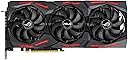
🎉 Elevate Your Game with ASUS ROG Strix - Where Performance Meets Style!
The ASUS ROG Strix GeForce RTX 2080 Super Advanced Edition is a high-performance graphics card designed for gamers seeking exceptional visuals and speed. With 8GB of GDDR6 memory and advanced cooling technology, it delivers ultra-fast gaming experiences at high resolutions. The card features dedicated ray tracing hardware, ensuring realistic graphics, while its innovative fan design and 0 dB Technology provide efficient cooling and quiet operation. Perfect for gamers who want to customize their setup with vibrant Aura RGB lighting.


| ASIN | B07VM9V59H |
| Antenna Location | Gaming |
| Best Sellers Rank | 410,198 in Computers & Accessories ( See Top 100 in Computers & Accessories ) 3,204 in Graphics Cards |
| Box Contents | 1 Graphics Card |
| Brand Name | ASUS |
| Compatible Devices | Cellphone |
| Customer Reviews | 4.3 4.3 out of 5 stars (411) |
| Display Maximum Resolution | 3840 x 2160 |
| EU Spare Part Availability Duration | 2 Years |
| Global Trade Identification Number | 04718017434959 |
| Graphics Card Interface | PCI Express |
| Graphics Card Ram | 512 |
| Graphics Coprocessor | AMD FirePro V7800 |
| Graphics Description | Dedicated |
| Graphics Ram Type | DDR5 SDRAM |
| Item Type Name | ASUS GeForce RTX 2080 Super ROG Strix Gaming (8GB GDDR6/PCI Express 3.0/1650MHz - 1860MHz/15500MHz) |
| Item Weight | 1.4 Kilograms |
| Manufacturer | Asus |
| Manufacturer Part Number | 90YV0DH1-M0NM00 |
| Maximum Display Resolution | 3840x2160 |
| Memory Clock Speed | 1680 MHz |
| Model Name | ASUS ROG-STRIX-RTX2080S-A8G GAMING |
| Model Number | ROG-STRIX-RTX2080S-A8G GAMING |
| Number of Fans | 3 |
| Product Warranty | 2 year manufacturer |
| Video Output Interface | DisplayPort |
| Video Processor | NVIDIA |
S**I
Great performance, very quiet
Card is well made, feels solid and looks nice, custom RGB if that's your thing Very large - check your case space before buying, takes up 3 slots and is over 30cm long (specs say 29.8cm) 2x8 pin power and a good quality 600 watt power supply set up is easy, just go to their site and download the drivers and their software, then run Geforce experience to get updated drivers Completely silent below 50% fans - fans ramp up after 52% but its not a nasty/harsh or loud sound General gaming I do at stock the card never goes above 60c and is almost silent the whole time Out of box boost clocks are usually 1965 to 1980mhz (photos above) My oc boost clocks 2070 to 2100mhz +115 core clock on afterburner (photos above) memory overclocks easily +750 on afterburner This oc is worth about 8% extra performance If you have a 1080p monitor then save your money and get a RTX2070 super or a AMD 5700xt Anything below 1440p or a ultrawide will be a waste with this card. 1080p is CPU limited 4k is GPU limited
J**R
Amazing Card!
Recently upgraded from a GTX 1070 to this card RTX 2080 Super and oh my what a difference, a massive performance increase in games for me. The card itself is very quiet when idle and even when gaming. Had a little trouble getting the Asus Aura program to recognize my card but i found a fix online and all my RGB's are synced up nicely. Very happy with this card so far.
P**T
All most perfect
I should love this card so much but I had a MSI 2080ti I got from Amazon warehouse deals and it gone faulty twice had to send to Poland first time to be repaired so as a gamer being with out a card is a bug deal. Now on to the 2080 super the card is big and well made looks very impressive out of the box boosts to 1980mhz and I get no bad noise from the card temps are under 70c fans about 45% so I am happy with that but it's about 20% slower then 2080ti I now it's unfair but once you had the best it's hard to go back . At 3440 X 1440p all games max settings over 60fps . Now the bad points the wires on the back or multi colour and show , the clock speed out of the box is 1815 mnz not the 1845mhz unless you install some asus software they should not force you to install the stuff . All in all for 659 pounds it's amazing and does my UW over 60 fps on all games max settings no ray tracing on . update there is two fan connectors on the back and 4 pin rgb as well found the rgb very handy this card is so amazing
P**E
Linux Review
Viewed only from a Linux perspective, this works really well if you install Linux Mint because you can grab the proprietary Nvidia packages easily. Not so easy if you are running Fedora which requires more expertise, but very pleased with it on Mint. I add that I have no frame rate data yet vis gaming as been too busy but stunning for 4k video if you jedi your Chrome browser by setting chrome://flags and chrome://gpu properly in your browser.
M**S
Great buy
Got this for a great price making it worth it over the 2070S. Great temps, much louder than its 2060 brother but then I am running 3440x1440 now instead of 2560x1080. Seller sent on RM Special Delivery by 1pm!
M**X
Terrible coil whine
Great looking card and it obviously performs brilliantly, but as several other reviewers have complained it has terrible coil whine. This is a high-pitched sound that sounds like an old modem starting up and varies in pitch depending on the framerate of the game you're playing. It's even quietly audible when the computer is idle! Bought this card because (according to official reviews) it's on of the quietest cards out there, and has fan-off when in idle (on the quiet BIOS mode). This was not the case. Returned as faulty and hopefully the replacement is better. Asus needs to step up their quality control in their expensive flagship products.
S**E
Bad 0db (zero decibel) implementation
THE GOOD: - Good performance (but this applies to any other RTX 2080 super, their performance is more or less the same). - Simple appearance: not too colourful, rectangular shape and the card isn't too bulky or long compared to some alternatives - According hardware reviews this card has the most carefully designed custom RTX 2080 PCB. (Unfortunately it couldn't save me from the loud low-tone buzzing coil whine or mosfet/vrm buzz or whatever.) THE BAD: - Low tone buzzing noise with 40% or more load (according to some online sources this seems to affect quite a few RTX cards and I've seen similar complaints with older high end cards too). - The motors/joints of the fans are generally noisier than the frozr 2 fans of my msi GTX 1060 from which I want to upgrade. The msi frozr fan start/stop are very soft (virtually noise free) and unnoticeable while the asus fans emit a rather loud vroom at startup (spins up to it's minimum RPM perhaps too quickly) and stopping also has a funny rattle noise. Simply running the fan at its minimum RPM is also louder than running the msi at it's normal/min speed. In my opinion msi found a better balance between fan noise and cooling performance. - The card has a physical switch on the PCB to choose between a performance and a quiet BIOS but it seems to affect only the default fan curve. I'd expect some additional smart clock/power management to keep the card at safe temperatures (e.g.: less than 80C) while playing with let's say 60-80% GPU load. OVERALL: If you are looking for a zero-decibel card that can run in idle without fans or by periodically turning the fans on/off then this card isn't the best choice because of the noisy fan startup/stop and the lack of proper fan control algorithms in the firmware. The Asus Strix might be a good choice If you prefer running the fans non-stop even when the gpu usage is low (the performance bios mode of the card). With constantly running fans the startup "vroom" and the stop rattle aren't a problem and constantly running the fans has it's own advantages (lower/healthier hardware temperatures). BORING DETAILS: The software (both the card's builtin firmware/BIOS and the GPU Tweak 2 desktop software) are lacking essential features. I followed some advice found online and used msi AfterBurner (a competitor's desktop software) to limit power usage to 50% or less that was indeed effective at eliminating almost all of the low-tone buzzing noise and the performance was still surprisingly good (performance decrease was much less than 50%). The 0db (zero decibel) mode of the card works only under ideal circumstances where the card never reaches 55C so the fans can be kept off. (For outsiders: the 0db mode turns off the fans if you don't play and the card's temperature goes below 50-55C.) My card stayed below 55C when I used my motherboard's BIOS but slowly climbed up to 55C when I was browsing web pages with Chrome on my win10 desktop. The card reaches 55C even on the windows desktop while I'm browsing (1-5% gpu usage) probably because today's cards are beefy and my room temperature is usually 25C not the standard 20C. However, this can be handled gracefully by turning on the fans at 55C and turning them off let's say at 50C or 45C. This feature in case of msi cards is called "hysteresis" and seem to be built into firmware by default and it's also available in the fan-curve editor of the msi AfterBurner desktop software where it can be parametrised. I want this feature out of the box in the firmware/bios with reasonably good defaults (like in case of my msi GTX 1060) but the asus card has it neither in the firmware nor in Asus GPU Tweak2. Yesterday when I encountered this hysteresis related problem I found years old forum posts requesting this feature from asus. You can use msi AfterBurner to set a fan curve with hysteresis but again, I want this feature built into the firmware too with reasonably good defaults if I'm using the machine in scenarios where I don't have access to desktop software. The lack of hysteresis seems to result in the following: my gpu reaches 55C. The firmware in the card tries to set the fan speed to 2-4% to cool down the card a little bit. However, the minimum fan speed that card is capable of is 800-1000RPM that is about 25% so the card seems to simulate 2-4% by turning on/off the fan every 1-3 seconds. :facepalm: This emits a constant vroom, vroom, vroom, vroom noise. :facepalm: The fact that it turns on/off the fans every 1-3 seconds is clearly visible in their own Asus GPU Tweak desktop software where the fan speed monitor graph looks like a "tooth saw" wave. I read the 2-4% target fan speed with msi AfterBurner that seems to be showing the target fan speed even when the fan curve is set to "auto". Why does the card want to set 2-4% fan speed when it's physical fans' minimum speed is 25-30%??? A proper algorithm with hysteresis would set the fan speed to a constant value (at least the minimum RPM) and keep it there until the card cools down to 50C or 45C or something else. This results in longer fan on and fan off periods that isn't annoying as 1-3 seconds. Note that even if the fans are turned on/off only every few minutes (reasonable intervals with hysteresis) it's better to have fans that can start up without vroom and can stop without rattle noise (like the soft startup/stop of the msi fans). From a properly built 0db card I'd expect the same behaviour that is packaged into the firmware of my msi GTX 1060: under low load (windows desktop, browsing, etc) zero fan mode with proper algorithm with hysteresis. Under high load (during games) keep the card below a specified healthy temperature even if it results in some noise. The quiet BIOS of the asus card works differently in both scenarios. According to gamers the two best (and most expensive) 2080 cards are msi Trio and Asus Strix and this time I picked the Asus Strix because it claimed to have 0db mode and according to some it has better PCB design and it received quite good reviews. The custom msi trio PCB left out some voltage regulator circuitry that is contained by all other RTX cards and this was the only reason why I was willing to give another brand a chance. (However, I haven't seen any complaints regarding those missing circuits so I'm going to buy the msi trio.)
S**N
It’s the bees knees
As fast as the other 2080 supers but the cooling and noise levels are spot on. Great OC potential and nice implementation of fan start-stop. RGB is so-so only. Card is almost 3 slots thick so small cases owners - beware. Love it.
G**O
scheda grafica pazzesca, permette di giocare ogni titolo in QHD a dettagli ultra ad oltre 100 fps. permette di usufruire di vari titoli in 4k a 60 fps. la scheda inoltre presenta 8 gb di memoria dedicata. il design e la qualità dei materiali sono senza dubbio perfetti. ventole ad alta pressione e softwer dedicato per la regolazione delle frequenze di clock e per la personalizzazione dei led rgb presenti di fianco le ventole
M**R
Ich hatte zuerst eine Grafikkarte direkt von NVIDIA gekauft. Diese war leider gleich bei Erhalt defekt. Aus diesem Grund habe ich mich wieder für ein Modell von Asus mit NVIDIA Chip entschieden. Hier stimmt die Qualität! Ausgepackt, eingebaut und sie schnurrt wie ein Kätzchen.
A**A
Venendo da una brutta esperienza con AMD ( rx 5700 XT sapphire quasi 500€ di scheda) e avendo l'opzione delle rate opto per la quasi top di gamma di Nvidia. Bhe che dire? Il full HD lo demolisci, in 1440p giochi tutto ultra a 70-80 o più fps. A differenza della scheda che avevo prima le temperature son eccezionali, in full load non ho mai superato i 70 e molte volte sto sotto. Unica pecca è il software di gestione della scheda che non mi ha fatto impazzire ( meglio afterburn anche per l' overclock automatico). Suggerisco anche l'utilizzo di un supporto perché la scheda è bella pesante. Per il resto nulla da dire.
S**N
Commander en 2020, encore utiliser en 2024: Toujours dans ma configuration actuelle et me permet toujours de jouer à tous les jeux qui sortent en 2K, bien sur en étant moins exigeant et en passant quelque option de Ultra à élévé sur les derniers blockbuster
M**S
Kann ich nur empfehlen. Der Key für COD kam ebenfalls mit dazu, Vesand war schnell, Performance top und schnelle Antwort vom Support. Habe direkt nachdem ich bestellt hatte gefragt ob ein Key mitkommen würde und direkt am nächsten Tag war der Key schon da. Ob dies jetzt passiert ist weil ich gefragt habe, oder ob es von Ihnen selber kam, kann ich nicht beantworten.
Trustpilot
2 months ago
2 weeks ago