Desertcart purchases this item on your behalf and handles shipping, customs, and support to Belgium.
🚀 Upgrade Your Connection, Upgrade Your Life!
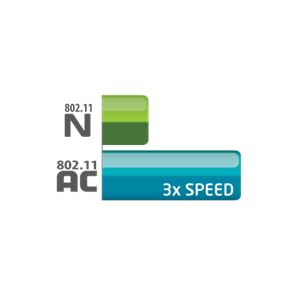
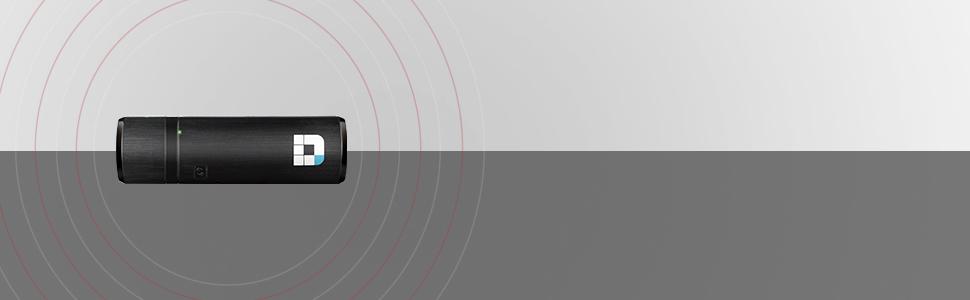
The D-Link AC1200 Mini WiFi USB Adapter (DWA-182) delivers dual band wireless speeds up to 867Mbps on 5GHz and 300Mbps on 2.4GHz, powered by USB 3.0 for optimal throughput. Compatible with multiple Wi-Fi standards and featuring easy WPS push-button setup, it ensures fast, secure, and reliable internet connectivity for laptops and desktops. Perfect for professionals demanding seamless streaming, gaming, and multitasking with a compact, portable design.


| Asin | B0099XFRIY |
| Best Sellers Rank | #407 in USB Computer Network Adapters |
| Brand | D-Link |
| Built In Media | Adapter |
| Color | Black |
| Compatible Devices | Desktop, Laptop, Tablet |
| Compatible Operating System Family | Windows |
| Customer Reviews | 4.3 4.3 out of 5 stars (1,024) 4.3 out of 5 stars |
| Data Link Protocol | IEEE 802.11a |
| Data Transfer Rate | 867 megabits_per_second |
| External Testing Certification | FCC B, IC |
| Global Trade Identification Number | 00790069382239, 00790069426636 |
| Hardware Interface | USB 3.0 |
| Item Part Number | DWA-182, DWA182 |
| Item Type Name | D-Link WiFi USB Adapter AC1200 Mini Wireless Internet Dual Band 3.0 Wi-Fi Netowrk Desktop Laptop (DWA-182) |
| Item Weight | 20 g |
| Manufacturer | D-Link Systems, Inc. |
| Mfr Part Number | DWA-182 |
| Model Number | DWA-182 |
| Number Of Items | 1 |
| Unit Count | 1 Count |
| Upc | 790069382222 790069446337 |
| Warranty Description | 1-year limited |
User
Works with Ubuntu Linux 18.04.02 LTS
Was looking for a wireless adapter for my new Ubuntu build and purchased this based off of the previous reviews that indicated it worked with Ubuntu 18.04.02 LTS, which I can confirm it does. It's not exactly plug-and-play like in Windows, but it's still do-able for novices.Once you plug the adapter in, open up Software & Updates > Additional Drivers tab. In there you should see D-Link Corp.: Unknown and an option to either "Do not use the device" or "Using dkms source for the r8812au network driver from rtl8812au-dkms (open source)". Choose that open source option and click Apply Changes. It might take a few minutes, but it should go through.Note you may be prompted to enter a password for secure boot (this is called the MOK key) - go ahead and enter an easy-to-remember password (MOK key). After that, you'll need to reboot (it will most likely automatically prompt you to reboot, if not then just reboot manually). Pay attention during the reboot since you'll need to press the Enter key to enter the MOK key process (you'll see a window asking if you want to do this). I forget the exact terminology, but you want to navigate into a section where you type in that easy-to-remember password (MOK key) you just made. Once you put that password in, do whatever you need to do to gracefully get out of the MOK key area and complete the reboot process, eventually landing at the normal user log-in screen you see every time you reboot your computer. Once you log in, the adapter should work just fine. Don't miss that MOK key process since you'll need to remove and redo the driver installation process again to get back to it. IMO driver processes like this (and this is an easy one!) are one of the biggest hurdles for normal users moving into Linux-land....Another thing to note is the drivers don't automatically load every time you start/restart your computer. To have them automatically load up every time you restart (which is likely something you'll want), is add the module name to the /etc/modules file. To find your module name, first get everything fully installed and working fine, then in a terminal window type lsmod. This will show you all of your kernel modules. Look for the name of this puppy - in my case it's 8812au (derived from the rtl8812au-dkms I previously mentioned) - and copy that text. For your next terminal command, type in sudo gedit /etc/modules - this will open a text editor and at the bottom of that file just paste in the text you copied. Save and exit gedit, restart your computer, and viola. Note that apparently my current Ubuntu build has a but where the wireless icon at the top right (near the speaker & power button) entirely disappears **sometimes** but the wireless still connects and works just fine. You can confirm everything is still working OK by going into your Settings > Wi-fi and you'll see you're still connected just fine.I am using this with my NETGEAR R8000-100NAS Nighthawk X6 AC3200 Tri-Band Gigabit Wireless Router Model R8000-100NAS and 1 gbps down / 20 mbps up internet connection. Wireless speeds about 15 feet away through one interior wall are 176 mbps down (22 MB/s down) and 23 mbps up (maxing out my upload internet speed)
User
Working great for NAS wireless access
Working great - it's to allow my QNAP NAS work wireless and worked just as they recommend.
User
Terrific product
I never really write reviews, but I thought I would for this product. I've had a considerable amount of trouble with USB wireless adapters in the past and was dreading purchasing a new one because these things never work out. Also, due to the location of my desktop and size of my home, these things never seem to get proper signal. But all that changed when I reluctantly got this USB Wi-Fi adapter.I use it every day for a few hours to play all sorts of games and browse the web. It gets way better signal than any other stick I've used and I have had zero trouble. To all the other negative reviews, they must not have installed the drivers properly or just have a poor computer in genreal. Just built a brand new desktop and paired it with this since my Motherboard didnt have space for an internal wifi adapter and I could not be happier
User
Runs cools, great for N-speed
Bought this adapter to replace an almost new, failing adapter -- a generic, postage stamp sized adapters which ran hot and died after 4 months. This D-Link adapter (DWA-182, ver C) is the size of a pack of gum. It has ventilation along both sides and is only slightly warmer than room temperature.My internet service operates at 80 Mbps when connected with ethernet cable. This adapter operates at 40-55 Mbps with a USB 2 connection, more than enough for streaming video, etc.Caveats, but not cons, this design is several years old. The "new" box I received was soiled, perhaps from years sitting on a shelf somewhere. I have only tested it with N-speed wireless, but it claims AC 1200 capability. Win 10 installation is painless after downloading the latest driver (the install disk will not work with Win10). If you don't need the higher speeds. I recommend this adapter over the newer designs because of it's better ventilation.
User
Fantastic Piece of Equipment
I was running D-Link 802.11n wireless adapter and router - it worked great until I was forced to move into an apartment. With a greater distance, a thicker all, and a crowded signal airspace, I was having a lot of trouble maintaining a wireless connection. Enter the Wireless AC system. The bars on my display didn't go up - I still had 3 out of 5, but my connection speed sure did! Suddenly I was downloading at my normal speeds - around a megabyte a second (not fantastic, but a damn sight better than I've done in the past). It's been reliable and easy to use ever since! Of course, I'm not using any of the really fancy features, but for a home router, it's fantastic.
User
Major design flaw makes it useless
I bought this adapter along with D-link DIR-865L AC1750 router to be able to transfer large files fast over the wireless connection. Installation of both the router and this adapter took no more than 10 minutes, and I was happy to see 585Mbps connection between my Windows 8 desktop and the router... until I tried to copy a 2GB file from my desktop to my NAS drive. The transfer speed was just 11MBps (approximately 88mbps), just a little bit faster than my old N300 router could handle... and that's not even the worst part of the story. During the transfer, my desktop lost wireless connection. I opened device manager and couldn't find wireless adapter under network controllers at all. It simply disappeared. I removed it from the USB port and put it back - nothing. Put it into another USB port - nothing. Both USB ports on the front of my desktop just stopped working. My desktop couldn't recognize any device connected to them. I turned off my desktop, removed power cord from the wall outlet, and, after a few minutes, turned on the desktop. This time, thanks God, both USB ports worked just fine. From my experience, such kind of things happens when some device, connected to USB port, requires more power than the USB port can supply. Long story short, I tried 16 different USB ports on 2 desktops and 1 laptop (let me say, modern desktops and laptop with both USB2 and USB3 ports) and found a few ports which could handle this adapter's power requirements while transferring large files better than others. Even now, most of the time, I wasn't able to transfer any files larger than 3-4GB. I think this adapter has a major design flaw which could probably be fixed by firmware or driver update... but let's see what's the latest driver's date on D-link website. It's dated 10/29/2012, and it's major advantage, according to D-link - "Supports Windows Vista". It doesn't even officially supports Windows 8 (but in fact works with it, I must say). Six months without any updates... Well, I better return this thing to Amazon and buy adapter from another brand.
User
Very quick and much better than my last adapter
I had a mediatech, I believe wireless adapter with N (150Mbps). This adapter is much, much faster. I am able to bring down my full internet capacity from my ISP 50Mbps, where before I was luck to get maybe 12-15 Mbps down. I noticed that my old adapter showed a connected speed of 72 Mbps while this one shows as 300Mbps. I have it set the 5Ghz band that that seems to be performing very well. Also, I am using Windows 8 Pro and it has not had any driver/etc issues.Sorry for the quick rambling, send me a response if you would like to know something else.
User
Good hardware
Item works great, but I dinged two stars because the software is NOT required to run this device, and in my case caused problems. The instructions say to insert the CD before connecting the device, which I did, but the software kept causing my computer to hang, and the network connection would not always work. I uninstalled the program and the device, put the device back into the computer, and installed the driver from the CD using device manager. Has worked perfectly ever since, cannot complain about the hardware.
User
Facile à l'usage. Répond aux attentes.
Mise à niveau d'un ancien pc portable dont la carte wifi ne permettait plus de se connecter à la fibre optique en Belgique (réseau même pas détecté)... Une fois cet adaptateur Wifi installé, super débit et bonne stablité.
User
Bien
Funciona bien, en caso que tu tarjeta wireless ya no fuencione bien o esté muy viejita es buena opción
User
Bester WLAN Stick dieser Preisklasse. (nur das USB3.0 Modell !!!)
Außerordentlich guter WLAN Stick. Bester Stick in dieser Preisklasse.Screenshot zeigt Verbindung mit Fritz!Box 7590 auf 5Ghz.Das Gerät packt die 250Mbit/s vom Telekom Anschluss auf 5Ghz bei einer 800Mbit WLAN-Verbindung. Top.Im 2,4Ghz Band werden sehr gute 100Mbit/s überschritten (bei 400Mbit Bruttobandbreite).Das ist ebenfalls eine Bestmarke.Der Stick ist Plug-n-Play unter Windows 10 und funktionierte innerhalb von 4 Sekunden auf meinem Testrechner, war also sofort betriebsbereit.Im Lieferumfang ist auch noch eine USB3.0-Verlängerung, damit man ihn optimal platzieren kann.Bei den Leistungswerten würde ich ihm 6 Sterne geben.
User
Fantastic
Works great for my laptop that has a wireless card that is supposed to work my new wireless router but does not no matter what updating/settings used. With the cable that comes with the WiFi adapter my worries of snapping it off in my laptop or damaging my laptop with movement are gone. It works great, easy to set up and use. I do recommend IF you need one.
User
Plug & play is so smooth
It's so smooth to connect to windows10 or 11 PCsPlug & play is so goodI am using it since 3years & build quality is good
Trustpilot
2 weeks ago
4 days ago