Desertcart purchases this item on your behalf and handles shipping, customs, and support to Belgium.
๐ Elevate your WiFi game โ never settle for dead zones again!
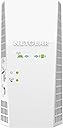
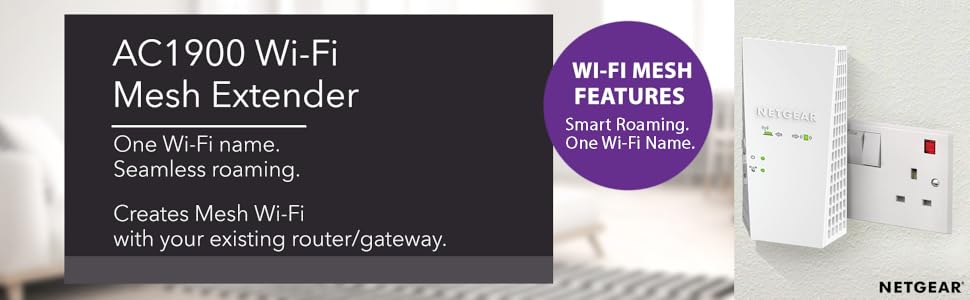
The Netgear EX6410 AC1900 WiFi Extender boosts your wireless coverage up to 2100 sq ft, supporting over 35 devices with dual-band speeds up to 1900 Mbps. Featuring seamless smart roaming on a single SSID, universal compatibility with any router, and a Gigabit Ethernet port for wired connections, itโs designed for easy app-controlled setup and reliable high-performance connectivity across your home or office.


| ASIN | B07NY41HW1 |
| Best Sellers Rank | 10,187 in Computers & Accessories ( See Top 100 in Computers & Accessories ) 83 in Network Repeaters |
| Box Contents | Network Extender |
| Brand | NETGEAR |
| Brand Name | NETGEAR |
| Compatible Devices | Router |
| Connector Type | 3 pin plug UK |
| Country of Origin | China |
| Customer Reviews | 4.0 out of 5 stars 2,812 Reviews |
| Data Transfer Rate | 1900 Megabits Per Second |
| Data transfer rate | 1900 Megabits Per Second |
| Frequency Band Class | Dual-Band |
| Frequency Bands Supported | 2,4 GHz, 5 GHz |
| Frequency band class | Dual-Band |
| Global Trade Identification Number | 00606449141177 |
| Included components | Network Extender |
| Manufacturer | NETGEAR |
| Manufacturer Part Number | EX6410-100UKS |
| Model Number | EX6410-100UKS |
| Product Warranty | 2 year warranty |
| Range | 2100 Square Feet |
| Special Features | Dual-Band, Universal Compatibility, FastLane Technology, WEP, WPA/WPA2 |
| Special feature | Dual-Band, Universal Compatibility, FastLane Technology, WEP, WPA/WPA2 |
| UPC | 606449141177 |
| Unit Count | 1.0 count |
| Wireless Compability | 802.11ac |
| Wireless communication standard | 802.11ac |
M**D
Excellent performer
Tiring of the feeble & unreliable WiFI reception 2 floors up from where our EE router is obliged to sit, I thought I'd give a WiFi extender a try. I was expecting sluggish but reliable performance but I'm getting the speeds I'd expect when sat next to the router. I could imagine setting up might be tricky for those who wouldn't ordinarily take an interest in such things but I found it straightforward enough once I'd bothered to grasp how it does what it does. I've no idea if this particular device or brand is better than any other but the few bits & pieces of Netgear stuff I've bought over the years have been remarkably trouble-free so although I haven't had it long enough to vouch for its ability to stay connected & not spontaneously combust, thus far I myself would recommend it to anyone in a similar situation to the one mentioned above.
U**R
Netgear full mesh network
The Nighthawk X4S extender is expensive for a Wi-Fi repeater, but it delivers excellent performance. Those distinctions are both down to its tri-band design, which uses not one but two 5GHz radios, along with a 2.4GHz one for older devices. That translates to a big bandwidth boost over the majority of cheaper extenders, which make do with a single 5GHz radio. Physically, the Nighthawk X4S is a chunky unit and it only supports Wi-Fi 5, rather than super-fast Wi-Fi 6. It has little in the way of advanced features, either. For what it is, though, the Netgear Nighthawk X4S is a terrific piece of kit. It delivers excellent Wi-Fi performance while being cheaper and easier to install than a full-blown mesh system.
A**R
Excellent Wifi
Great product. It has boosted my wifi by a lot compared to my previous netgear extender AC750 EX6100 which I had to replace because my little boy kept pulling at the antennas. Note, it is very large, but feels sturdy in the wall socket. I can only give it 4 stars, as it doesn't have the Access Point option, which would be find for most people, and for me in the location I needed it, but I would have bought another one if it did have an AP option to use instead of my Sky Hub's wifi which is rubbish (no 5G band). The model one down from this has AP but isn't tri-band and the model above isn't a wall-plug unit. It's rather pricey, but all netgear products seem to be more expensive than they were a few years ago. It took a good few minutes to connect via WPS, it failed a few times, but I may have been a bit impatient by moving it to the desired location before it had fully completed it pairing. Also, for some reason it had dropped the 2.4G band after about a week, but I managed to fix that by logging into it via a PC. I think that issue was caused by me setting up all my routers to have the same SSID and assigning specific channels to avoid interence and create near seamless roaming around the house. By logging into it via a PC highlighted that it needed a firmware update which only took a couple of minutes to do. The LEDs on the unit are extermely bright, which may be an issue for some people, but you can turn all but the power light LED off in the settings.
B**R
Great so far, manual setup & firmware update recommended
Bought this to extend my virginmedia super hub 3 in a victorian terrace property my super hub is at the front of the house and the back kitchen & garden had very poor if at all signal. Setup via wps was easy but first few days it kept needing to be turned on and off. Then I turned my laptop on and my firewall kept saying โcache poisoning attackโ this was actually the extender trying to prompt manual setup through the GUI which I have now done. Working perfectly for about 2 weeks and get over 100mps in kitchen & garden even though only have โgoodโ signal to the extender. So far so good, great product.
B**4
Looking at Linksys Velops.
Delivered 23 March. Installed successfully, after 2 false starts, and worked beautifully until two days ago using WPS. Suddenly connection between (new) Virgin Hub 3 and extender went from blue to red (connection). Despite endless retries, reboots of Hub, reset of extender, cannot get the communication between Hub & extender to hold. Even when within the same room the signal falls off. Have tried manual install and this takes me straight to the login page which requires a user name & password. As I did not use manual install I DO NOT HAVE a username & password. Afraid I am with the โthis is crapโ brigade. Was on the point of sending it back & the decided to persist. One final reset of extender; left 24hrs & then (ignoring manual) proceeded on the letโs see what happens set up. Success. Access & control of hub via net; access & control of extender via net. Extender located where strong signal from hub & excellent coverage removing black spots. WiFi scanner monitoring both 2.4 & 5g channels. Can see local channel usage, RSSI measure, & mbps measure. For 4 months everything went well. Then found that connection dropped-off, crashed etc. Virgin V6 box wouldnโt connect via extender. Virgin engineer spent time with me & replicated my steps. We finally agreed that best to connect it direct to V6 box- so turned off extender, connected V6 & smart TV; despite distance & โweakโ signal, high RSSI measure, stable & no buffering. Persisted with extender to eliminate black spots, but finding that all WiFi connected devices struggle with both finding & maintaining connection. Now have to re-boot extender each morning; when any of the items has to reconnect (phone on returning home), & sometimes also in evening. Maintained Channel selection on manual. Ensure that nearby routers etc not using these channels; interesting exercise, Iโve learnt so much about setting-up & managing WiFi network!
S**E
Is good, sometimes but most of times confuses devices and refuses internet access.
Where to start? Setup was slow, the plug boots up sluggishly. However once booted and setup works better than having no extender in our house at least. The good: * Works better than without any wifi extension as we have zero wifi in kitchen and office, having a large farm house with thick brick walls. * the roaming feature works really well. We can walk around the house and be transferred from main hub signal to the extender and not notice any buffering or loss of signal - when the device is working correctly that is. * speeds are great compared with using a powerline to wifi extender along our Victorian style electric wiring and multiple trip switch board circuits to get through (when the electric network was extended over the years). The bad: * like many of these extender sockets, this one suffers from signal drop out from time to time. I considered as it was a "mesh" style system adding another plug somewhere would solve the problem, by allowing the two devices to connect to each other and choose the best path. That made the issue worse and seemed to confuse all nearby electronic devices that tried to connect to our network. * there's usually at least always 1 red led lit. Either the connection with the router (other side of the wall next to the plug) or to a connected device receiving signal from this extender. That may just be our signal travels poorly within this house, I've tried different extender options and to this day have to find one without problems. * sometimes devices just refuse to connect to any internet signal (connects to a wifi device but says no internet available or quality of signal low even though signal shows as full strength), this is normally resolved by switching this plug extender off and on again after a few mins. It's almost like the plug gets its knickers in a tangled mesh and cant decide which antenna or device to connect where so gives up. Overall: Good when it works, although the verdict is out whether or not this has been pushed to its limitations in our large farm house. Conclusion: This is sadly being returned and another "mesh" disc style product will be put to the test, hopefully with better results.
A**S
Unpack & install
Nicely designed & engineered product as expected from Netgear. Installed very easily & setup in minutes, very pleased with the quality, would recommend. Purchased this item for my wifeโs bedroom to combat a WiFi dead zone & also itโs switchable for extender or access point.
C**R
Great product - easy to install and really improved Wi Fi signal
Just took delivery of this product and it took literally 2 mins to install using the WPS connection utility. We have a 3 storey house and, with the router being on the Gnd floor, the signal on the top floor was almost non-existent. We had a cheaper booster installed but the WiFi name is different for the boosted signal meaning you have to switch between wifi connections as you move from room to room. This unit provides the MESH facility and broadcasts the one WiFi identifier around the entire house moving around the house doesn't impact the connection and no need to switch. Having installed this product there is already a notable improvement in the signal strength. This is particularly notable as 3 of us are working from home during the lockdown period including video calls and without interruption. I would highly recommend this product. We are a sky broadband subscriber.
S**O
Router wifi
Buoni materiali, รจ robusto e funziona in modo coerente con quanto descritto nella confezione e sul sito internet. Non ho ancora avuto problemi di disconnessione
S**Z
Worth every penny. Now if only it's blue LED is not so blinding, it would be perfect
Worth every penny. Now if only it's blue LED is not so blinding, it would be perfect.
M**I
mediocre performance, expensive
Always been a netgear fan, however their extenders are lacking. At least this one has mediocre coverage and features to what it advertises. I have tried number of locations to get the best of the product with no avail. Also had to reset the extender twice then update its firmware, finally it was working. The installation page or app are also lacking, there's also no ethernet port. The price is high to what it offers. Currently using it to cover a small area with poor coverage, however the performance is not that great. Had some issues getting this product delivered, so I am hesitating returning it. Sadly I am giving it a 3. I would not recommend this product.
Trustpilot
3 weeks ago
2 months ago