

๐ Elevate your Raspberry Pi experience with sleek, sharp, and smart display power!
The KINCREA 7 Inch HD LCD Screen is a compact, ultra-slim monitor designed specifically for Raspberry Pi models 3, 2, B+, 3B, 2B, A+, and A. Featuring a native 1024x600 resolution with support up to 1920x1080, it delivers crisp visuals through a standard HDMI input. Powered via a universal 5V USB interface, it supports power banks and PC USB ports for ultimate portability. The package includes all necessary cables, a power adapter, and a multilingual manual, plus a special batch file for easy resolution adjustment on Raspberry Pi, making it a plug-and-play solution for professionals and makers seeking a sleek, reliable display.
| Customer Reviews | 3.9 out of 5 stars 377 Reviews |
C**N
Surprisingly one of the best mouse I have used and still use (helpful/honest reviewer)
I try to be as helpful and honest in my reviews as possible so please like if applicable: Comfort: - This is fantastic for comfort! One item I hate about some mouse's is that my pinky finger drags on the side. The optional plate that comes with this, resolves the issue (main part of purchasing this item) - The coating on the finger placement is pretty smooth and a nice feel to it. nice for gripping also. Button Placement: - This is where a lot mouse's come to issues. I have not had issues of accidentally pressing buttons, and the DPI switch is off to the back of the thumb area out of the way. - This can be problematic for gamers that quickly cycle through them, but I admire it as I do not accidently press them through regular use. Weights: - This comes with a set of weights that has a clever placement of them. you take off the side plate and you can pop them out in a tray. Very handy and love it. PRICE/Value: - This is where it shines the most. I cannot say profusely enough about the value of this mouse. After researching so many and trying out many others (I paid for all of them myself or borrowed from buddies at work) I found this to be the best mouse I have used for the price. I have tried similar priced mouse's and slightly more expensive ones and I cannot endorse those as well as this one. Quality: - After heavy use for the past 6 months, I have had no failures and it has continued to shine! The only qualm I can think of is that it marks easily on the top, but is rubbed out pretty easily, not that this really matters in over all functionality. Conclusion: Fantastic mouse for the price. I absolutely hold this as a 5 star mouse. The placement is the only consideration I can think of people giving it lower stars. Not the best mouse for gaming, but I would say for price/comfort/options/quality it is the best you can buy for general use.
M**V
Excellent Gaming mouse at an affordable price
Purchased this mouse based on the many good reviews out there. This was an unknown brand for me, so in spite of the reviews I was a bit skeptical. When I received the mouse was very well packed, the design is very eye candy but the best came on when starting using it. This is the most comfortable peripheral I've ever tried, before this I had a sidewinder X3, which was very good but always had that "regular mouse" design, no rest for other fingers, just a little edge for the thumb. With the Revolution Pro you even get and extra side panel that accommodates your ring and pink fingers very nicely (if you have hands like me with long and slim fingers, this side panel will not work on think fingers). Since my old mouse had fixed dpi settings it took me a while experimenting with the software on this one as it goes from 100 to 8000+ (my top on this is 3000, that's really enough for gaming in my opinion). In case you wonder the Red LEDs on the picture can be turned off by the software so they don't bother if you are watching movies (for me it was just annoying so I turned it off). The left and right click are sensitive enough that you don't have to push that much but not that sensitive that you might miss click something. One of the things I loved the most were the ceramic feet, I don't use mousepad and on my wooden desktop feels fantastic, now I realice how much friction I was getting on my old mouse. One thing that is not so good (and this is more of a personal taste) the two thumb buttons are awkwardly placed, I was planning to use them in game but no good for me, and the DPI switch is in a not easy to reach place while you are in action. This mouse has adjustable weights, I never had this before but I ended up using all of them, as it is just a tiny bit heavier than my previous. The weight case is a good thing to have in case you don't want to use them all and not loose them. Will I recommend this mouse? Yes off course, for the price is a great purchase, if you are looking for a good gaming mouse at decent price this ought to do it
S**R
All sides of both detachable grips are coated with a nice feeling, thin rubber
I really wanted to finally get a "premium" mouse, or something along those lines, at a fairly cheap price. After excessive research and watching nearly all reviews I can find on this mouse, I was convinced that it was worth buying. I am an avid FPS gamer. That means for me, precision is very high on the priorities. The Sentey Revolution Pro has the Avago 9800 LASER sensor. From my research, I've learned that all laser sensors, to some degree, have built-in mouse acceleration that you simply cannot remove. Although I have yet to notice the mouse acceleration, do keep in mind that this sensor is known to have it. This mouse has a detachable grip on the right side, where your ring finger and pinkie rests. All sides of both detachable grips are coated with a nice feeling, thin rubber. However, that's where the problem comes in. The rubber on the bottom of the side grips create a lot of friction. This is much more noticeable on thicker mouse pads because the mouse feet are actually quite thin. Unlike traditionally mice, this mouse has ceramic feet, dispersed along the bottom of the mouse, five in total. Also, rather than being a wide patch, which is common among many mice, the feet on this mouse are just small spots of ceramic material. As a result, it really "digs" into thicker mouse pads, creating unbearable friction. Keep in mind that friction is only apparent on the second side grip that comes with the packaging. Because of its wider body, more rubber is put against your mouse pad. Overall, this is a great mouse. The software allows you to change your DPI in intervals of 200, and choose lighting among a set of choices (not RGB). However, I would recommend you to stay away from it if you either one, play FPS games, or two, have a thick mouse pad and would like to use the side grip with the ring finger rest. UPDATE: One Month Later Received this on November 17, 2015. During Black Friday, I bought a Logitech G502 and has been replacing it ever since. After one week of heavy use and perhaps an additional week of light use added up from time to time, I have began to noticed a problem that has plagued me for centuries. If you squeeze the mouse, or hold it with a tight palm grip, the left side of the mouse makes a fairly noticeable squeaking sound, which is REALLY annoying. The same thing applies for the Logitech G502. ERRRRR
B**R
Uneven feet
This mouse was purchased to replace a major brand mouse that was missing three out of four clicks, probably due to switch bounce, and could not reliably drag a window across the screen. Not four stars, but I'm starting to wonder if anybody makes even a four star mouse sector. The ceramic feet would be nice, if they were level. The mouse rocks and not in a good way. With three feet touching a hard surface, the price of return postage in single dollar bills could fit under the fourth foot. It might be off spec, but a manufacturers spec should not only define tolerances, but should specify a very low number of instances that deviate from the tolerance. Surely I'm not the only unlucky customer. Yet, for the price, it's in the ball park. Not worth the list price, but it's well worth the marked down price -- or would be if the feet all touched a hard surface at once as they should. Thing with returns, I paid for this so I could have it now and go on with my work. Returns mean no good mouse for another week. For what I wanted -- switches (buttons) that operate when clicked, it does the job. It seems to track well - at least on a hard machined custom mouse surface. It's been jittery a couple of times, but working with the lift calibration button and the DPI seem to bring it into line. Ergonomically, it's so so. The interchangeable right side grips allow the hand to rest mostly on the mouse, which makes up to some extent for the crowded, narrow thumb rest. The DPI button intrudes on the thumb rest space -- not uncomfortably like a pin prick, but always there where the thumb wants a smooth surface to sit. The forward button is sort of tucked up around a slight curve, so it takes some maneuvering to get it to operate. It was plain from the pictures this was not an "erognomic" or "vertical" mouse, but why? Does everybody prefer flat mousetops? A 60 degree angle would be much more natural and would leave much more space for a realistic thumb rest, with a mini keyboard, mini-fridge and espresso machine all in the left side, as game mouse makers seem to think gamers want. Now, about those lights. At least they don't flash fast enough to trigger a seizure as so many electronic device status lights seem to do. But if I wanted a light show, I would search "LED light shows." The colored lights are almost a nice feature, but why do they "breath" -- at some random cadence that relates to nothing? And those blue DPI status lights, well, I guess that's why God made duct tape -- to cover up superfluous LED lights. Back in the day, if we wanted to know the status of a switch, we relied on sliding switches that indicated the state by where they were. The adjustable DPI feature does seem useful - it's appearing on enough mouse models, it seems to be a genuine consumer demand. But how about just an unobtrusive, professional, ergonomically correct mouse? Is that so hard to make? Maybe a modest 30 degree top, wide enough (like this one) to fit grown-up hands, switches out of the way, USB rechargeable, wireless, operable with USB connected -- consistently constructed to specs, accurate on most surfaces, with switches that operate in the high 99.9 percent of the time range when clicked? Maybe in the next century? We can always dream.... Update: I added a video and screen grab from the video showing the gap under one of the feet, from a side view level enough to see under the mouse. The white line in the image is the edge of an aluminum mouse pad, with a thinner dark line depicting the exact edge of the surface. The raised foot is the front foot nearest the camera. The video shows the mouse rocking on the uneven feet, making an audible click on the aluminum mouse pad when manipulated by a finger placed on the braided cable in front of the mouse. Update 2: Amazon arranged a return and exchange to resolve the problem with uneven feet, but the second mouse also had uneven feet. What's more, the braided cable wrapping on the second mouse was frayed. The irregularity in the ceramic feet on the second mouse was about half that of the first mouse, but the frayed cable is a non-starter. The uneven feet are not noticeable on a softer mouse pad (Steelseries) as they were on an aluminum pad, so I'll either try again, or just live with about as good a mouse as anybody makes for $29.99 these days.
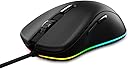
D**D
Ceramic Pads on Bottom; Smoothest Gliding I've Ever Felt ;)
I've used this mouse for 9 months now and it's still going strong. I absolutely love this mouse. I highly recommend this mouse to everyone. The ceramic pads on the bottom have given me the smoothest gliding motion I've ever felt. I have friends with the more expensive Redragon M901, and Razer Mambas and Nagas and those plastic pads just cannot compare. Pros: Accurate movement (make sure mouse acceleration is set off) Glides incredibly smoothly and quickly (definitely need a mousepad though) Buttons feel crisp Scroll wheel feels solid, yet subtle enough to not be annoying Cons: The lights can be a bit bright in total darkness, especially when set to a blue color. For reference, I played quite a bit of League of Legends (haven't been able to play very much lately), and I click a lot. A ton. Maybe about 5 clicks or so every second for about 40 minutes straight with brief breaks in the middle whenever I die for maybe 2-3 times a day. On top of that, I use the mouse for general browsing and 3D designs in AutoCAD and Creo Parametric. I have been a pretty strenuous stress test for this mouse and the test keeps going too. This mouse is still going strong for me and I can see it definitely lasting me for at least another 4-5 years without a problem. Each button clicks and actuates flawlessly. Compared to other mouses I've used, the Redragon and Razers previously mentioned, this mouse requires the lightest force to make a click, which I really enjoy considering how often I click when playing LoL. The scroll wheel has a very nice feel to it. It feels solid, yet subtle enough. The middle scroll wheel is a bit hard to click (for those that like to open/close tabs in chrome with that button) since you can also side scroll on this mouse, but to circumvent that, I just set the "lift" button to my scroll wheel click. The software that comes with this mouse is easy and intuitive to use. The braided cable is very long, extremely high quality, anti-tangle, and even comes with a velco strip to help keep the excess length managed, perfect for my desktop which sits a little ways away. I love this mouse and I highly recommend it, especially for the price that it comes at.
J**.
Probably the most uncomfortable mouse.. ever. Revolution Mouse.
Pros Looks nice. It works. Software easy to use. Cons The design is done in a way as if they didnt test a prototype. The area your palm would rest comes to a point which rubs my palm in an extremely uncomfortable way. I tried changing my grip but everything was just as uncomfortable as the last. Due to this I never could get a feel for the cursor movements. Technically there are " 9 Macro Buttons " but in reality you can just configure a macro and set it to one of the normal buttons. Other Thoughts. The mouse is of good quality so I wont hesitate to buy Sentey again. The mouse would rank up there with the best I have used IF they had not had the unbelievable design decision to have the palm area come to a sharp point. I also think the mouse could probably be about a 1/4 inch to 1/2 shorter.. It is really difficult for me to use a claw grip on this mouse and still comfortably reach to scroll wheel for example and I dont have small hands.
S**S
8200 DPI doesn't make a difference in the horrible performance of this mouse
I bought this mouse because at the time I gamed frequently and was tired of getting that problem you with cheap mice where it double clicks.. Straight out of the box the mouse seemed as if it didn't like my mousepad... So I got another, all seemed fine, eventually I had to take a break from gaming and upon returning, the mouse was once again unresponsive on the mousepad. So I got another... And that lasted about a day or two? Not even fully on the past two as only one of the settings on the mouse is even somewhat responsive. It constantly jeers and snaps across the screen. My previous mouse was seven dollars also off amazon and it was smoother than this. Not only is this horrible for gaming but the design itself is overly ergonomic making it uncomfortable in that regard also. As for avoiding the left mouse double click problem, I don't want to use this mouse long enough to find out.
D**T
The mouse that lives on..
Let me first start out by saying that this is my second purchase of this product. The reason for this is due to the realization regarding the past history of this product and any likelihood of it possibly disappearing again (which I would hope not by now). Believe it or not, it has been sold at some point or another in a number of countries under different names. These include names like Cyber Snipa Silencer (Australia), Revoltec RE122 Fightmouse Elite (Germany), Ozone Smog (Spain), Ace of Sweden Edge 3200 (Sweden), Prestigio PMSG1 (Eastern Europe), and Aliencraft G11 (Asia). Why make such a big deal about this? -There are literally three big factors that make this mouse stand out among the competition. The first is the most important, which is the amazing ergonomic style that allows most palm users to get a solid glove like grip upon the mouse (given that extra attachment piece that makes it possible). This in turn not only trains you to have a consistent hand position but also gives you confidence in lifting the mouse without feeling afraid of having to reposition your fingers each time you do so. Now who wants to worry about that during an fps match? -The second factor is the ceramic feet which are super rare on mice. In fact I have yet to see any other mouse on amazon that touts this same amazingly simplistic counterpart to teflon. Unlike teflon, these ceramic feet are designed with the thought of never deteriorating, leading to avoiding issues like the use of a hard surface (eg. plastic or aluminum) that is known to wear teflon down quickly. There is also the issue of consistency with teflon as it wears down where accumulating dirt or anything getting stuck up against the degraded teflon can become a big hindrance to performance. The way these ceramic feet are designed, there is a much smaller minute chance of that happening. -The last is the price to quality ratio you get for this product. For $30, you not only get an impressive ergonomic design and ceramic feet, but also a weight tray for weights that are in the center of the mouse where it should be, dpi switch, 4 way scroll wheel, mode button for profiles with plenty of color led choices, a lift button for instant calibration without the need of software, on board memory that retains macros and settings without the software being present, omron switches which are meant to last the life of the mouse (*cough* kailh), and a few other notables. Main brands are literally twice the cost just to include these benefits. Am I just being biased? -First of all, let me start by saying I have had a few previous gripes with this mouse. One of them pertains to the ceramic pads on my first mouse not being entirely balanced when it comes to a hard surface. This was disgruntling since one of the pads on the front of the mouse was slightly off balance and caused my mouse to tip forward with enough force applied. I ended up contacting customer service and was pleasantly greeted by a very friendly employee who quickly told me it was a very uncommon issue and would send me a replacement right away while offering a free return on the other mouse. That in itself is quality service! Unfortunately, the replacement mouse that came had the same issue, but this time it was on one of the back pads. The good news is, it was much less noticeable and didn't get in the way of playing like the first mouse did. I was resigned to think that it was a flaw that the company just could not control and didn't want to risk getting a mouse that was much worse off than the one I had. Wouldn't you know it, when I got this SP version, the ceramic feet were completely balanced out! There was also a noticeable green sticker on the bottom denoting a Quality Control check, so chances are Sentey has been learning how to deal with the issue. -Another gripe I had was the rather generic like laser driver that appeared to have the possibility of acceleration added in. Something special I learned about this is that like almost all mice have this sort of issue where companies would add their own fancy acceleration curves. I believe Logitech had a mouse that went against this movement in the realization of much smarter gamers catching on. Of course even now it is still an issue. I for one pretty much just replaced the driver with Povohat's mouse acceleration driver which allows me to designate simple raw mouse input and any kind of acceleration I want. UPDATE!! Google Search "new method for mouse acceleration" and click on the first link to the blog. There you will find the test build link for a now much easier to install driver overlay to solve this mouse's shortcomings! -My last gripe is pretty petty but having the ability to actually turn off the dpi lights along with the LED lighting would help if one wanted to save the LEDs from burning out in the long run if they ever do. Not like they should though with the known life of LEDs. Now that you know the joys and the pains I have faced, for the money one pays, I would highly recommend giving this a shot. You have a lot less to lose than on some ridiculously priced product that may perhaps have become another victim of the status quo.
Trustpilot
5 days ago
1 month ago